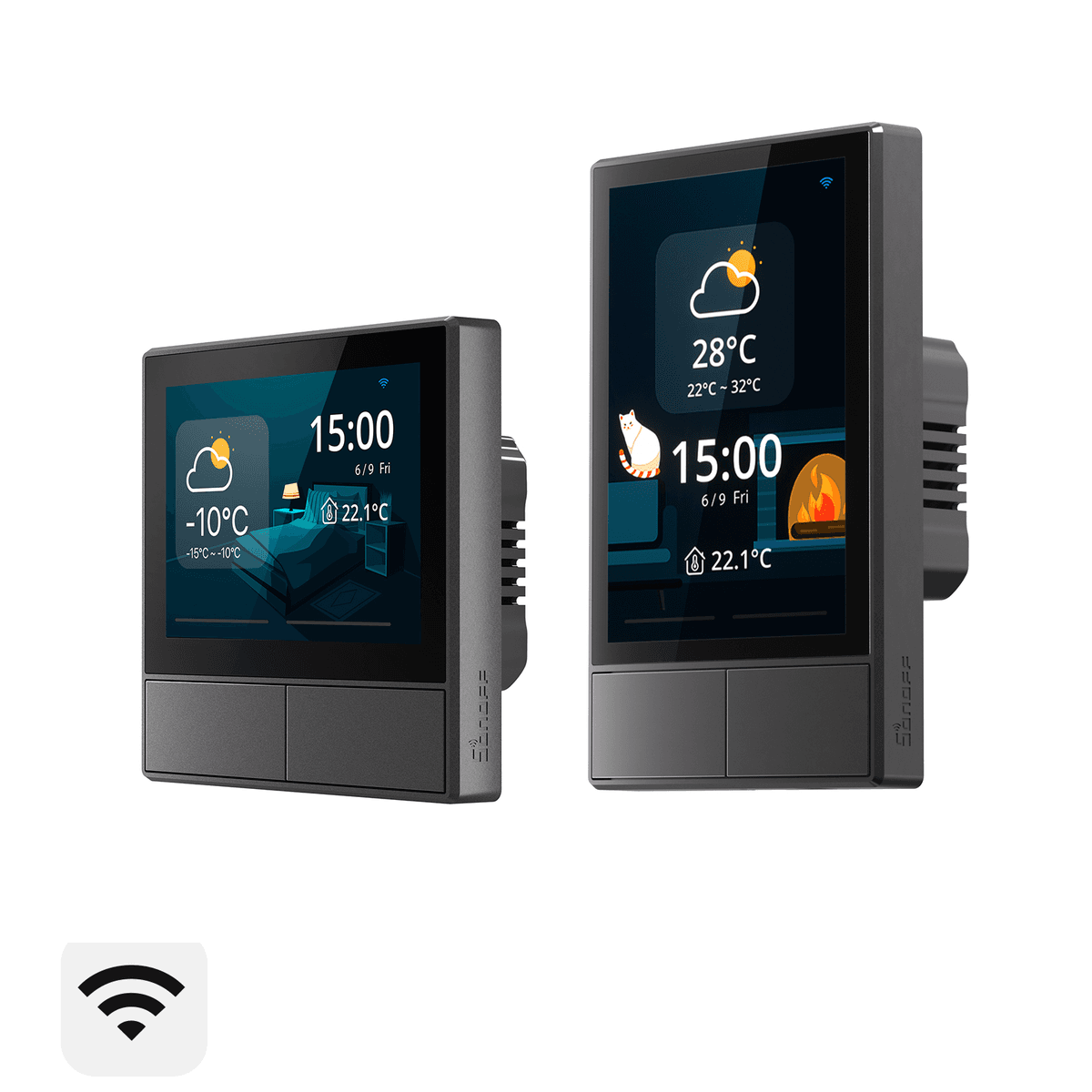
Sonoff NSPanel
ESP32-based smart wall switch with 3.5-inch capacitive touchscreen, dual relay outputs, temperature sensor, and buzzer. Flashable with Tasmota for custom LVGL/Berry interfaces and Home Assistant integration.
$49.90
Tap any value to browse matching devices
Specifications
Components
Dual-core Xtensa LX6 microcontroller at 240MHz with integrated WiFi 802.11 b/g/n and Bluetooth 4.2, 520KB SRAM
TFT LCD single-chip driver for 480×320 resolution color display with 16.7M colors and SPI interface
Self-capacitive touch panel controller supporting up to 2 simultaneous touch points with I2C interface
ARM Cortex-M0+ co-processor handling display rendering and Nextion-compatible serial protocol communication
Two independent single-pole relays rated at 2A for light switching, controlled via ESP32 GPIOs
NTC thermistor providing room temperature readings for climate monitoring and thermostat automation
Piezoelectric buzzer for audible touch feedback, alarms, and notification sounds
Bus Interfaces
Sonoff NSPanel
The Sonoff NSPanel is a wall-mounted smart switch with a 3.5-inch capacitive touchscreen display. It combines two relay outputs with a full-color touch interface, making it one of the most versatile Tasmota-compatible devices for home automation dashboards.
Key Features
- ESP32-D0WDQ6 dual-core processor at 240MHz
- 3.5-inch TFT capacitive touchscreen (480×320, ILI9488 + FT6336U touch)
- Two relay outputs — 2×2A for light switching
- Internal temperature sensor for room climate
- Buzzer for feedback sounds
- Serial connection to Nextion-compatible display MCU (STM32G030F6)
Tasmota Compatibility
The NSPanel is one of the most popular Tasmota display devices:
- Flash via serial (3.3V FTDI to internal header) or OTA from stock firmware
- Runs Tasmota32 with Berry scripting and LVGL support
- Display driven via serial protocol to the STM32 co-processor
- Community firmware NSPanel Lovelace UI provides a full Home Assistant dashboard
Community Projects
- NSPanel Lovelace UI (joBr99) — Full Home Assistant Lovelace dashboard
- NSPanel HA Blueprint — Zero-code Home Assistant integration
- Tasmota Berry driver (blakadder) — Native Tasmota display driver
Flashing Guide
- Remove the NSPanel from the wall (disconnect mains power)
- Open the back panel (4 screws)
- Connect FTDI adapter to the serial header (3.3V, TX, RX, GND)
- Hold the boot button while powering on
- Flash
tasmota32-nspanel.binusing esptool.py - Configure WiFi via the Tasmota AP
Use Cases
5Resources
Where to Buy
Explore more of the directory — popular use cases, firmware, and specs to browse next.