Tasmota Motorized Roller Blinds
Automate roller blinds with Tasmota using a Sonoff Dual R3 or Shelly Plus 2PM. Supports AC/DC motors and stepper motors with position tracking, MQTT control, and Home Assistant cover integration.
Tasmota Motorized Roller Blinds
Automate your existing roller blinds or shutters with Tasmota firmware. Using a dual-relay device like the Sonoff Dual R3 or Shelly Plus 2PM, you get full position control, MQTT integration, and Home Assistant cover entity support.
Why This Project
- Affordable — $15-25 for the controller
- Works with existing blinds — no need to replace your window coverings
- Position tracking — 0-100% with calibration
- Multiple motor types — AC motors, DC motors, or stepper motors
- Physical buttons retained — wall switches still work alongside smart control
- Home Assistant native — appears as a
coverentity
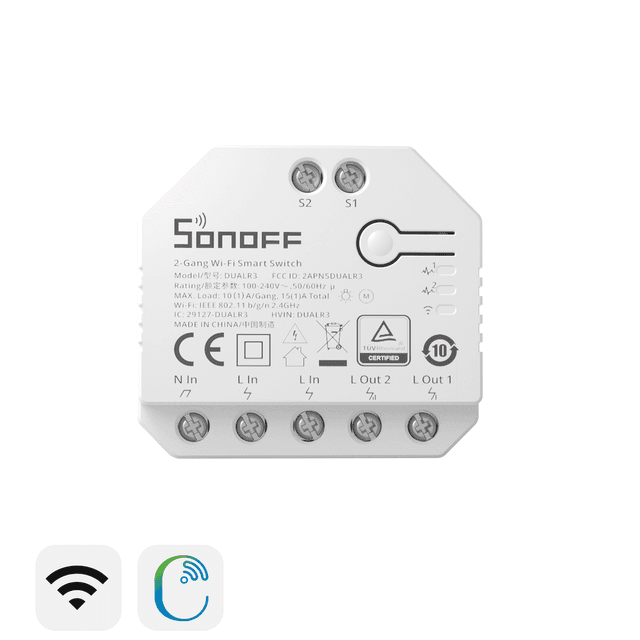
Option 1: AC Motor with Sonoff Dual R3 (Most Common)
Components
| Component | Purpose | Est. Cost |
|---|---|---|
| Sonoff Dual R3 | Dual relay controller with interlock | $15 |
| AC tubular motor (e.g., A-OK AM25) | Drives the blind roller | $40-70 |
| 2× momentary wall switches | Physical up/down control | $5 |
Wiring
Mains L ──→ Dual R3 Common
Dual R3 Relay 1 ──→ Motor UP wire (typically brown)
Dual R3 Relay 2 ──→ Motor DOWN wire (typically black)
Motor Common ──→ Mains N (typically blue)
Wall Switch UP ──→ S1 input
Wall Switch DOWN ──→ S2 input
Tasmota Configuration
# Enable shutter mode
SetOption80 1

# Assign relay pair to shutter
ShutterRelay1 1

# Set travel times (measure your blind)
ShutterOpenDuration1 15
ShutterCloseDuration1 15

# Enable interlock (prevent both relays ON simultaneously)
Interlock 1,2
Interlock ON

# Button rules for wall switches
Rule1 on Switch1#state=1 do ShutterOpen1 endon on Switch2#state=1 do ShutterClose1 endon
Rule1 1
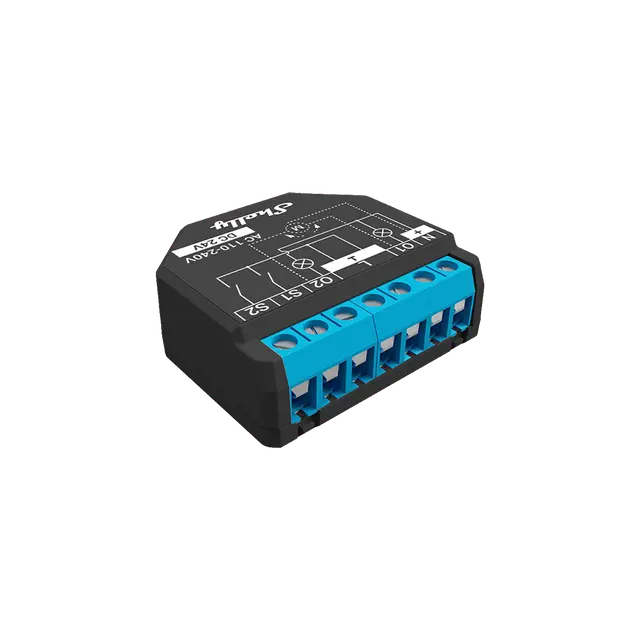
Option 2: Shelly Plus 2PM (with Power Monitoring)
The Shelly Plus 2PM adds power monitoring, which enables auto-calibration — Tasmota can detect when the motor stops drawing current (blind fully open/closed) for precise position tracking.
Tasmota Configuration
Same as above, but with power-based calibration:
# Enable shutter mode
SetOption80 1
ShutterRelay1 1

# Calibrate using the Google Sheets spreadsheet
# (link in Tasmota docs)
ShutterCalibration1 30 50 70 90 100
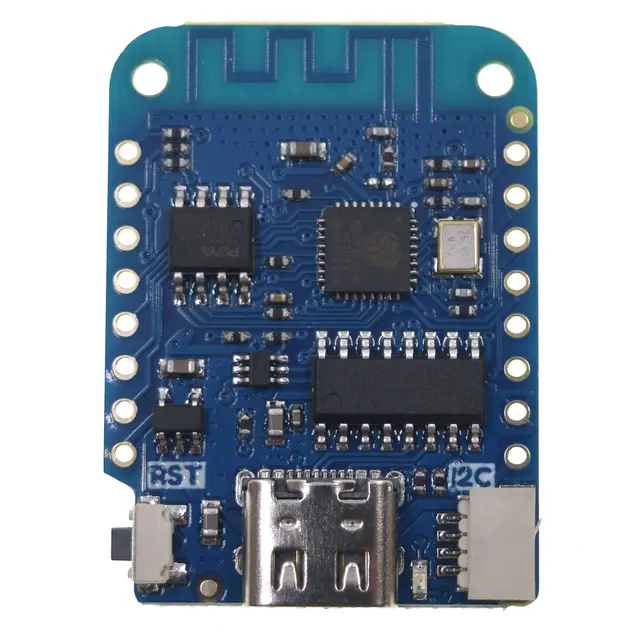
Option 3: Stepper Motor with Wemos D1 Mini
For IKEA TUPPLUR or similar blinds, use a 28BYJ-48 stepper motor:
Components
| Component | Purpose | Est. Cost |
|---|---|---|
| Wemos D1 Mini | WiFi controller | $3 |
| 28BYJ-48 stepper motor | Drives the blind | $2 |
| ULN2003 driver board | Stepper motor driver | $1 |
| 3D-printed bracket | Mounts motor to blind | Free |
Wiring
ULN2003        Wemos D1 Mini
───────        ─────────────
IN1        →   GPIO14 (D5)
IN2        →   GPIO12 (D6)
IN3        →   GPIO13 (D7)
IN4        →   GPIO15 (D8)
5V         →   5V
GND        →   GND
3D-printed bracket for IKEA TUPPLUR: github.com/paperreduction/Rapid-TUPPLUR
Home Assistant Integration
Tasmota shutters auto-discover in Home Assistant as cover entities:
# Manual MQTT cover config (if auto-discovery is disabled)
mqtt:
  cover:
    - name: "Living Room Blinds"
      command_topic: "cmnd/tasmota_blind/ShutterPosition1"
      position_topic: "stat/tasmota_blind/SHUTTER1"
      set_position_topic: "cmnd/tasmota_blind/ShutterPosition1"
      payload_open: "0"
      payload_close: "100"
MQTT Commands
# Open fully
cmnd/topic/ShutterOpen1

# Close fully
cmnd/topic/ShutterClose1

# Set to 50% position
cmnd/topic/ShutterPosition1 50

# Stop
cmnd/topic/ShutterStop1
Compatible Devices
- Sonoff Dual R3 — best value, power monitoring, ESP32-based
- Shelly Plus 2PM — premium option with power-based calibration
- Wemos D1 Mini + ULN2003 — for stepper motor builds
- Sonoff Dual R3 Lite — budget option without power monitoring