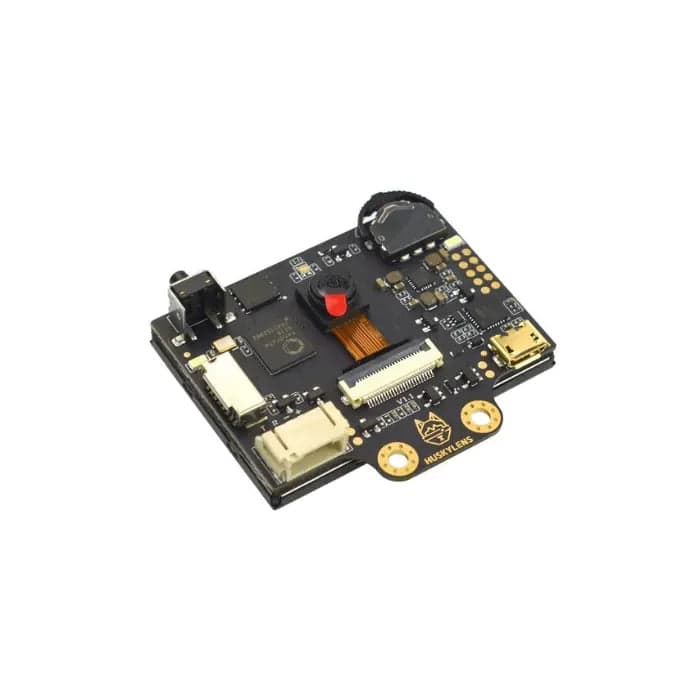
HuskyLens AI Camera
AI-powered vision sensor with built-in Kendryte K210 processor. Supports face recognition, object tracking, object recognition, line following, color recognition, and tag recognition via I2C or UART.
$69.00
Tap any value to browse matching devices
Specifications
Components
Dual-core 64-bit RISC-V processor at 400MHz with hardware KPU (neural network accelerator) and FFT accelerator for on-device AI inference
OmniVision 2-megapixel CMOS image sensor providing real-time video input for AI vision processing
320x240 pixel IPS LCD screen for real-time visual feedback showing camera feed and AI detection results
Bus Interfaces
Overview
The HuskyLens by DFRobot is an easy-to-use AI vision sensor with a built-in Kendryte K210 processor and 2-inch IPS screen. It can perform multiple AI functions including face recognition, object tracking, object recognition, line following, color recognition, and tag recognition — all without requiring an external computer or cloud connection.
Key Features
- Built-in K210 AI processor for on-device machine learning inference
- 2-inch IPS display for real-time visual feedback
- 7 built-in functions: face recognition, object tracking, object recognition, line following, color recognition, tag recognition, object classification
- Learn by example — train models by pressing a single button
- I2C and UART interfaces for easy integration with Arduino, micro:bit, Raspberry Pi
- Gravity connector compatible with DFRobot ecosystem
Supported Functions
- Face Recognition — detect and identify learned faces
- Object Tracking — track a learned object in real-time
- Object Recognition — classify objects using built-in models
- Line Following — detect and follow lines for robot navigation
- Color Recognition — identify and track specific colors
- Tag Recognition — read AprilTags for positioning
- Object Classification — custom object classification with on-device learning
Getting Started
Connect HuskyLens to your microcontroller via I2C or UART using the included Gravity cable. Use the function button to select the desired AI function, then press the learning button while pointing at your target object. The HuskyLens library is available for Arduino, MakeCode, and Mind+ programming environments.
Use Cases
5Computer Vision
Image recognition, object detection, and ML inference using embedded cameras and AI-capable processors.
Education
Teaching programming, electronics, and computer science concepts. Popular in schools, universities, and coding bootcamps.
Robotics
General robotics applications including mobile robots, robotic arms, drones, and automated systems.
object-detection
Face Recognition
On-device face detection and recognition using neural network accelerators.
Resources
Where to Buy
Explore more of the directory — popular use cases, firmware, and specs to browse next.