Tasmota PZEM-004T Whole-House Energy Monitor
Monitor whole-house or circuit-level power consumption using a PZEM-004T energy meter with ESP8266 and Tasmota. Measures voltage, current, power, energy, frequency, and power factor via MQTT.
Tasmota PZEM-004T Whole-House Energy Monitor
Build a whole-house or circuit-level energy monitoring system using the PZEM-004T power meter module connected to an ESP8266 or ESP32 running Tasmota. Get real-time voltage, current, power, and cumulative energy readings via MQTT.
Why This Project
- Know your energy usage — track exactly where electricity goes
- Cost awareness — calculate actual cost of running each circuit
- Solar monitoring — track solar panel production and grid consumption
- Automation triggers — detect when appliances start/stop
- Non-invasive — current transformer clamp, no wire cutting
Components Required
| Component | Purpose | Est. Cost |
|---|---|---|
| PZEM-004T v3.0 module | Energy measurement (80-260V, 0-100A) | $8-12 |
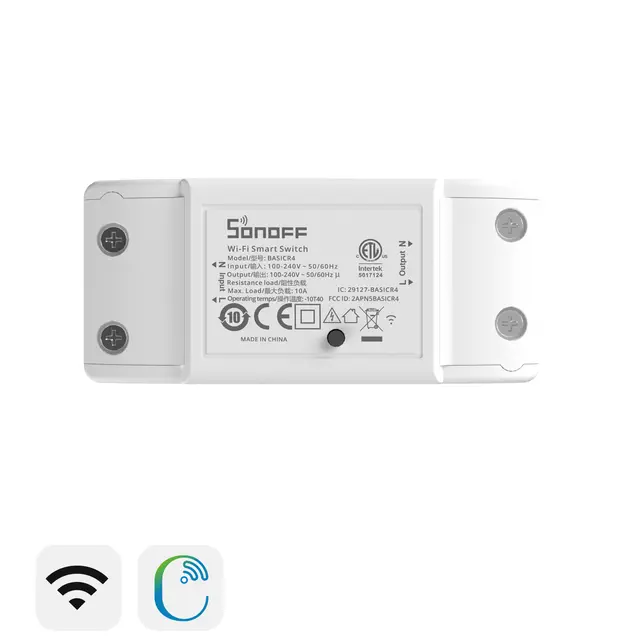
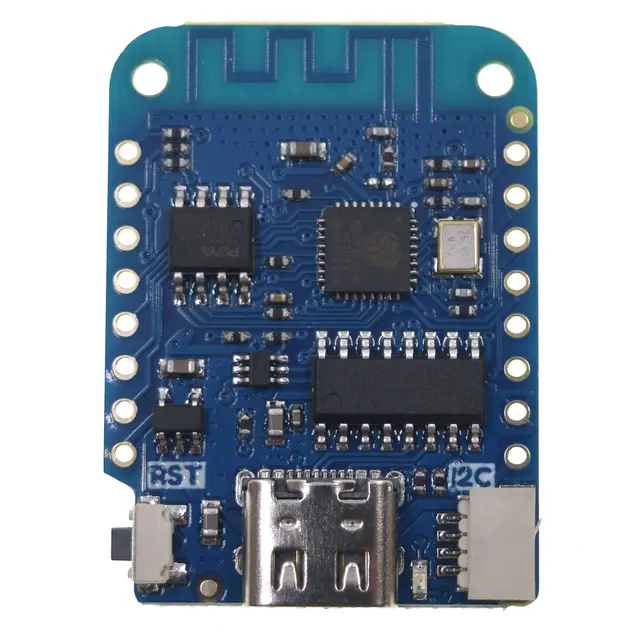
| Wemos D1 Mini (or Sonoff Basic) | WiFi controller | $3-5 |
| Current transformer (CT clamp) | Non-invasive current sensing | Included with PZEM |
| 1kΩ resistor | Hardware mod for RX optocoupler | $0.01 |
Total: ~$12-18
PZEM-004T v3.0 Specifications
- Voltage range: 80-260V AC
- Current range: 0-100A (via external CT clamp)
- Power measurement: 0-23kW
- Energy accumulation: 0-9999.99kWh
- Frequency measurement: 45-65Hz
- Power factor: 0.00-1.00
- Communication: Modbus RTU over UART (9600 baud)
Hardware Modification
The PZEM-004T v3.0 requires a small modification for reliable UART communication:
Solder a 1kΩ resistor across the RX optocoupler (R4 position)
This mod allows the ESP8266's 3.3V TX signal to properly drive the optocoupler input. Without it, communication may be unreliable.
Wiring
PZEM-004T        Wemos D1 Mini
─────────        ─────────────
5V           →   5V
GND          →   GND
TX           →   GPIO14 (D5) — Tasmota RX
RX           →   GPIO12 (D6) — Tasmota TX

AC side:
L (Live)     →   Through CT clamp
AC Input L/N →   Mains voltage sense (parallel connection)
WARNING: This project involves mains voltage. Ensure all connections are properly insulated and installed by a qualified person.
Tasmota Setup
- Flash
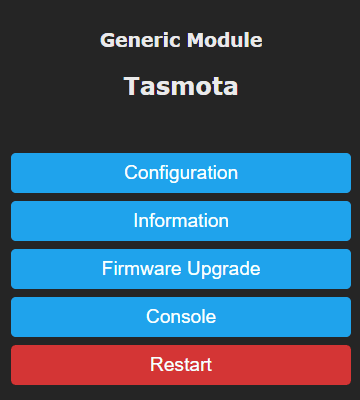
tasmota.bin(PZEM support is in the default build) - Configuration → Configure Module
- Set GPIO14 to PZEM016 Rx
- Set GPIO12 to PZEM016 Tx
- Reboot — energy data appears on the dashboard
JSON Output
{
  "ENERGY": {
    "TotalStartTime": "2024-01-01T00:00:00",
    "Total": 1234.56,
    "Yesterday": 12.34,
    "Today": 5.67,
    "Power": 450,
    "ApparentPower": 480,
    "ReactivePower": 165,
    "Factor": 0.94,
    "Voltage": 232,
    "Current": 2.07,
    "Frequency": 50
  }
}
Multiple PZEM Modules
Monitor multiple circuits (up to 3 PZEM modules per ESP):
# Assign different Modbus addresses
# PZEM module 1: default address 0x01
# PZEM module 2: change to 0x02
# PZEM module 3: change to 0x03
Home Assistant Energy Dashboard
Tasmota PZEM data integrates directly with Home Assistant's Energy Dashboard for:
- Real-time power consumption graphs
- Daily/monthly energy totals
- Cost tracking with utility rates
- Solar production monitoring
Compatible Boards
- Wemos D1 Mini — best for standalone energy monitor
- Sonoff Basic — repurpose as energy monitor (solder PZEM to serial header)
- ESP-01S + HW-655 relay — compact DIN-rail build
- Any ESP32 board — for multiple PZEM modules or display integration