T-CAN485 Vehicle CAN Bus Monitor with ESP32RET and SavvyCAN
Deploy ESP32RET firmware on the LILYGO T-CAN485 to capture and analyze vehicle CAN bus traffic using SavvyCAN — no soldering required, as the CAN transceiver is built into the $12 board.
Overview
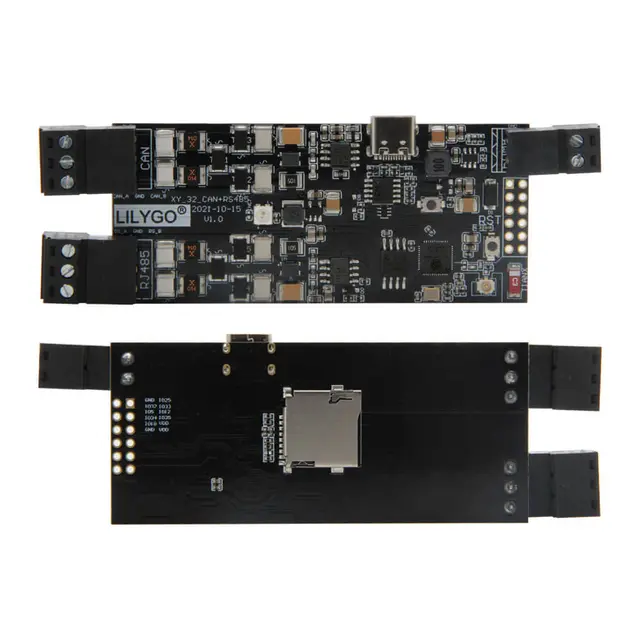
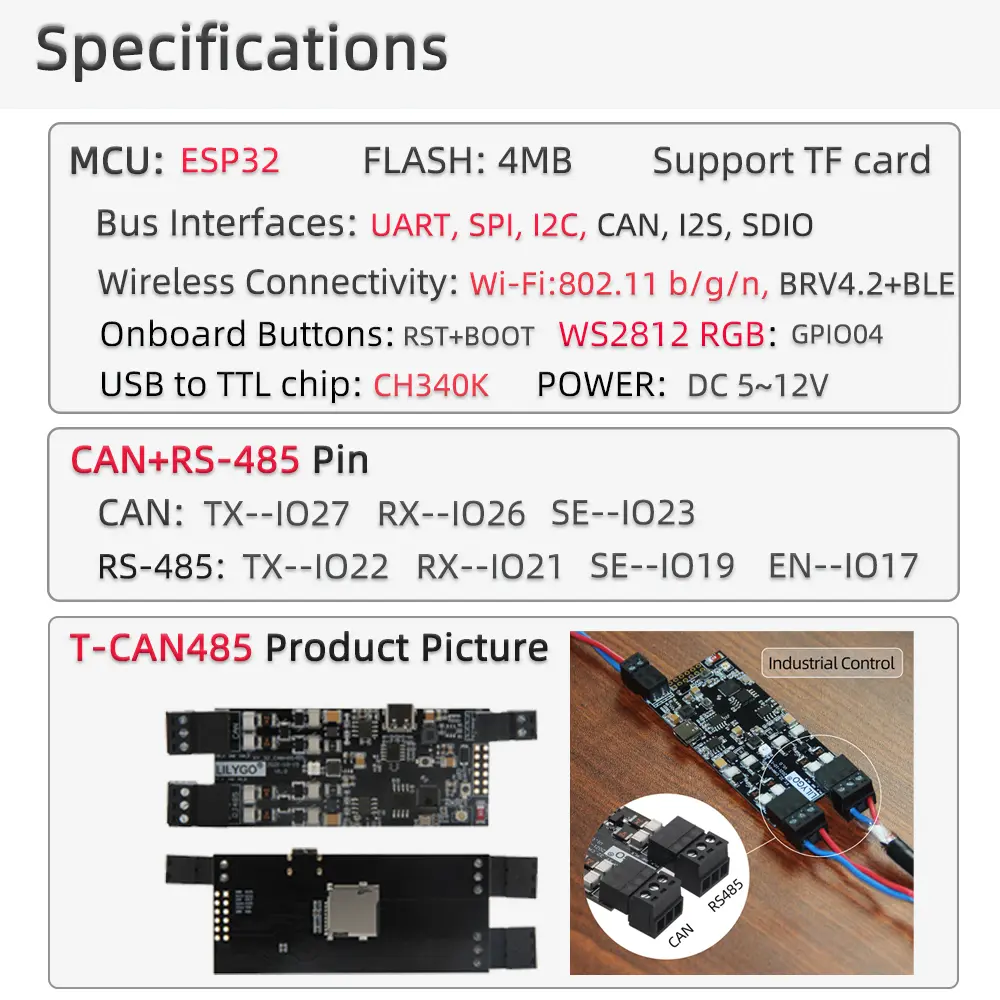
This project adapts the ESP32RET reverse-engineering toolkit to run on the affordable LILYGO T-CAN485, turning it into a wireless CAN bus gateway for the SavvyCAN desktop analysis application. The T-CAN485 is particularly attractive for this use case because the CAN transceiver (SN65HVD230) is integrated directly on the board — no additional hardware or soldering is needed.
Features
ESP32RET firmware provides bidirectional CAN bus communication: it can capture all frames on a vehicle's CAN network in real time and relay them to SavvyCAN over a serial (GVRET protocol) or WiFi connection. SavvyCAN then allows graphing signal values, decoding DBC files, replaying captures, and identifying unknown signals through bus scanning.
Three small modifications to the default ESP32RET pin assignments adapt it for the T-CAN485: the LED moves from GPIO2 to GPIO4, the CAN TX/RX pins remap to GPIO26/GPIO27, and the speed mode control shifts to GPIO23. The community discussion on the SavvyCAN GitHub documents the exact #define changes needed.
The board's 5V–12V wide-voltage input means it can be powered directly from a 12V OBD-II power line without a voltage regulator, and its compact size fits inside a small project enclosure for permanent installation under a dashboard.
Getting Started
Install the ESP32RET dependencies (esp32_can, can_common, FastLED libraries), apply the three GPIO pin changes documented in the SavvyCAN community thread, then compile and flash via the Arduino IDE. Connect the T-CAN485's CAN-H and CAN-L screw terminals to the vehicle's CAN bus lines, open SavvyCAN, and select the Serial Connection (GVRET) interface on the device's COM port.