Integrationbeginner
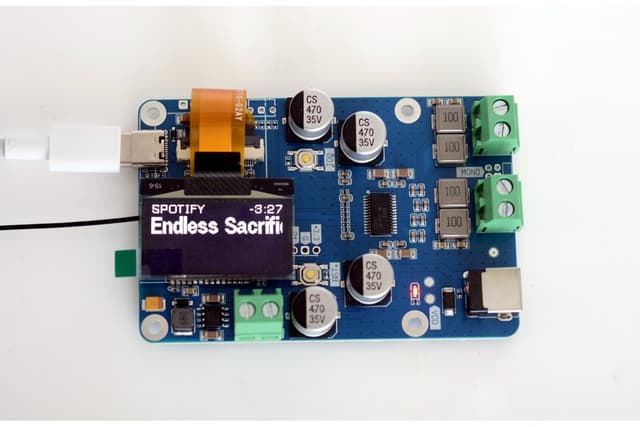
Louder ESP32 Tasmota I2S Audio
Tasmota firmware configuration for the Louder ESP32 with I2S audio support, enabling MQTT-controlled audio playback for Domoticz, OpenHAB, and other MQTT-based home automation systems.
Boards:ESP32
Firmware:TasmotaMQTT
Use Cases:Audio ProjectsHome Automation
Run Tasmota firmware on the Louder ESP32 for MQTT-based audio control, integrating with Domoticz, OpenHAB, Home Assistant, or any MQTT-compatible home automation platform.
What It Does
Tasmota's I2S audio support enables the Louder ESP32 to function as an MQTT-controlled audio player. Pre-built Autoconf templates for the Louder ESP32 and Louder ESP32-S3 boards eliminate manual pin configuration — just select the board in Tasmota's Configuration menu.
Key Features
- Zero-config setup: Board templates available in Tasmota's Autoconf section
- MQTT control: Full audio playback control via MQTT commands
- Web UI: Tasmota's built-in web interface for configuration
- OTA updates: Over-the-air firmware updates
- TAS5805M support: Native support for the Louder ESP32's DAC/amplifier
Use Cases
Ideal for users already running Tasmota devices who want to add audio capabilities:
- TTS announcements triggered by MQTT messages
- Doorbell and alert sounds via home automation rules
- Background audio controlled by smart home scenes
- Integration with any system supporting MQTT (Domoticz, OpenHAB, Node-RED, Home Assistant)
Getting Started
- Flash Tasmota onto the Louder ESP32
- Connect to the Tasmota WiFi AP and configure your network
- Navigate to Configuration > Autoconf
- Select "Louder-ESP32" or "Louder-ESP32S3" from the device list
- Configure your MQTT broker connection
- Send audio commands via MQTT topics