Tutorialbeginner
Evil Crow RF V2 Setup and RF Attack Tutorial
Step-by-step tutorial covering Evil Crow RF V2 firmware installation on Ubuntu, upgrading to custom firmware via OTA, and practical demonstrations of RF signal jamming and replay attacks with RTL-SDR verification.
Boards:ESP32
Firmware:Arduino
Use Cases:Security & SurveillanceEducation
Overview
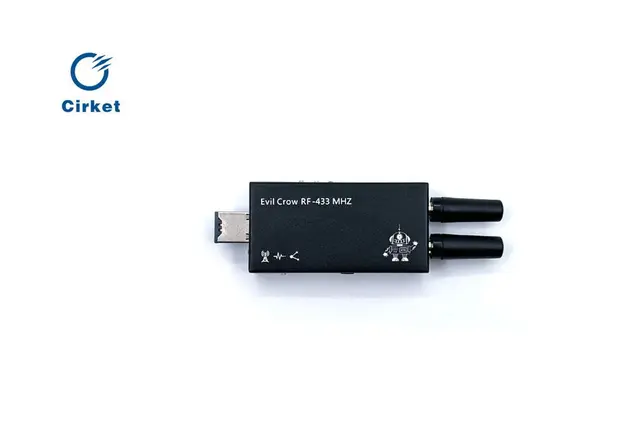
This comprehensive tutorial by BorderGate walks through the complete Evil Crow RF V2 setup process from initial firmware installation to performing practical RF attacks. It covers both the stock firmware and the h-RAT custom firmware, with visual verification using RTL-SDR monitoring.
What the Tutorial Covers
1. Stock Firmware Installation
- Setting up Arduino IDE on Ubuntu 24.04
- Installing required libraries: ESPAsyncWebServer, ElegantOTA, ESP32-targz, AsyncTCP
- Configuring board settings and flashing the stock firmware
- Connecting to the Evil Crow RF V2 WiFi access point
2. Upgrading to Custom Firmware
- OTA (over-the-air) firmware update process from the web panel
- Transitioning from stock firmware to h-RAT custom firmware
- No USB connection needed for the upgrade
3. Signal Jamming Demonstration
- Configuring jamming parameters: frequency, output power, modulation
- Before/after visual comparison using RTL-SDR spectrum monitoring
- Observing the jammed signal on a waterfall display
4. Signal Replay Attack
- Uploading Flipper Zero .SUB files to the device
- Retransmitting captured signals (e.g., car door openers) via the web interface
- Understanding the replay attack workflow
Requirements
- Evil Crow RF V2 hardware
- Ubuntu 24.04 (or similar Linux distribution)
- Arduino IDE
- MicroSD card
- RTL-SDR dongle (optional, for attack verification)