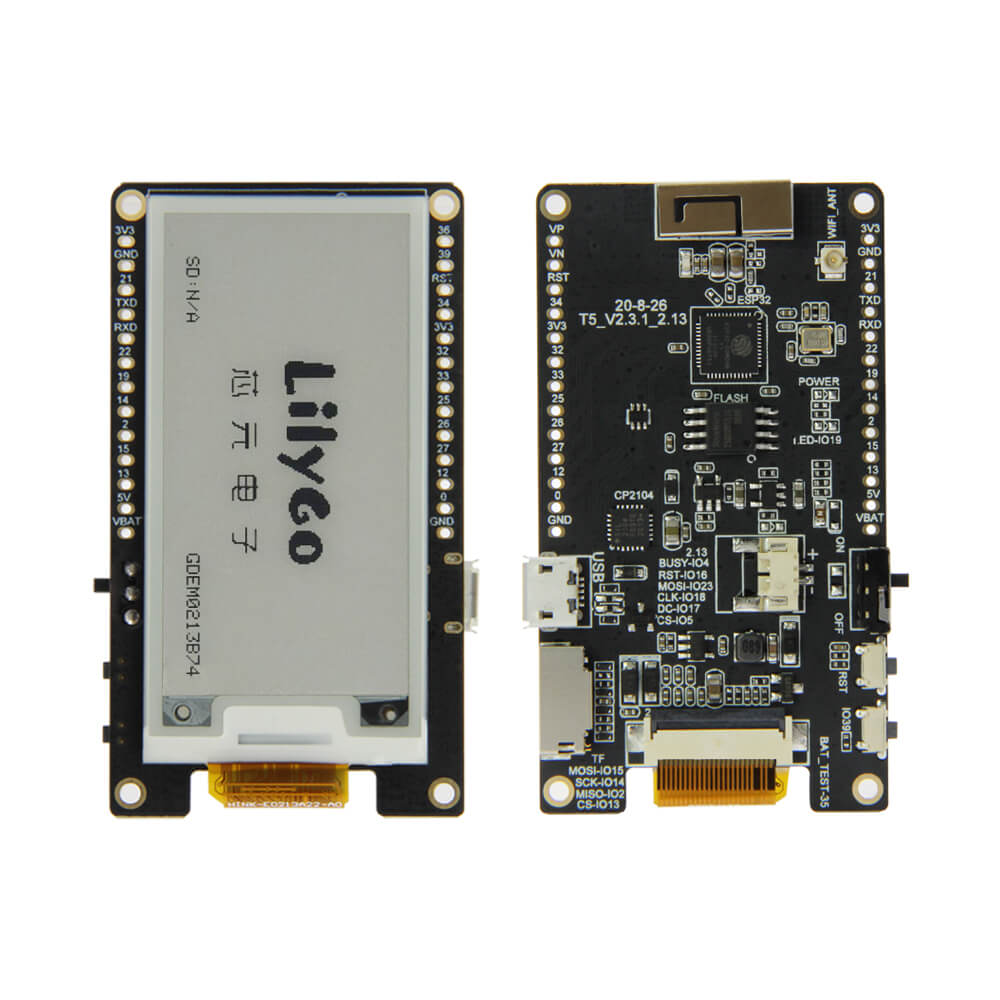
LILYGO T5 V2.3.1
ESP32-based 2.13-inch e-paper development board with ultra-low power consumption and wide viewing angle, suitable for shelf labels, electronic price tags, and low-power IoT display applications.
$13.04
Hardware Specifications
Connectivity
Components
Dual-core Xtensa LX6 processor with Wi-Fi and Bluetooth
E-paper display driver for DEPG0213BN and GDEM0213B74 panels, 3-wire/4-wire SPI
Resources


Where to Buy
Overview
The LILYGO T5 V2.3.1 is a 2.13-inch e-paper development board built around the ESP32 microcontroller. The e-paper display uses the SSD1680 driver IC and supports both DEPG0213BN and GDEM0213B74 panel variants, delivering a 212x104 pixel black-and-white image that retains content indefinitely without any power consumption once written.
With a 180-degree viewing angle and 8-second full refresh time consuming only 26.4 mW, the display is well-suited for low-power applications such as shelf labels, name badges, room signs, and wireless sensor readouts. Operating temperature range is -20°C to 60°C. The 3-wire and 4-wire SPI interface connects to the ESP32, and the board includes a 1.25mm JST connector for a lithium battery.
The onboard Wi-Fi enables OTA (over-the-air) image updates, allowing content changes without physical access to deployed devices. Combined with deep sleep modes, battery-powered deployments lasting months are achievable.
Firmware Compatibility
The T5 V2.3.1 is supported by the Arduino IDE with the ESP32 core. The GxEPD2 and Waveshare e-paper libraries are compatible with the SSD1680 driver. LILYGO's LilyGo-T5-ink-series GitHub repository provides ready-to-use examples for various display operations including full refresh, partial refresh, and deep sleep. MicroPython is also supported.
Flashing Guide
- Connect via the onboard USB port (Micro USB or Type-C depending on revision).
- In Arduino IDE, select "ESP32 Dev Module."
- Install GxEPD2 or LILYGO's e-paper library via the Library Manager.
- Open an example from the LilyGo-T5-ink-series repository.
- Click Upload.
Warning: Do not perform partial refresh continuously for extended periods — this causes permanent ghost images on the e-paper panel. Always perform a full refresh periodically.
Related Products
ESP32This product page may contain errors. If you find any, please report them.