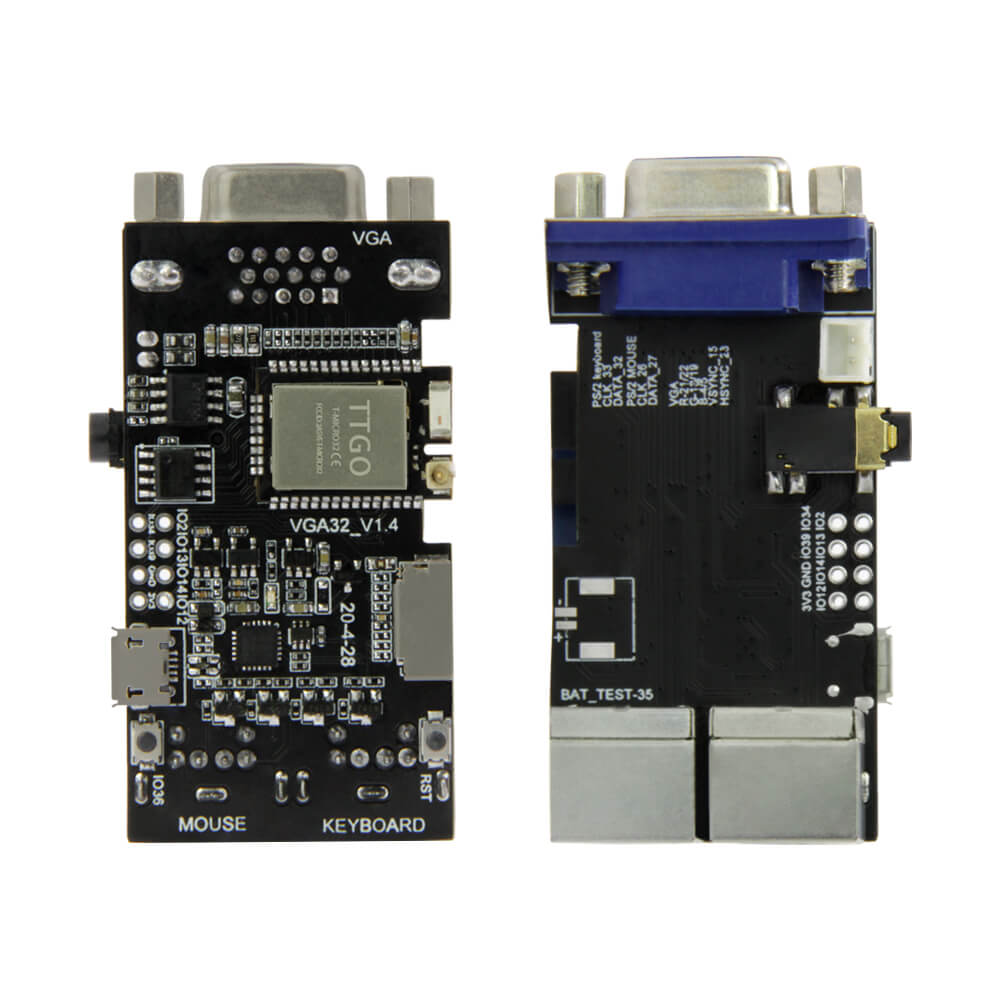
LILYGO FabGL VGA32
ESP32 development board with VGA output and PS/2 keyboard/mouse support, designed for retro computer emulation, ANSI/VT terminal use, and graphics-based game development using the FabGL library.
$11.20
Hardware Specifications
Connectivity
Components
Dual-core Xtensa LX6 processor with integrated Wi-Fi and Bluetooth
USB-to-UART bridge for programming via Micro USB
Resources


Where to Buy
Overview
The LILYGO FabGL VGA32 is an ESP32 development board tailored for retro computing enthusiasts and graphics developers. It integrates VGA video output and PS/2 keyboard/mouse connectors directly on-board, enabling the ESP32 to drive a standard VGA monitor while accepting input from legacy peripherals.
Using the FabGL library, the board can emulate classic systems including the ZX Spectrum, Oric Atmos, VIC-20, and IBM XT. It also functions as a fully capable ANSI/VT terminal emulator and supports graphics programming with the included FabGL graphics engine for 2D games and visualizations.
The board measures 60.99 x 32.06 x 16.79 mm (66.70 mm long with the VGA connector) and draws approximately 30 mA during active operation, dropping to 230 µA in sleep mode. A TF/microSD card slot provides storage for programs and data. The Micro USB port provides both power and programming access via the CH9102 USB-to-UART bridge.
Firmware Compatibility
The FabGL VGA32 is programmed via the Arduino IDE using Fabrizio Di Vittorio's FabGL library, which handles all VGA signal generation and PS/2 input decoding in software using the ESP32's DAC outputs and timers. ESP-IDF is also compatible for low-level development. Example projects in the GitHub repository demonstrate terminal emulation, game frameworks, and legacy system emulators.
Flashing Guide
- Install CH9102 USB drivers for your operating system.
- Connect via Micro USB.
- Install the FabGL library in Arduino IDE via Library Manager.
- Select "TTGO T-Micro32" or "ESP32 Dev Module" as the board.
- Open a FabGL example sketch and set flash size to 4 MB.
- Click Upload to flash the board.
Related Products
ESP32This product page may contain errors. If you find any, please report them.