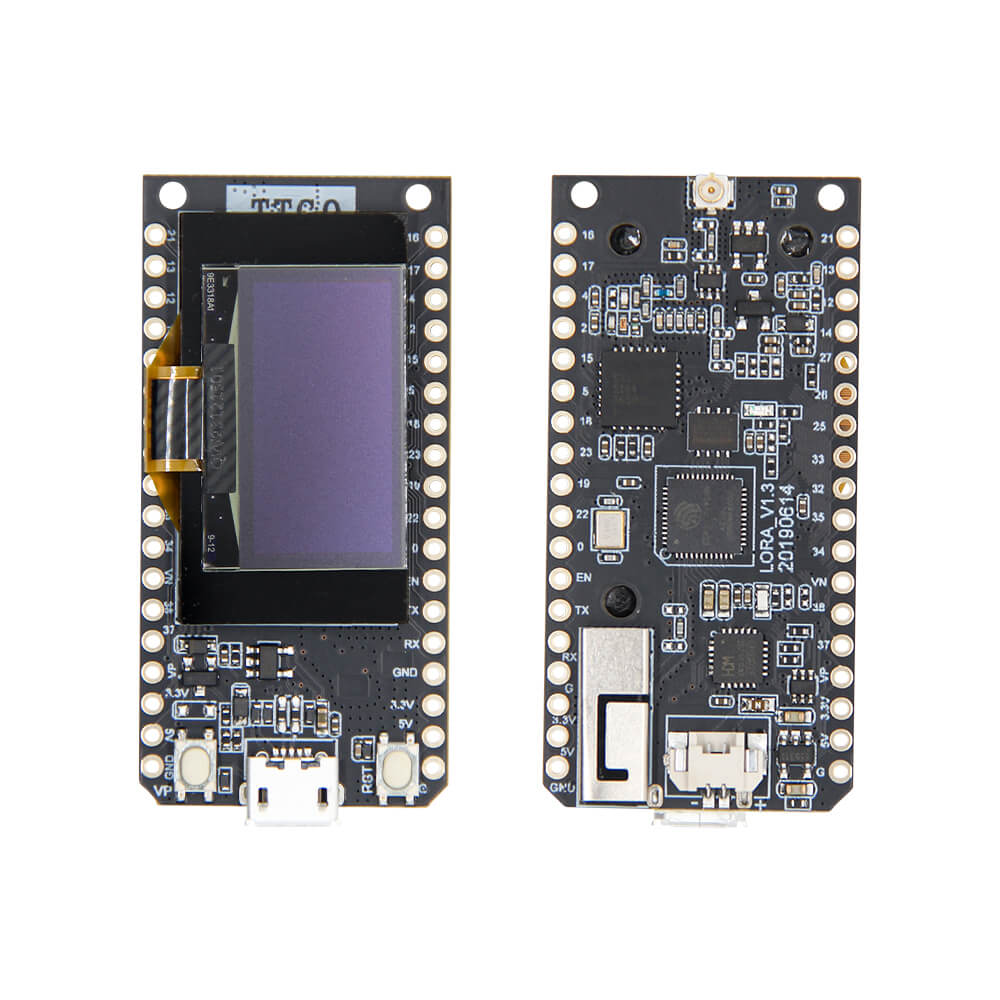
LILYGO LoRa V1.3
An ESP32-based LoRa development board with SX1276 radio module available in 868MHz or 915MHz variants, featuring optional 0.96-inch OLED display, 4MB flash, and a 1.25mm JST battery connector.
$14.88
Hardware Specifications
Connectivity
Components
Dual-core Xtensa LX6 at 240MHz with WiFi, Bluetooth, hardware encryption (AES, RSA, ECC, SHA)
Long-range LoRa radio transceiver for 868MHz or 915MHz operation
USB-to-serial bridge chip
Resources


Where to Buy
Overview
The LoRa V1.3 (also known as TTGO LoRa32 V1.3) is a compact ESP32-based development board integrating the SX1276 LoRa transceiver for long-range wireless communication. Available in 868MHz and 915MHz frequency variants, the board is well-suited for LoRaWAN networks, point-to-point messaging, and IoT sensor applications.
The ESP32 chip runs at 240MHz with 520KB SRAM and 4MB of QSPI flash, and includes hardware cryptographic accelerators for AES, RSA, ECC, and SHA operations — useful for secure LoRaWAN OTAA/ABP joining. An optional 0.96-inch OLED display is available for showing sensor readings or connection status without a connected computer.
Power options include USB at 5V/1A or a LiPo battery connected via the 2-pin 1.25mm JST connector, with a deep sleep current of approximately 600µA for extended battery life. Multiple interface options are available including UART, SPI, I2C, PWM, I2S, ADC, DAC, and capacitive touch.
Firmware Compatibility
The LoRa V1.3 supports Arduino IDE, ESP-IDF, and MicroPython. The TTGO-LORA32-V2.0 GitHub repository (LilyGO-V1.3-868 branch) provides example sketches for LoRa point-to-point, LoRaWAN (using MCCI LMIC), and OLED display usage.
Flashing Guide
- Install Arduino IDE with ESP32 board support package
- Install the CH9102F driver if not automatically detected
- Clone the TTGO-LORA32-V2.0 repository and switch to the LilyGO-V1.3-868 branch
- Select "TTGO LoRa32-OLED V1" or "ESP32 Dev Module" as the board
- Connect via USB, select the COM port, and upload your firmware
Related Products
ESP32This product page may contain errors. If you find any, please report them.