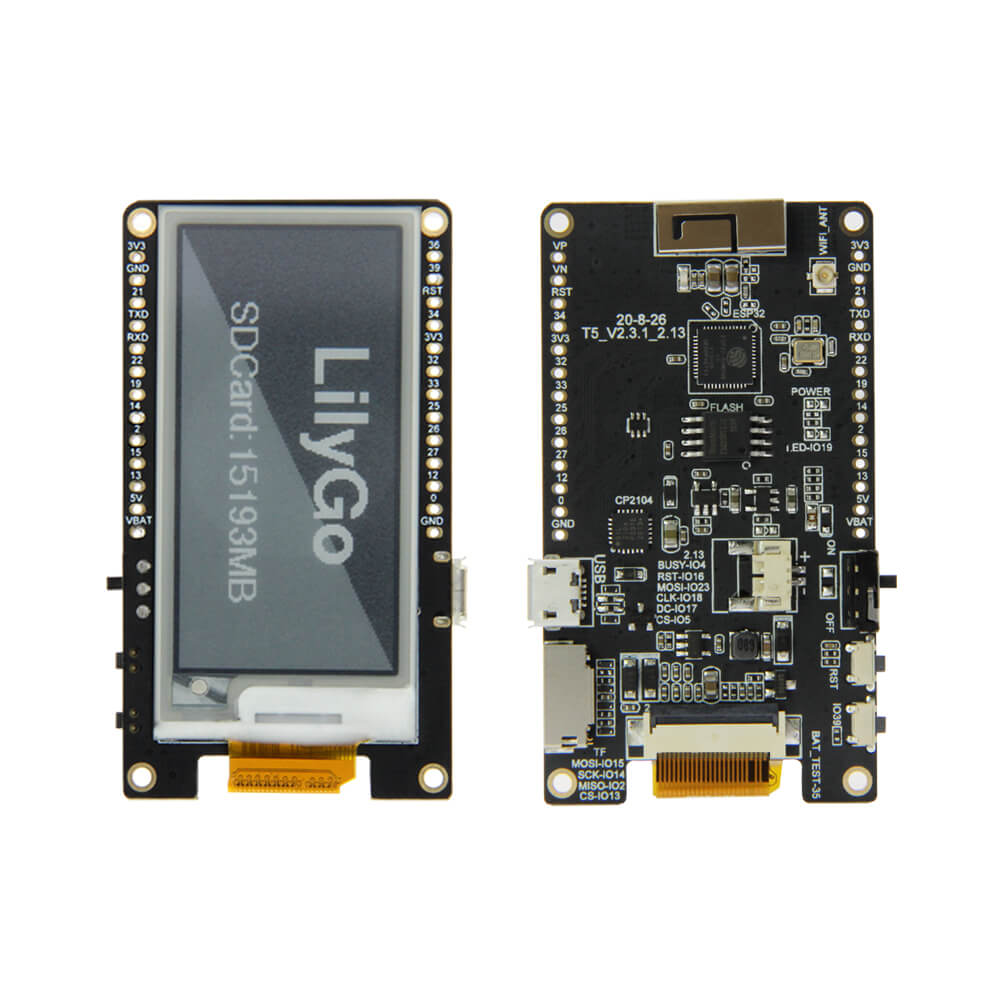
LILYGO T5 2.13 Inch E-Paper
ESP32-based e-paper development board with a 2.13-inch 4-level grayscale e-ink display (212x104), TF card slot, 4 custom buttons, Micro USB, and battery management.
$16.02
Hardware Specifications
Connectivity
Components
Dual-core Xtensa LX6 @ 240MHz with integrated WiFi and Bluetooth
4-level grayscale e-ink display, 212x104 pixels, SPI interface
USB-to-UART bridge for programming
Resources


Where to Buy
Overview
The LILYGO T5 2.13-inch E-Paper board brings 4-level grayscale e-ink capability to the T5 series. Unlike binary black-and-white e-paper panels, this board's 2.13-inch display can render four distinct gray levels at 212x104 pixel resolution, enabling more nuanced graphics, charts, and anti-aliased fonts on the low-power e-ink medium.
The ESP32-D0WDQ6 V3 provides dual-core processing with WiFi and Bluetooth, and the board includes practical features like four custom buttons, a reset button, a TF card socket, a 3D metal antenna with IPEX external antenna interface, and four M2 mounting holes. Battery management is comprehensive, with charge/discharge protection and a physical power toggle switch.
Firmware Compatibility
The T5 2.13-inch supports MicroPython, Arduino, and ESP-IDF. The GitHub repository at LilyGo-T5-Grayscale contains grayscale e-paper display drivers and example sketches demonstrating all four gray levels.
Flashing Guide
- Connect via Micro USB cable.
- Install ESP32 Arduino core via Boards Manager.
- Select "ESP32 Dev Module" with 4MB Flash in Arduino IDE.
- Clone https://github.com/Xinyuan-LilyGO/LilyGo-T5-Grayscale for grayscale display examples.
- Upload your sketch; press Reset to run the new firmware.
Related Products
ESP32This product page may contain errors. If you find any, please report them.