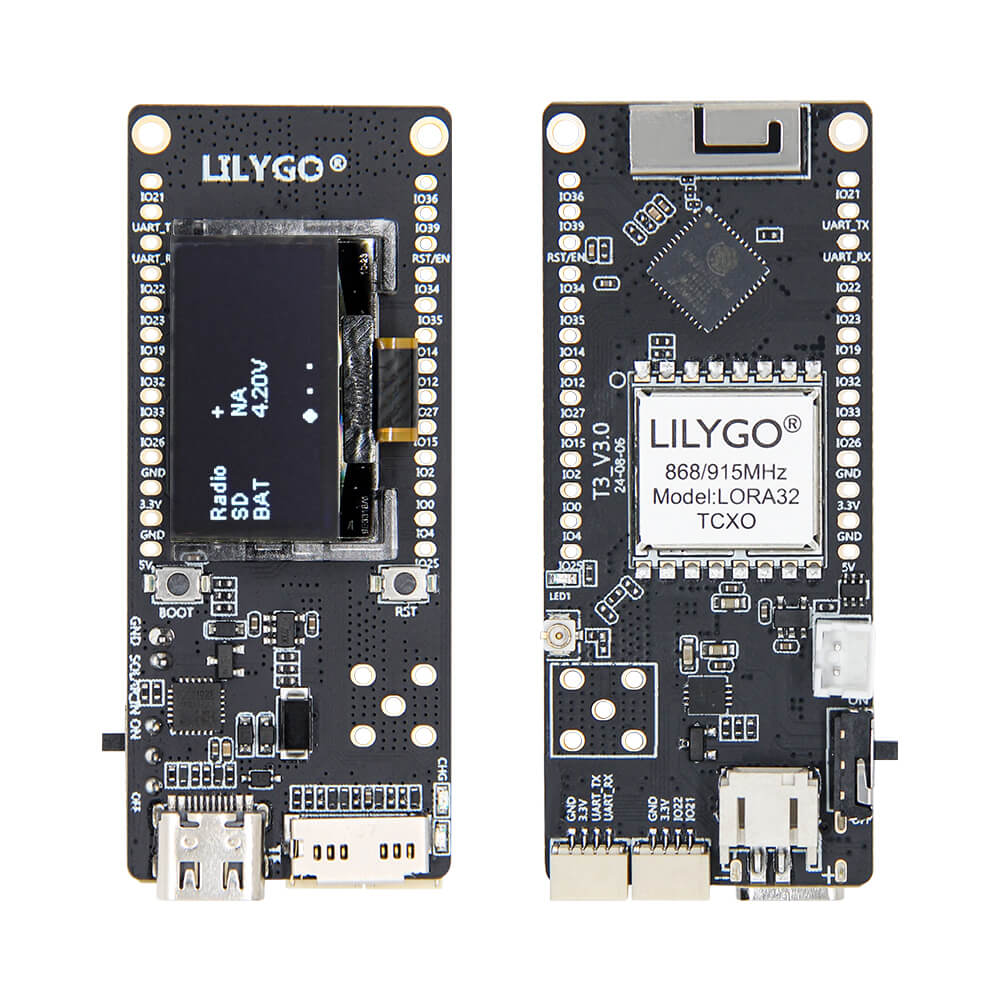
LILYGO T3 TCXO
Compact ESP32 LoRa development board with SX1276 transceiver, TCXO temperature-compensated oscillator for improved frequency stability, 0.96-inch OLED display, and LiPo battery support.
$22.88
Hardware Specifications
Connectivity
Components
Dual-core Xtensa LX6 up to 240MHz with WiFi and Bluetooth 4.2+BLE
LoRa transceiver with TCXO for improved frequency stability, 868MHz or 915MHz
0.96-inch 128×64 monochrome OLED display via I2C (SDA IO21, SCL IO22)
Resources


Where to Buy
Overview
The LILYGO T3 TCXO is a compact LoRa development board based on the classic ESP32 microcontroller with a SX1276 LoRa transceiver featuring a TCXO (Temperature-Compensated Crystal Oscillator). The TCXO provides significantly improved frequency stability across temperature variations compared to standard crystal oscillators, resulting in more reliable LoRa communication in outdoor or thermally variable environments.
The board includes a 0.96-inch SSD1306 OLED display (128×64 pixels) via I2C for local status display, a microSD card slot for data logging, and a LiPo battery connector with an integrated power switch for portable operation. USB power and battery charging are both supported. BOOT and Reset buttons enable easy firmware management.
Available in 868MHz (SKU Q442, for Europe) and 915MHz (SKU Q442-01, for Americas) variants at $22.88 each. The T3 TCXO is part of the LilyGo-LoRa-Series ecosystem and is compatible with a wide range of LoRa libraries.
Firmware Compatibility
Compatible with Arduino IDE, ESP-IDF, and MicroPython. The GitHub repository at https://github.com/Xinyuan-LilyGO/LilyGo-LoRa-Series provides comprehensive LoRa examples for the SX1276 including point-to-point, LoRaWAN, and GPS tracker applications.
Flashing Guide
- Install the ESP32 board package in Arduino IDE.
- Connect via USB cable (Micro-USB or USB-C depending on board revision).
- Hold BOOT and press RESET to enter download mode if needed.
- Select ESP32 Dev Module with 4MB flash.
- Upload LoRa examples from the LilyGo-LoRa-Series repository.
Related Products
ESP32This product page may contain errors. If you find any, please report them.