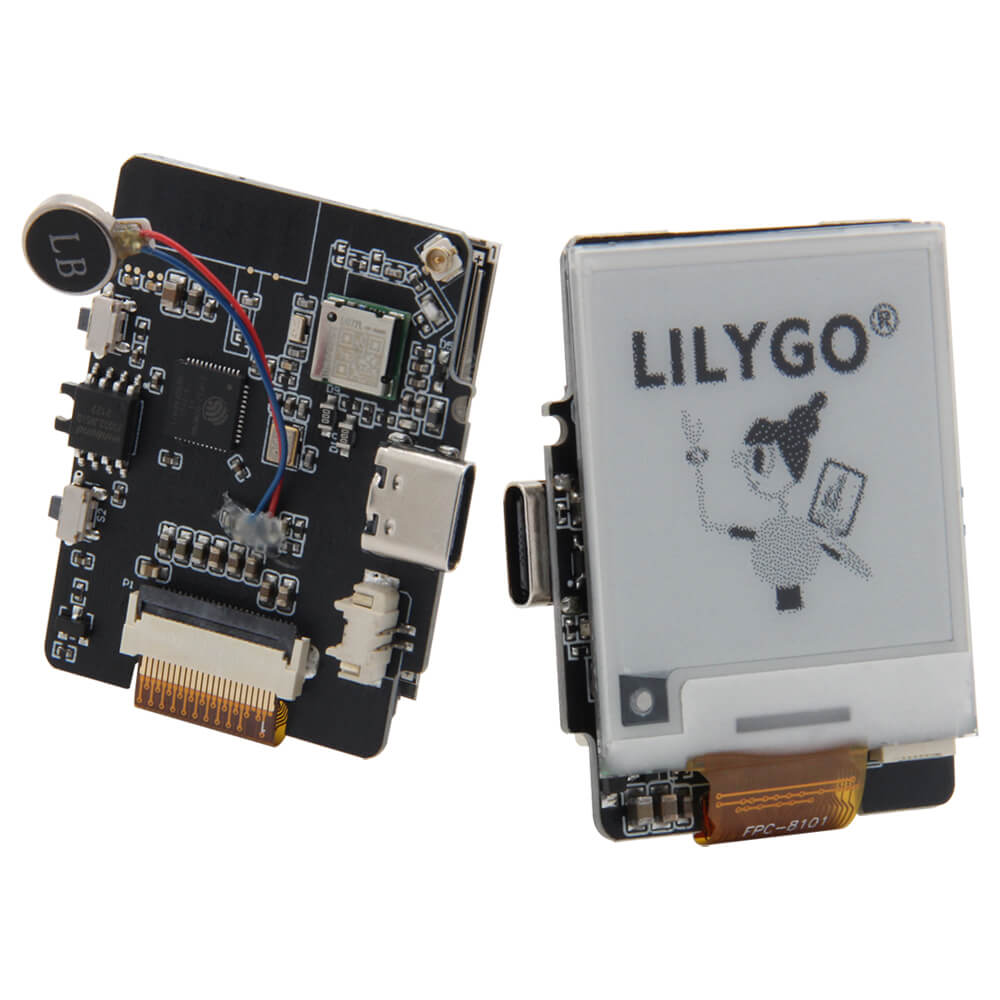
LILYGO T-Wrist E-Paper 1.54 Inch Display
ESP32-based wearable development board with a 1.54-inch SPI e-paper display (200x200), optional GPS module, vibration motor, and USB Type-C, designed for smartwatch-style projects.
$21.22
Hardware Specifications
Connectivity
Components
Main microcontroller with integrated WiFi and BLE 4.2
SPI e-paper display, 200x200 resolution, 2 grey levels, 2s full refresh
Optional GNSS module supporting GPS, GLONASS, and BeiDou
DC vibrating motor for haptic feedback
Resources


Where to Buy
Overview
The LILYGO T-Wrist E-Paper is a compact wearable development board designed for smartwatch-style projects. It pairs an ESP32 microcontroller with a 1.54-inch SPI e-paper display offering 200x200 pixel resolution and ultra-low power consumption between refreshes. The e-paper panel performs a full refresh in approximately 2 seconds.
Optional GPS/GLONASS/BeiDou connectivity is provided via the LG77 GNSS module, and a built-in vibrating DC motor enables haptic feedback for notifications or alerts. The board supports multiple interfaces including UART, SPI, I2C, CAN, I2S, and SDIO. A 3D-printable wrist shell design is available on the GitHub repository.
Firmware Compatibility
The T-Wrist E-Paper is supported by the Arduino IDE and ESP-IDF. E-paper display libraries compatible with the 1.54-inch SPI panel are available in the GitHub repository. The optional GPS module communicates via UART.
Flashing Guide
- Download the T-U2T USB-to-UART adapter or use another USB-C cable with built-in UART support.
- Install ESP32 Arduino core via Boards Manager.
- Select "ESP32 Dev Module" in Arduino IDE.
- Clone https://github.com/Xinyuan-LilyGO/E-Paper-watch for example code.
- Upload via USB Type-C port; use Boot button if necessary.
Related Products
ESP32This product page may contain errors. If you find any, please report them.