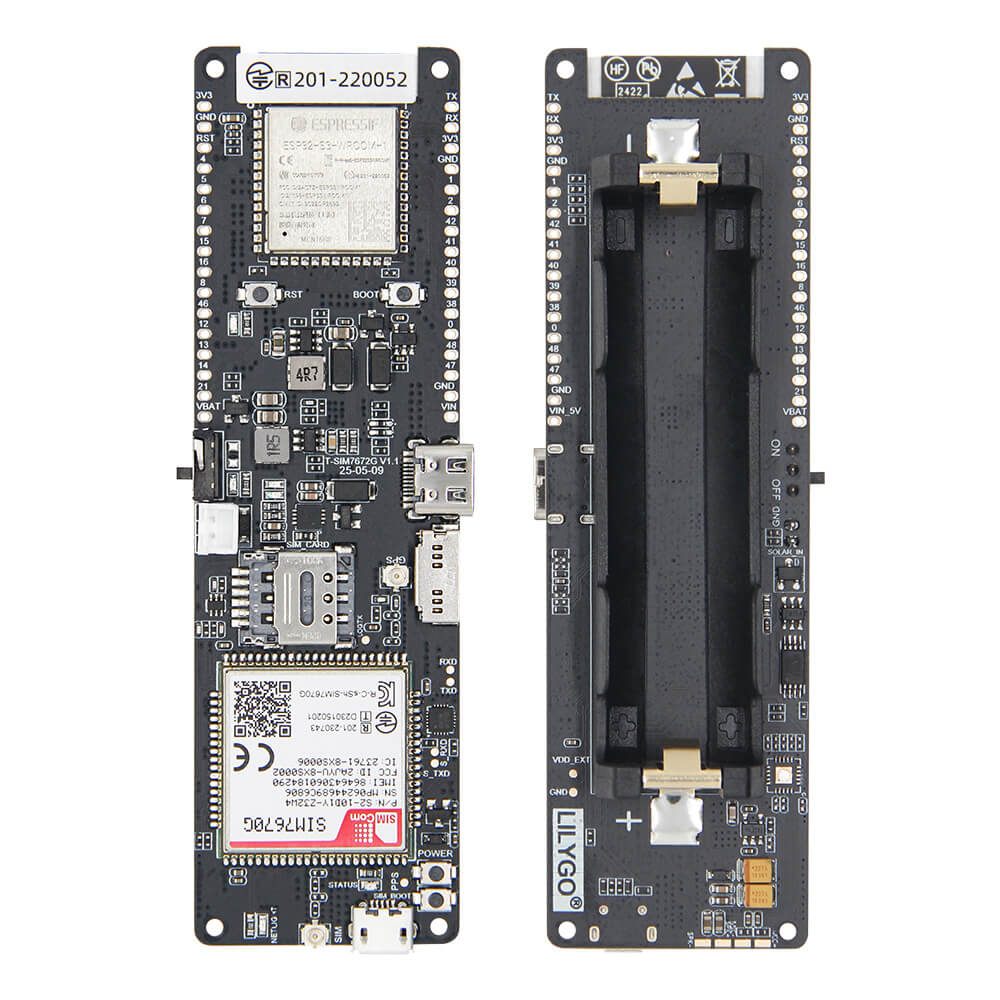
LILYGO T-SIM7670G S3
An all-in-one ESP32-based development board integrating a SIM7670G 4G LTE cellular modem with integrated GPS, offering multiple free GPIO pins and deep sleep capability for battery-powered IoT applications.
$36.77
Hardware Specifications
Connectivity
Components
Dual-core Xtensa LX6 with WiFi and Bluetooth, main application processor
4G LTE Cat-1 cellular modem with integrated GPS receiver
Resources


Where to Buy
Overview
The T-SIM7670G S3 is a comprehensive connectivity development board from LILYGO that combines ESP32 with the SIM7670G 4G LTE cellular modem incorporating an integrated GPS receiver. This combination provides a single-board solution for applications requiring both cellular data connectivity and geolocation tracking.
The SIM7670G supports data-only SIM cards and provides Cat-1 LTE connectivity, suitable for IoT telemetry, asset tracking, remote monitoring, and connected devices in areas without WiFi coverage. The integrated GPS receiver works alongside the cellular modem without requiring additional hardware.
Notable design features include an abundance of free GPIO pins compared to similar boards, and support for deep sleep mode to extend battery life in remote deployments. The LilyGO-T-A76XX GitHub repository provides AT command examples, Arduino sketches for HTTP/HTTPS/MQTT over LTE, and GPS parsing code.
Firmware Compatibility
The T-SIM7670G S3 uses Arduino and ESP-IDF for the ESP32 host processor. The SIM7670G modem is controlled via AT commands over UART. The LilyGO-T-A76XX repository contains comprehensive AT command examples and Arduino library integrations.
Flashing Guide
- Install Arduino IDE with ESP32 board support
- Clone the LilyGO-T-A76XX repository for modem examples
- Connect via USB Type-C
- Select the appropriate ESP32 board type and COM port
- Insert a data-only SIM card before powering on
- Upload firmware and use the AT command library to initialize LTE and GPS
Related Products
ESP32This product page may contain errors. If you find any, please report them.