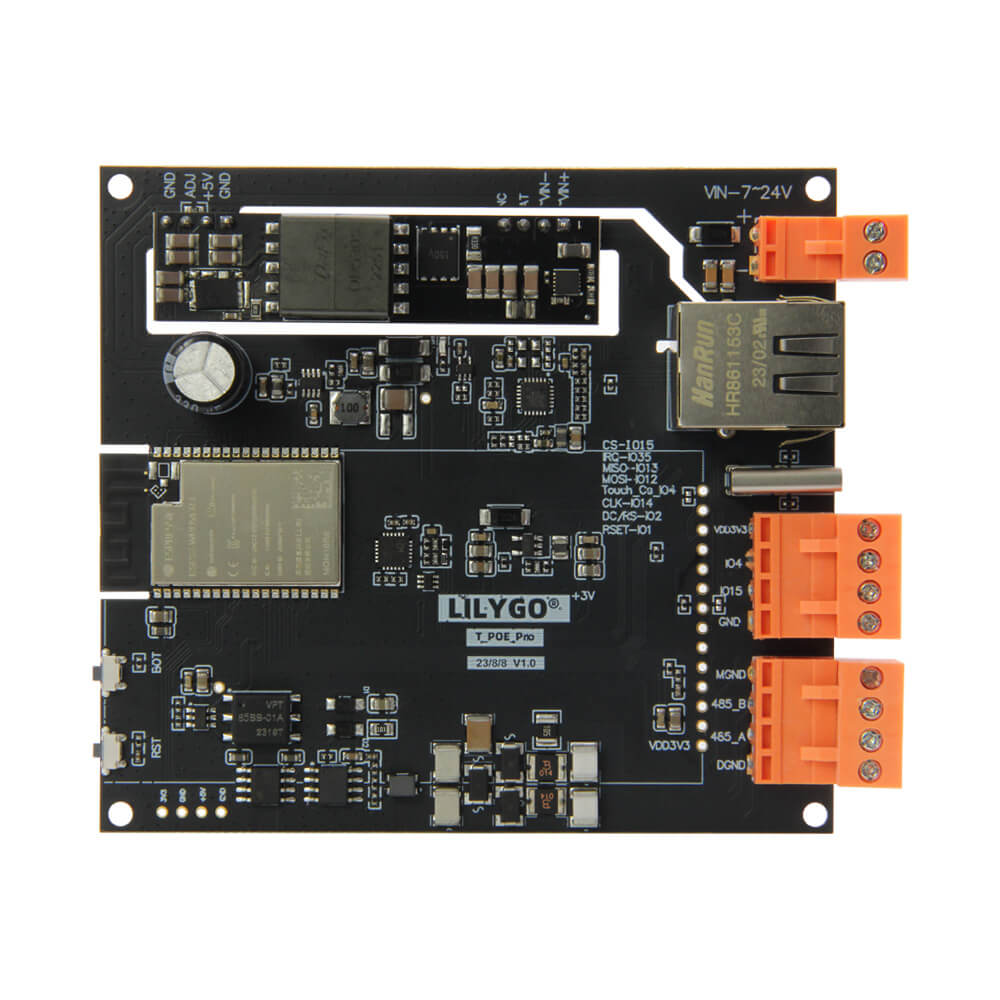
LILYGO T-POE Pro
An upgraded ESP32-WROVER-E development board with integrated Power over Ethernet (PoE), Ethernet via LAN8720, WiFi, and Bluetooth, supporting up to 5V@4A from IEEE 802.3 af/at PoE sources.
$33.05
Hardware Specifications
Connectivity
Components
ESP32 module with 16MB flash and 8MB PSRAM, dual-core Xtensa LX6
Low-power Ethernet physical layer transceiver for 10/100Mbps
USB to serial bridge chip
Resources


Where to Buy
Overview
The T-POE Pro is an upgraded version of LILYGO's T-Internet-POE development board, combining the power of the ESP32-WROVER-E module with both Ethernet connectivity and Power over Ethernet capability. This makes it ideal for applications requiring wired network connectivity without a separate power supply — a single Ethernet cable delivers both data and power.
The board uses the LAN8720 low-power Ethernet physical layer transceiver for reliable 10/100Mbps wired networking, while the ESP32-WROVER-E provides WiFi and Bluetooth wireless connectivity as well. The PoE module supports IEEE 802.3 af/at standard with an input voltage range of 44-57V, delivering 5V at up to 4A to power the board and connected peripherals.
Additional features include Reset and Boot buttons, an expandable LCD screen interface, and the CH9102 USB-to-serial chip for programming and debugging. With 16MB flash and 8MB PSRAM, the board has substantial memory for complex applications.
Firmware Compatibility
The T-POE Pro is fully compatible with Arduino IDE and ESP-IDF. The official LILYGO GitHub repository for the T-ETH series (LilyGO-T-ETH-Series) provides example code for Ethernet, PoE, and WiFi configurations.
Flashing Guide
- Connect the board via USB Type-C cable (CH9102 driver may be required on some systems)
- Install CH9102 drivers from the LILYGO GitHub if needed
- In Arduino IDE, select "ESP32 Wrover Module" as the board
- Choose the correct COM port and flash the firmware
- Alternatively, use ESP-IDF with the standard ESP32 toolchain
Related Products
ESP32This product page may contain errors. If you find any, please report them.