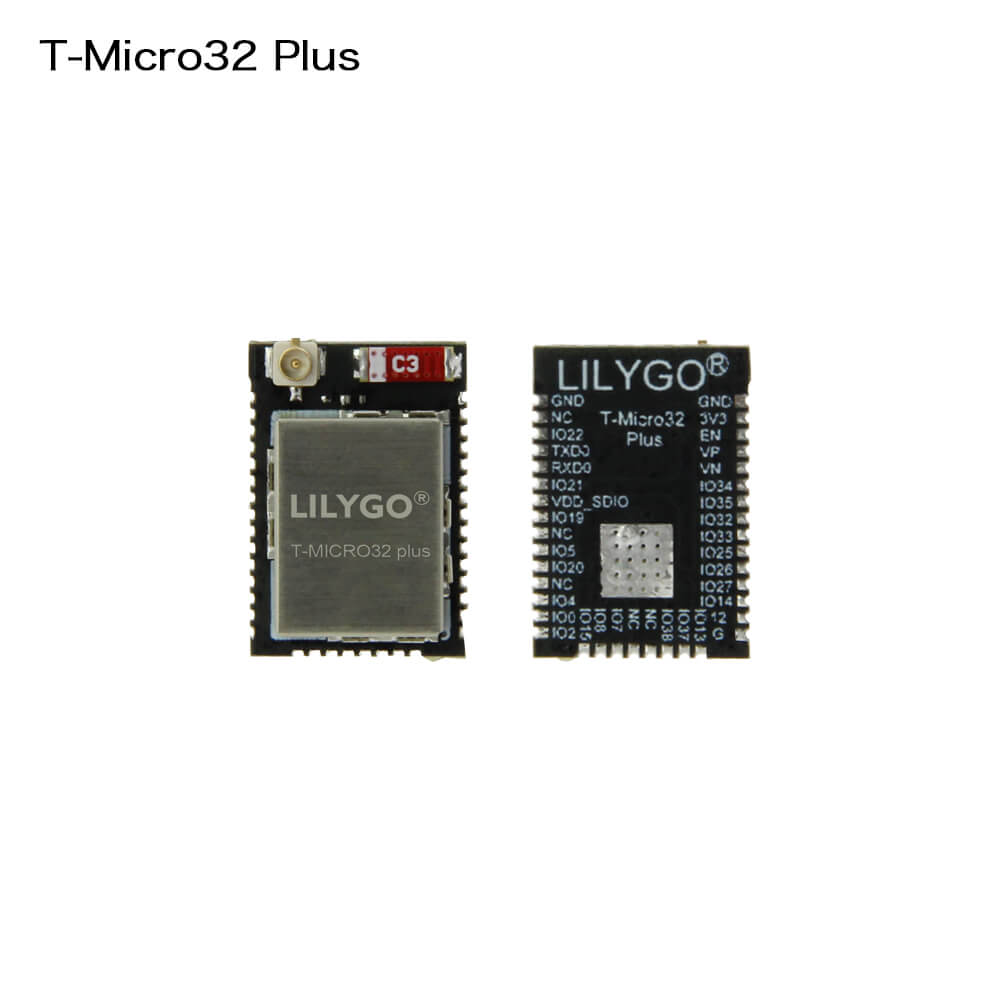
LILYGO T-Micro32 Plus
Enhanced compact ESP32 development module with 8 MB flash, 2 MB PSRAM, and an upgraded C3 ceramic antenna, offering improved wireless performance in a minimal footprint for embedded IoT applications.
$6.54
Hardware Specifications
Connectivity
Components
Dual-core Xtensa LX6 processor at up to 240 MHz with Wi-Fi and Bluetooth
Resources


Where to Buy
Overview
The LILYGO T-Micro32 Plus is an upgraded version of the T-Micro32 ESP32 module, designed for applications where board size is constrained but performance and memory cannot be compromised. Key improvements over the original include an expanded 8 MB flash (double the standard), 2 MB PSRAM for heap-intensive workloads, and a stronger C3 ceramic antenna (red variant) replacing the original white antenna.
GPIO pins have been added to previously reserved pads, increasing the available I/O for custom hardware designs. The 2 MB PSRAM enables applications such as image buffering, complex data structures, and MicroPython with large scripts that would not fit in the ESP32's internal 520 KB SRAM.
Available as single units ($6.54) or in 5-packs ($32.00), the T-Micro32 Plus is well suited for volume deployments in custom IoT hardware and embedded product designs where a compact ESP32 module with good RF performance is needed.
Firmware Compatibility
The T-Micro32 Plus is compatible with Arduino IDE, ESP-IDF, and MicroPython. The added PSRAM is auto-detected by the ESP32 Arduino core when PSRAM support is enabled in board settings. LILYGO's GitHub organization provides pin definitions and example code for the T-Micro32 family.
Flashing Guide
- Connect an external USB-to-serial programmer (CH9102-based T-U2T recommended).
- Wire TX, RX, GND, and 3.3V between the programmer and the module.
- Hold BOOT (GPIO0 to GND) during power-on to enter download mode.
- In Arduino IDE, select "ESP32 Dev Module," enable PSRAM, and set Flash Size to 8 MB.
- Select the correct COM port and click Upload.
Related Products
ESP32This product page may contain errors. If you find any, please report them.