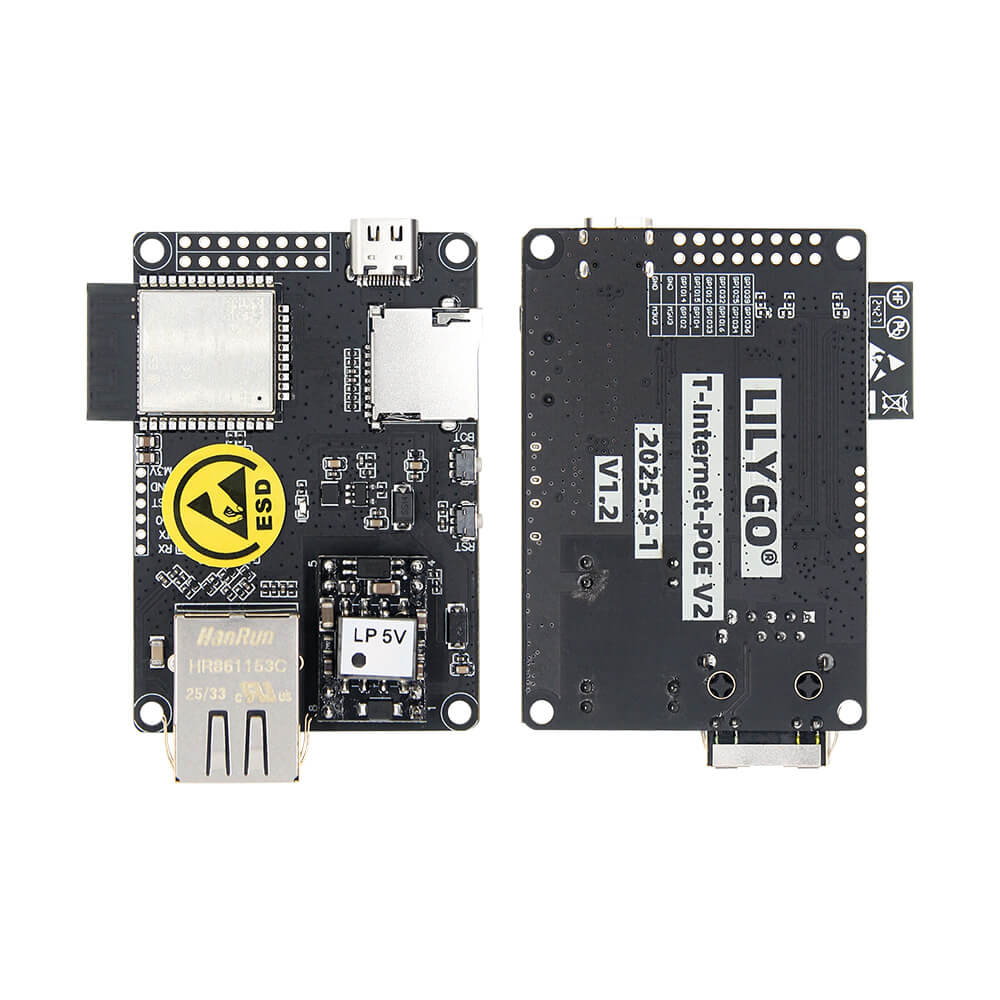
LILYGO T-Internet-POE
An ESP32 development board with Power-over-Ethernet (PoE) support and LAN8720 wired Ethernet, enabling wired network connectivity and remote power delivery for infrastructure IoT applications.
$16.01
Hardware Specifications
Connectivity
Components
Dual-core Xtensa LX6 at 240MHz with integrated Wi-Fi 802.11 b/g/n and Bluetooth 4.2 BLE
Single-chip 10/100Base-T Ethernet PHY transceiver with flexible power management
Optional USB-to-serial downloader chip (available as separate H439 accessory)
Resources


Where to Buy
Overview
The LILYGO T-Internet-POE V2 is an ESP32 development board that adds wired Ethernet connectivity via the LAN8720 PHY transceiver and Power-over-Ethernet (PoE) capability, allowing both power delivery and data over a single Ethernet cable. This makes it ideal for fixed installation IoT nodes where running a separate power cable is impractical.
The LAN8720 is a well-supported 10/100Base-T Ethernet PHY that interfaces with the ESP32 via RMII, and Espressif provides native PoE PD (Powered Device) support in the ESP-IDF for this chip combination. The PoE input accepts 36V-57V DC (IEEE 802.3af/at compliant switches), which is converted on-board to 3.3V for the ESP32 and peripherals.
Beyond Ethernet, the board retains all ESP32 wireless capabilities: Wi-Fi 802.11 b/g/n and Bluetooth 4.2 BLE. RST and BOOT buttons are provided for manual control, and a TF (microSD) card slot is available for local storage. A separate CH340C-based downloader accessory (H439, $1.61) is available for UART programming if preferred over USB Type-C.
This board is part of LILYGO's T-ETH series and is well-suited for smart building automation, HVAC controllers, industrial monitoring gateways, access control systems, and any application that benefits from the reliability of wired Ethernet over wireless connections.
Firmware Compatibility
- ESPHome: Supported with the
ethernetcomponent using the LAN8720 PHY configuration. - Arduino: Supported via the ESP32 Ethernet library with LAN8720 PHY configuration.
- ESP-IDF: Native support via the Ethernet driver with RMII interface to LAN8720.
Flashing Guide
- Connect via USB Type-C cable, or use the optional CH340C downloader (H439) via UART.
- In Arduino IDE, select "ESP32 Dev Module" and the correct COM port.
- For Ethernet in Arduino, use
ETH.begin()with the LAN8720 PHY configuration. - For ESPHome, configure the
ethernetcomponent withtype: LAN8720. - Hold BOOT while pressing RST to enter download mode if auto-reset does not work.
- Refer to https://github.com/Xinyuan-LilyGO/LilyGO-T-ETH-Series for complete board pinouts and Ethernet setup examples.
Related Products
ESP32This product page may contain errors. If you find any, please report them.