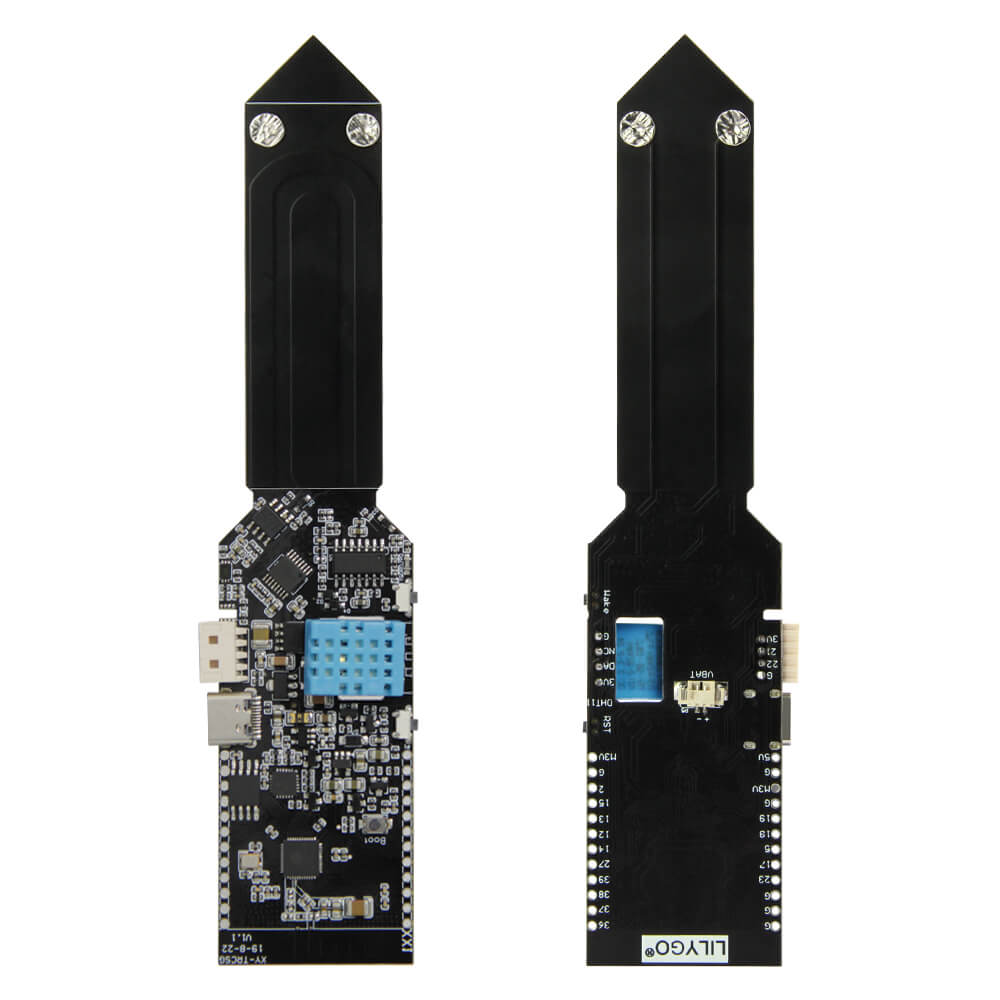
LILYGO T-HiGrow
ESP32-based smart plant sensor board with capacitive soil moisture sensing, temperature/humidity, light intensity measurement, and soil fertility detection for automated garden monitoring.
$9.31
Hardware Specifications
Connectivity
Components
Dual-core Xtensa LX6 processor with integrated Wi-Fi and Bluetooth
Digital temperature and humidity sensor (base variant)
Precision temperature, humidity, and barometric pressure sensor (premium variant)
16-bit digital ambient light intensity sensor via I2C (SDA IO25, SCL IO26)
USB-to-UART bridge for programming
Resources


Where to Buy
Overview
The LILYGO T-HiGrow is a purpose-built ESP32 development board designed for smart agriculture and plant monitoring applications. It integrates a capacitive soil moisture sensor that avoids the corrosion problems associated with resistive designs, along with multiple environmental sensors for comprehensive plant health monitoring.
The board measures soil moisture (capacitive), soil fertility, ambient light intensity (BH1750), and either temperature/humidity via DHT11 or temperature/humidity/pressure via BME280, depending on the variant. All sensor data can be transmitted wirelessly over Wi-Fi or Bluetooth to a home automation hub, MQTT broker, or cloud platform.
Low-power sleep modes allow battery-operated deployments using an optional 200 mAh lithium cell, making the T-HiGrow suitable for remote garden beds and greenhouse installations where mains power is unavailable. A 3D-printable shell design is available on Tinkercad for weatherproofing.
Firmware Compatibility
The T-HiGrow works with Arduino IDE using the ESP32 Arduino core. ESPHome support is available and popular for Home Assistant integration. LILYGO's GitHub repository provides example sketches for reading all onboard sensors and transmitting data via MQTT. MicroPython and ESP-IDF are also compatible.
Flashing Guide
- Install CH9102 USB drivers for your OS.
- Connect via Micro USB.
- In Arduino IDE, select "ESP32 Dev Module" or "TTGO T-Higrow" board.
- Choose the correct COM port.
- Open the example sketch from the TTGO-HiGrow GitHub repository.
- Click Upload; hold BOOT if auto-flash does not trigger.
Related Products
ESP32This product page may contain errors. If you find any, please report them.