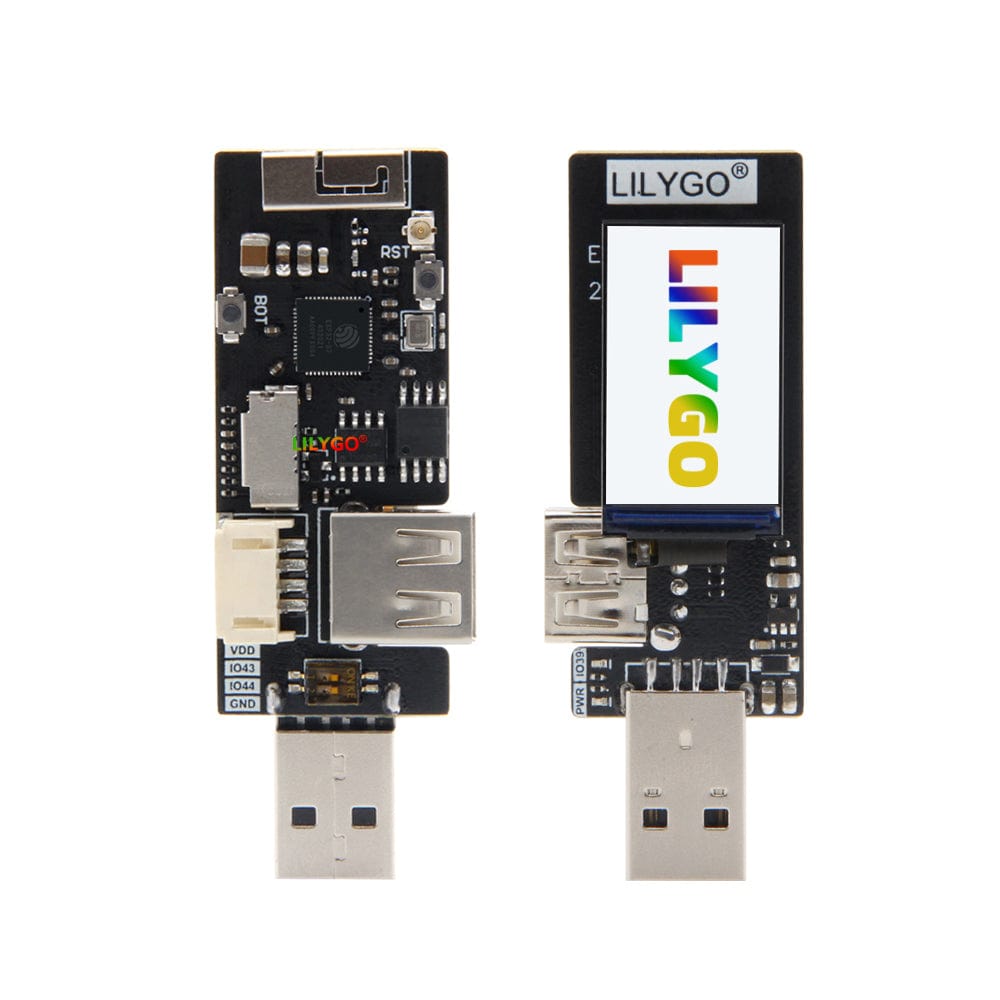
LILYGO T-Dongle ESP32-S2 1.14 Inch LCD Board
A USB dongle-form-factor development board based on the ESP32-S2 with a built-in 1.14-inch IPS LCD, TF card slot, and Grove connector for compact IoT projects.
$10.44
Hardware Specifications
Connectivity
Components
Xtensa LX7 single-core processor with integrated Wi-Fi (no Bluetooth), USB OTG, and rich peripheral support
IPS LCD driver for the 1.14-inch 135x240 pixel display at 260 PPI
Resources


Where to Buy
Overview
The LILYGO T-Dongle is a compact development board in a USB dongle form factor, built around the ESP32-S2 microcontroller. Its slim 72x23mm profile makes it ideal for building self-contained wireless USB accessories, smart badges, or embedded display nodes that plug directly into a USB port.
The board features a 1.14-inch IPS LCD display driven by the ST7789V controller at 135x240 resolution (260 PPI), a TF (microSD) card slot for local storage, a 4-pin Grove connector for I2C/UART sensor expansion, and both OTG Male and Female USB interfaces. The integrated 3D WiFi antenna provides good signal quality without an external antenna, though an IPEX connector is available for an external antenna if needed.
The ESP32-S2 is a capable single-core Xtensa LX7 processor that supports Wi-Fi 802.11 b/g/n but notably lacks Bluetooth (unlike the standard ESP32). It does feature native USB OTG support, which enables the dongle to act as a USB host or device — useful for building USB HID gadgets, USB-to-serial bridges, or acting as a USB mass storage device.
The board comes with an ABS transparent black case (unassembled) and is programmed via Arduino IDE or VS Code with the Espressif IDF extension.
Firmware Compatibility
- Arduino: Supported via the ESP32 Arduino core with ESP32-S2 board support.
- ESP-IDF: Fully supported with native USB OTG and all peripheral drivers.
- MicroPython: Supported with the ESP32-S2 MicroPython port including USB HID and CDC capabilities.
Flashing Guide
- Connect the T-Dongle to a USB port via the Type-A OTG interface.
- Hold the BOOT button while pressing RST to enter download mode, or use the native USB DFU mode supported by the ESP32-S2.
- In Arduino IDE, select "ESP32S2 Dev Module" as the board and choose the correct port.
- For MicroPython, use esptool.py to erase flash and write the ESP32-S2 MicroPython binary, then use Thonny or ampy to upload scripts.
- Refer to the GitHub repository at https://github.com/Xinyuan-LilyGO/T-Dongle-ESP32S2 for wiring diagrams and example sketches.
Related Products
ESP32This product page may contain errors. If you find any, please report them.