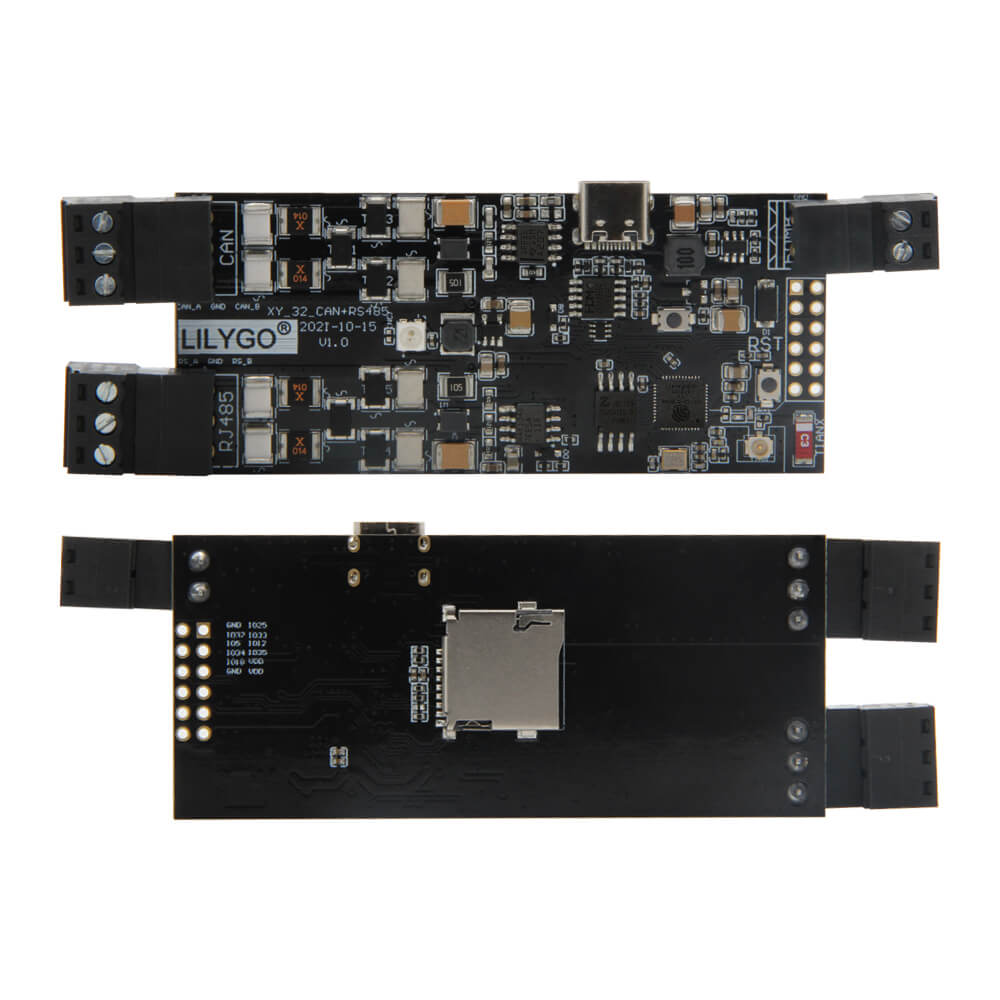
LILYGO T-CAN485
ESP32 industrial IoT development board with CAN bus and RS-485 interfaces, WiFi, BLE 4.2, WS2812 RGB LED, TF card slot, and 5-12V DC power input for automation and control applications.
$11.86
Hardware Specifications
Connectivity
Components
Dual-core Xtensa LX6 with WiFi 802.11 b/g/n and BLE 4.2
USB-to-UART bridge for programming and serial communication
Addressable RGB LED on GPIO04
Resources


Where to Buy
Overview
The LILYGO T-CAN485 is an ESP32-based industrial IoT development board that adds CAN bus and RS-485 connectivity to the standard ESP32 feature set. This makes it well-suited for building bridges between modern wireless IoT infrastructure and legacy industrial automation systems, vehicle telemetry applications, and building automation protocols.
In addition to the CAN and RS-485 interfaces, the board supports all standard ESP32 protocols: UART, SPI, I2C, I2S, SDIO. WiFi 802.11 b/g/n and BLE 4.2 provide wireless connectivity. The board accepts a wide 5-12V DC power input range, making it compatible with industrial power supplies. A WS2812 addressable RGB LED on GPIO04 provides visual status indication, and a TF card slot enables local data logging.
Firmware Compatibility
The T-CAN485 is compatible with Arduino IDE and ESP-IDF. The Arduino ESP32 CAN library and RS-485 UART libraries apply. CH9102 drivers may be required on some operating systems and are available via the GitHub repository.
Flashing Guide
- Download and install CH9102 drivers from the GitHub repository if needed.
- Connect via USB cable to the CH9102 port.
- Install ESP32 Arduino core via Boards Manager.
- Select "ESP32 Dev Module" with 4MB Flash in Arduino IDE.
- Press RST+BOOT together, release RST first, then BOOT to enter download mode.
- Upload your sketch.
Related Products
ESP32This product page may contain errors. If you find any, please report them.