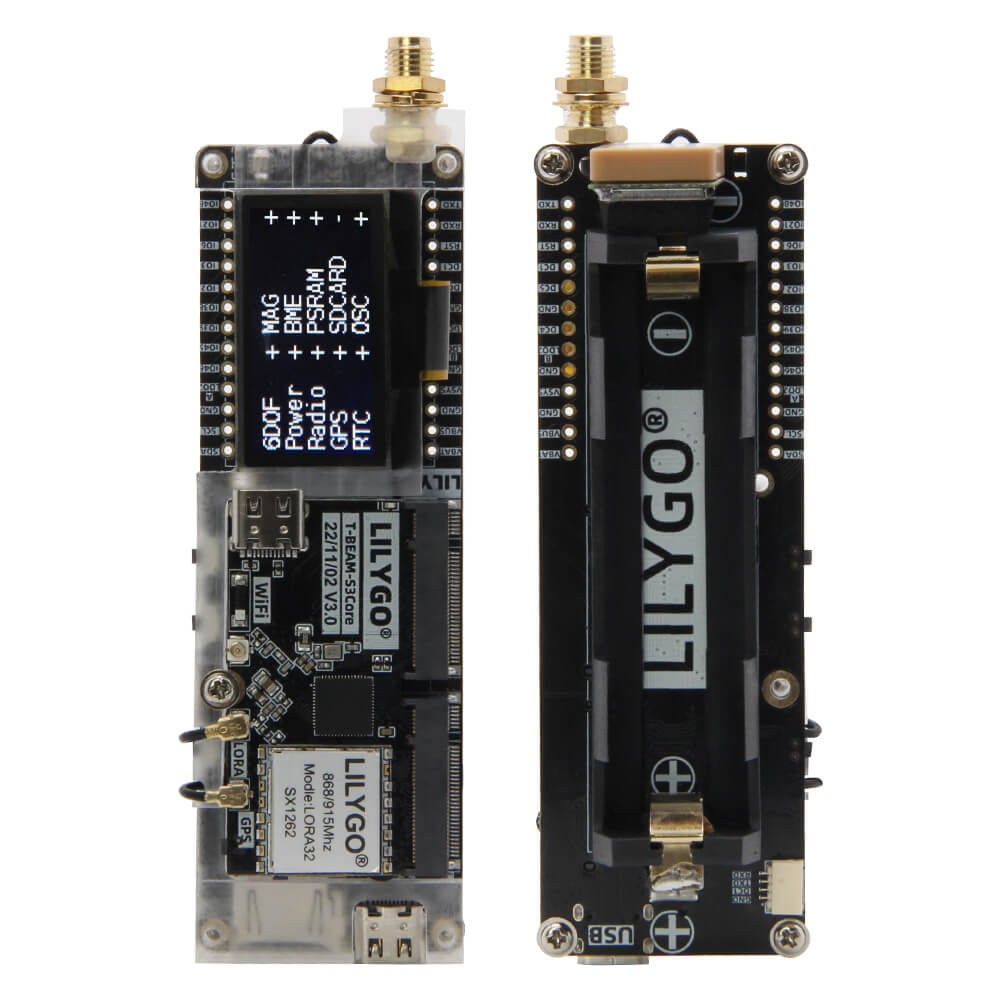
LILYGO T-Beam Supreme
The T-Beam Supreme is an advanced ESP32-based LoRa development board with GPS, supporting multiple frequency bands (433/868/915/920 MHz) and available with L76K or u-blox GPS modules, ideal for LoRaWAN, Helium, and SoftRF applications.
$37.12
Hardware Specifications
Connectivity
Components
Dual-core Xtensa LX6 MCU with WiFi and Bluetooth, integrated with LoRa radio
LoRa transceiver with +22dBm output, supporting 433/868/915/920 MHz frequency bands
GNSS module options: L76K (multi-constellation) or u-blox (higher accuracy) GPS
Resources


Where to Buy
Overview
The LILYGO T-Beam Supreme is the flagship member of the T-Beam family, offering extensive frequency band support and GPS module options in a single platform. It supports LoRa communication across 433 MHz, 144-148 MHz (amateur radio), 868 MHz (Europe), 915 MHz (Americas), and 920 MHz (Asia-Pacific) bands, enabling global deployment flexibility.
Two GPS module choices are offered: the L76K multi-constellation GNSS (cost-effective option supporting GPS, BDS, GLONASS) and the u-blox module (higher accuracy, faster acquisition). The LoRa transceiver provides +22dBm transmit power for maximum range in LoRaWAN and peer-to-peer communication scenarios.
Multiple firmware options are available at purchase: LILYGO Factory Firmware for general-purpose development, or SoftRF Firmware for digital aircraft tracking and amateur radio applications. The board supports 18650 battery operation for field deployments. The T-Beam Supreme is widely used in Helium Network mapping, Meshtastic mesh networking, APRS tracking, and LoRaWAN node development.
Firmware Compatibility
- SoftRF: Pre-flashed variant available for aircraft transponder and ADS-B data reception.
- Meshtastic: Compatible for off-grid LoRa mesh networking.
- Arduino: Supported via Espressif Arduino core with LoRa, GPS, and power management libraries.
- ESP-IDF: Native Espressif development framework.
- Helium Mapper: Compatible with Helium Network coverage mapping.
Flashing Guide
- Connect the T-Beam Supreme via USB-C cable.
- Enter bootloader mode: hold BOOT, press RESET, release RESET, then release BOOT.
- In Arduino IDE, select ESP32 Dev Module with the appropriate flash size.
- Install required libraries for your use case (LMIC/RadioLib for LoRa, TinyGPS++ for GPS).
- Set the correct frequency band in your firmware configuration.
- Upload the firmware, press RESET to start.
- Attach the appropriate antennas (LoRa and GPS) before powering on and transmitting.
- Insert an 18650 battery for portable operation.
Related Products
ESP32This product page may contain errors. If you find any, please report them.