Integrationbeginner
Weatherman — ESPHome E-Paper Dashboard for Home Assistant
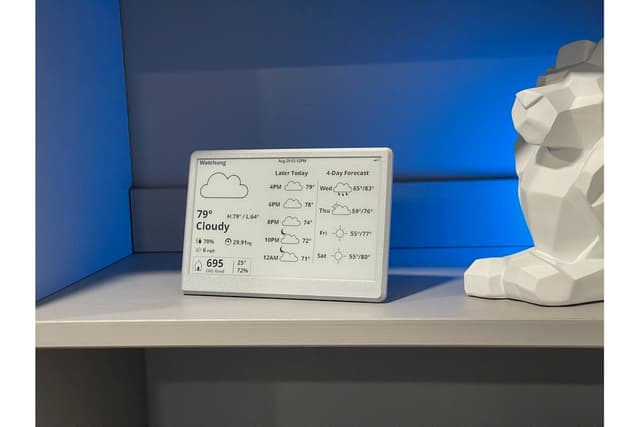
An elegant ESPHome-based dashboard for a 7.5\" Waveshare e-paper display connected to Home Assistant. Shows weather conditions, forecasts, and transit info with motion-triggered refreshes to extend display life. No soldering required.
Boards:ESP32
Firmware:ESPHomeHome Assistant
Use Cases:E-Paper & SignageDisplay & DashboardHome Automation
Weatherman — ESPHome E-Paper Dashboard for Home Assistant
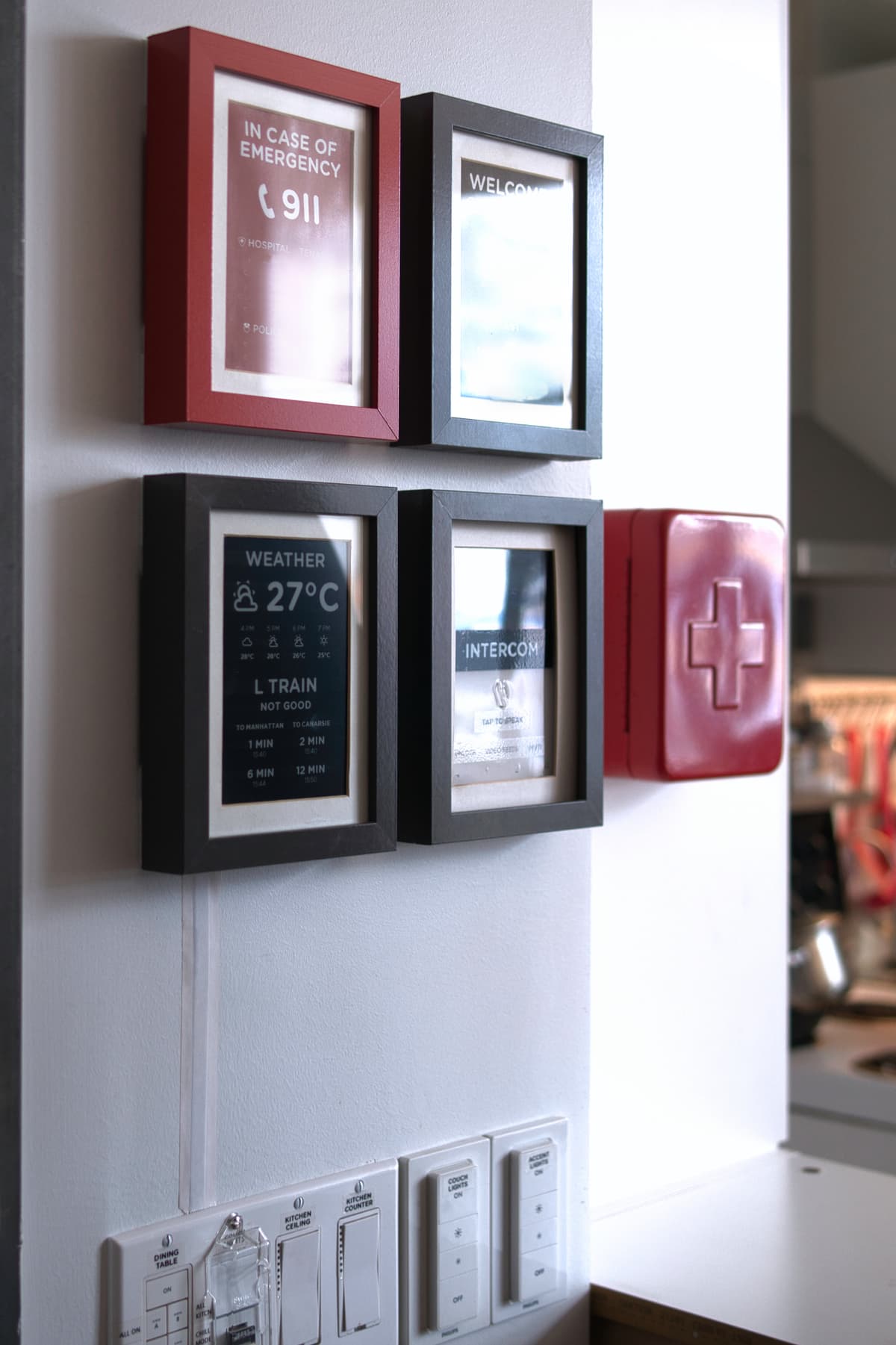
Created by Madelena, the Weatherman dashboard turns a 7.5" Waveshare e-paper display (480x800) into a stylish Home Assistant information panel. Named after the B*Witched song "Blame it on the Weatherman," the project integrates weather data, transit schedules, and other HA entities into a clean, minimal display near your front door.
Key Features
- Motion-triggered refresh: Only updates the screen when motion is detected, prolonging e-ink lifespan
- Home Assistant integration: Pulls weather data and other entities directly from HA via ESPHome
- No soldering required: Uses the Waveshare Universal e-Paper Driver Board with integrated ESP32
- Customizable layout: Weather conditions, forecasts, and transit information displayed in organized panels
Hardware
| Component | Notes |
|---|---|
| Waveshare 7.5" e-Paper (480x800) | Black and white e-ink display |
| Waveshare Universal e-Paper Driver Board | ESP32-based, no soldering needed |
| USB power supply | Standard USB connection |
Setup
- Copy
/fonts,/images, andweatherman.yamlto your ESPHome config folder - Integrate
sensor.yamlinto your Home Assistant template configuration - Flash
weatherman.yamlto the ESP32 board via ESPHome - Customize entity IDs to match your HA setup