Tutorialbeginner
Bee Data Logger PlatformIO and Arduino Setup Guide
Set up the Bee Data Logger with PlatformIO and the Arduino framework. Install the BeeDataLogger Arduino Helper library and explore examples for battery monitoring, RGB LED control, RTC, ADC reading, and SD card logging.
Boards:ESP32-S3
Firmware:ArduinoPlatformIO
Use Cases:IoT PrototypingEducation
Overview
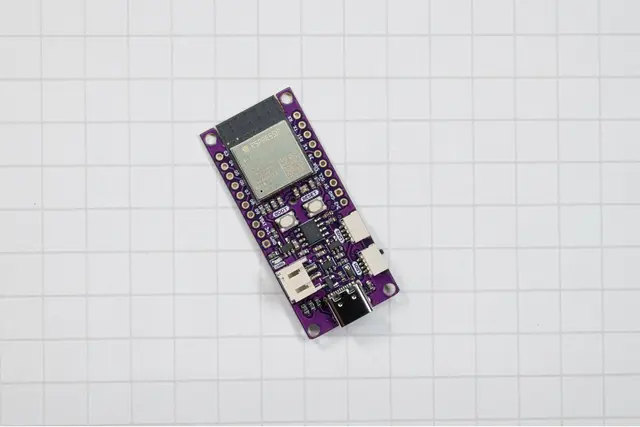
While the Bee Data Logger ships with CircuitPython support, it also works with the Arduino framework via PlatformIO or the Arduino IDE. The official BeeDataLogger Arduino Helper library provides a clean API for accessing all onboard peripherals.
PlatformIO Setup
Add the following to your platformio.ini:
[env:bee_data_logger]
platform = espressif32
board = bee_data_logger
framework = arduino
The Bee Data Logger is officially supported in the PlatformIO board registry.
Arduino IDE Setup
- Install the ESP32-S3 board support package
- Install the BeeDataLogger library via the Arduino Library Manager
- Select "Bee Data Logger" from the boards menu
Arduino Helper Library API
The BDL.h header-only library provides:
- Power:
setLDO2Power(bool)to control the secondary LDO,setPixelPower(bool)for the NeoPixel - LED:
setPixelColor()with RGB values, hex codes, or color names;setPixelBrightness() - Sensors:
getBatteryVoltage(),getADCVoltage(pin)for ADC channels 3-9,getVbusPresent()
Included Examples
Battery.ino-- Read LiPo voltageLDO2.ino-- Control secondary power railRGB.ino-- NeoPixel color controlRTC.ino/NTP_RTC.ino-- DS3231 clock operationsRead-ADC-Voltages.ino-- Sample all ADC channelsADC-SD.ino-- Log ADC readings to SDDeepSleepSD.ino-- Low-power SD loggingMQTT-backup-SD.ino-- MQTT with SD fallbackSave-RTC-to-SD.ino-- Timestamped loggingName-files-With-RTC.ino-- Date-based file naming