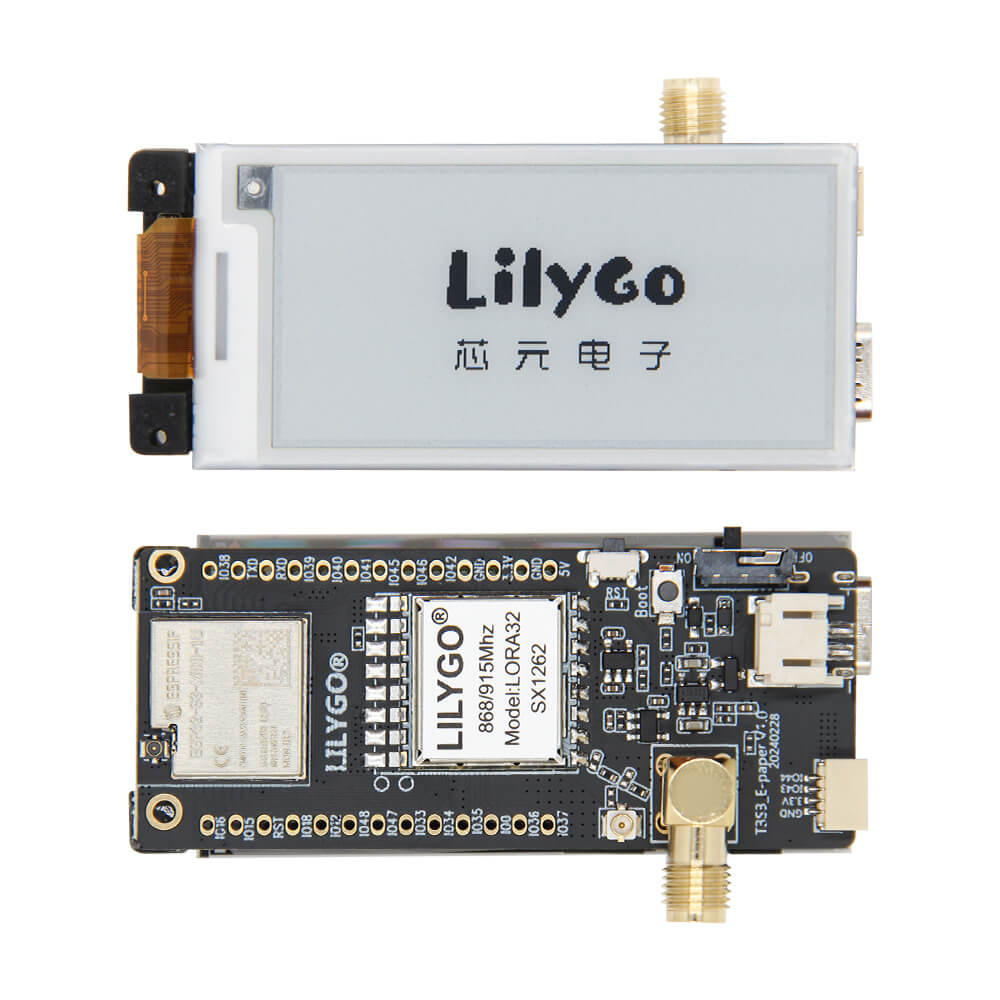
LILYGO T3 S3 E-Paper
ESP32-S3 development board with a 2.13-inch e-ink display and optional SX1262 LoRa module (868/915MHz) or 2.4GHz radio, designed for low-power wireless display applications.
$23.61
Hardware Specifications
Connectivity
Components
Dual-core Xtensa LX7 up to 240MHz with 4MB flash and 2MB PSRAM
2.13-inch e-paper display, 250×122 pixels, 48.55×23.70mm active area
Long-range LoRa transceiver for 868MHz or 915MHz (variant-dependent)
Resources


Where to Buy
Overview
The LILYGO T3 S3 E-Paper is a versatile development board combining the ESP32-S3 microcontroller with a 2.13-inch e-ink display (250×122 pixels) and wireless radio options. The ultra-low power consumption of the e-paper display makes it ideal for battery-powered IoT nodes that need to show data — such as sensor readings, weather information, or asset tracking labels — without constantly refreshing.
The board is available in three variants: 868MHz LoRa with SX1262, 915MHz LoRa with SX1262, and a 2.4GHz WiFi/BLE-only version. The LoRa variants enable long-range data transmission for sensor networks or Meshtastic-compatible deployments. A microSD card slot, battery switch, and onboard BOOT/Reset buttons round out the feature set.
With 4MB flash and 2MB PSRAM on the ESP32S3FH4R2, the board offers sufficient resources for complex display applications, LoRa protocol stacks, and sensor data processing.
Firmware Compatibility
The T3 S3 E-Paper is supported by Arduino IDE and ESP-IDF. The GitHub repository at https://github.com/Xinyuan-LilyGO/Lilygo-LoRa-Epaper-series provides example code for e-paper rendering, LoRa communication, and power management. MicroPython can also be used with appropriate e-paper and SX1262 libraries.
Flashing Guide
- Install the ESP32 board package in Arduino IDE with ESP32-S3 support.
- Connect via USB-C.
- Hold BOOT and press RESET to enter download mode if needed.
- Select ESP32-S3 Dev Module with 4MB flash and 2MB PSRAM.
- Upload firmware from the repository examples or your own application.
Related Products
ESP32-S3This product page may contain errors. If you find any, please report them.