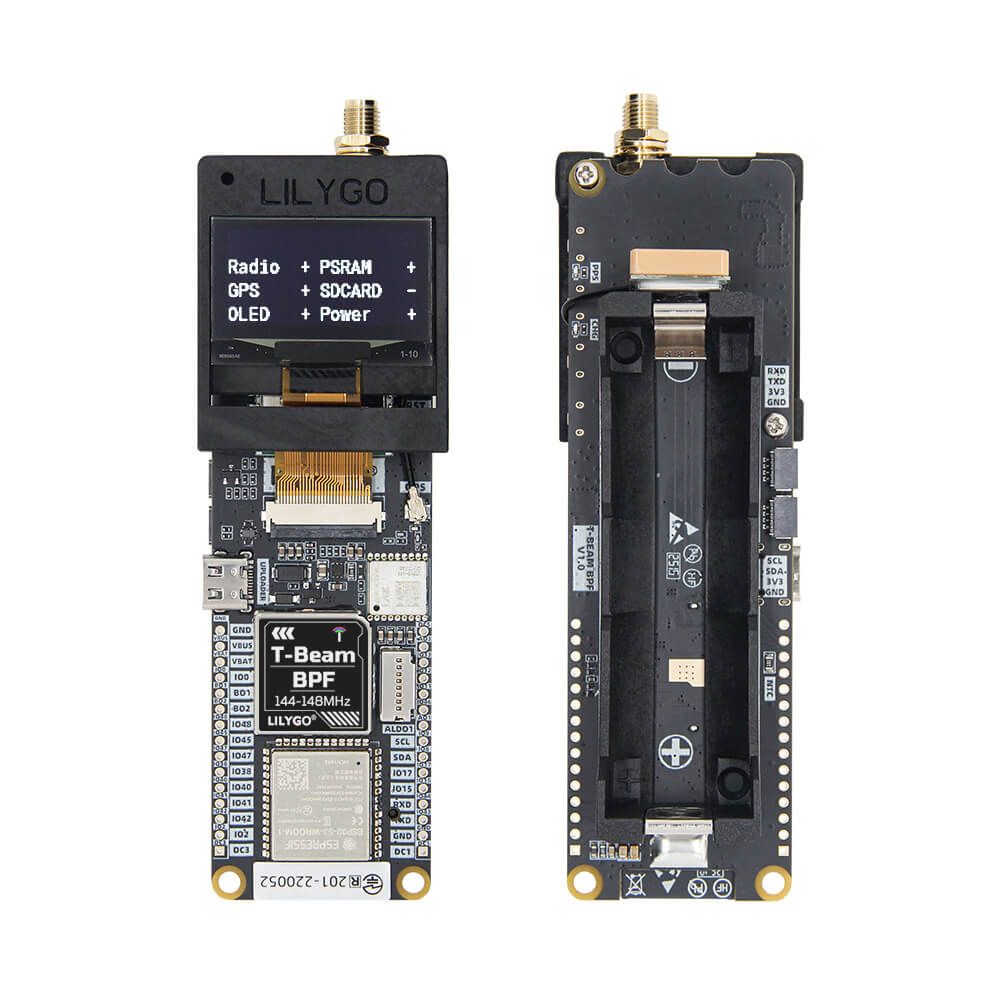
LILYGO T-Beam BPF
A T-Beam variant with an integrated BPF (Band Pass Filter) targeting the 144-148 MHz VHF band, built on ESP32-S3 with LoRa SX1278, AXP2101 PMU, and a 0.96-inch OLED display.
$56.34
Hardware Specifications
Connectivity
Components
Dual-core LX7 microprocessor with 16MB Flash and 8MB PSRAM
LoRa radio module for 144-148 MHz VHF band operation
0.96-inch OLED display, 128x64 pixels, I2C interface
Advanced power management unit with battery charging

Where to Buy
Overview
The LILYGO T-Beam BPF is a specialized variant of the popular T-Beam series, designed specifically for VHF amateur radio enthusiasts. It operates in the 144-148 MHz frequency band using the SX1278 LoRa radio module, paired with an integrated Band Pass Filter (BPF) to improve receiver selectivity and reduce interference from out-of-band signals.
The board is powered by the ESP32-S3FN8 dual-core LX7 microprocessor with 16MB of Flash and 8MB of PSRAM, providing substantial processing power and memory for complex radio applications. Power management is handled by the AXP2101 PMU, which supports 18650 battery operation for portable deployments. A compact 0.96-inch SSD1306 OLED display provides local status information.
This board is well-suited for APRS (Automatic Packet Reporting System) digipeater and iGate projects in the 2-meter amateur radio band, as well as custom VHF LoRa mesh networking experiments. It supports Arduino IDE and PlatformIO for development.
Firmware Compatibility
- Arduino IDE — Use the ESP32 Arduino core with the SX1278 radio library.
- PlatformIO (VS Code) — Recommended for managing dependencies and build environments.
- ESP-IDF — Full Espressif SDK support for advanced firmware development.
- APRS firmware — Community APRS implementations exist for the T-Beam platform.
Flashing Guide
- Install the ESP32 board package in Arduino IDE.
- Connect via USB-C and select ESP32S3 Dev Module.
- Configure Flash Size to 16MB and enable PSRAM.
- Install required libraries: RadioLib or LoRa library for SX1278.
- Hold the BOOT button (IO00) while pressing Reset to enter download mode if needed.
- Upload firmware and open Serial Monitor at 115200 baud.
Related Products
ESP32-S3This product page may contain errors. If you find any, please report them.