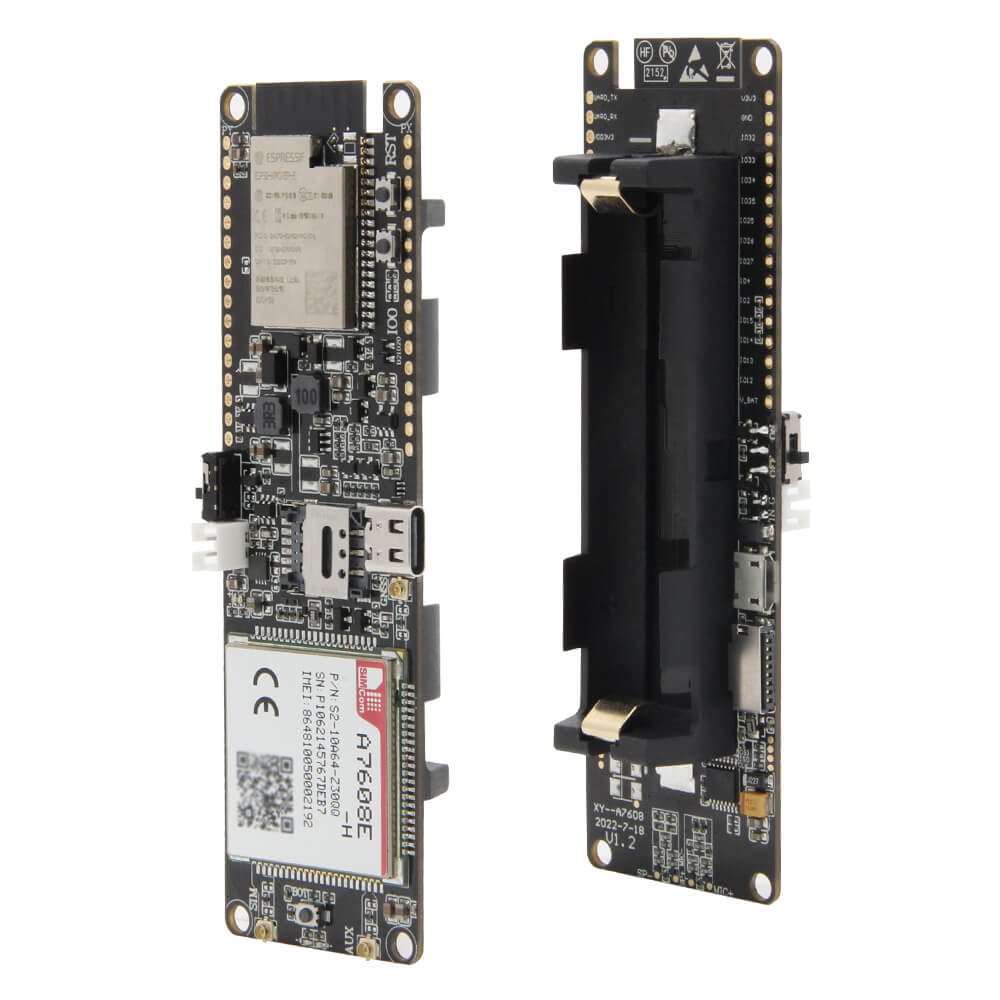
LILYGO T-A7608E-H
The T-A7608E-H is an ESP32-S3-based development board integrating an A7608 4G LTE cellular module and GPS, targeting IoT applications requiring cellular connectivity and location tracking.
$34.99
Hardware Specifications
Connectivity
Components
Dual-core Xtensa LX7 MCU with WiFi and Bluetooth 5
4G LTE cellular module supporting voice, SMS, and data communication
Integrated GPS module for location tracking
Resources


Where to Buy
Overview
The LILYGO T-A7608E-H is a feature-rich development board combining the ESP32-S3 microcontroller with an A7608 4G LTE cellular module and integrated GPS. Available in multiple variants including E-H (Europe/South America) and SA-H versions, the board targets IoT applications requiring reliable cellular data connectivity alongside GPS positioning.
The A7608 module provides LTE Cat-4 4G connectivity supporting voice calls, SMS, and high-speed data communication, making it suitable for industrial IoT devices, vehicle tracking systems, remote monitoring stations, and mobile data loggers. The integrated GPS module enables accurate real-time location tracking without requiring an external GNSS module.
The ESP32-S3 handles local processing, WiFi connectivity, and Bluetooth 5, while the A7608 manages all cellular and positioning functions via AT commands over UART. Sample reference code is available in the LilyGO-T-A76XX GitHub repository.
Firmware Compatibility
- Arduino: Supported via the Espressif Arduino core. Use the TinyGSM or custom AT command libraries for cellular communication.
- ESP-IDF: Full native support with hardware UART for modem communication.
- MicroPython: Available via the ESP32-S3 MicroPython port.
Reference code and AT command examples are available at LilyGO-T-A76XX.
Flashing Guide
- Connect the board to your computer via USB-C.
- Enter bootloader mode: hold BOOT, press RESET, release RESET, then release BOOT.
- Select ESP32S3 Dev Module in Arduino IDE or PlatformIO.
- Upload the firmware.
- Insert a nano SIM card before powering up for cellular operations.
- The A7608 modem communicates via UART using AT commands — refer to the A7608 AT command manual for cellular operations.
Related Products
ESP32-S3This product page may contain errors. If you find any, please report them.