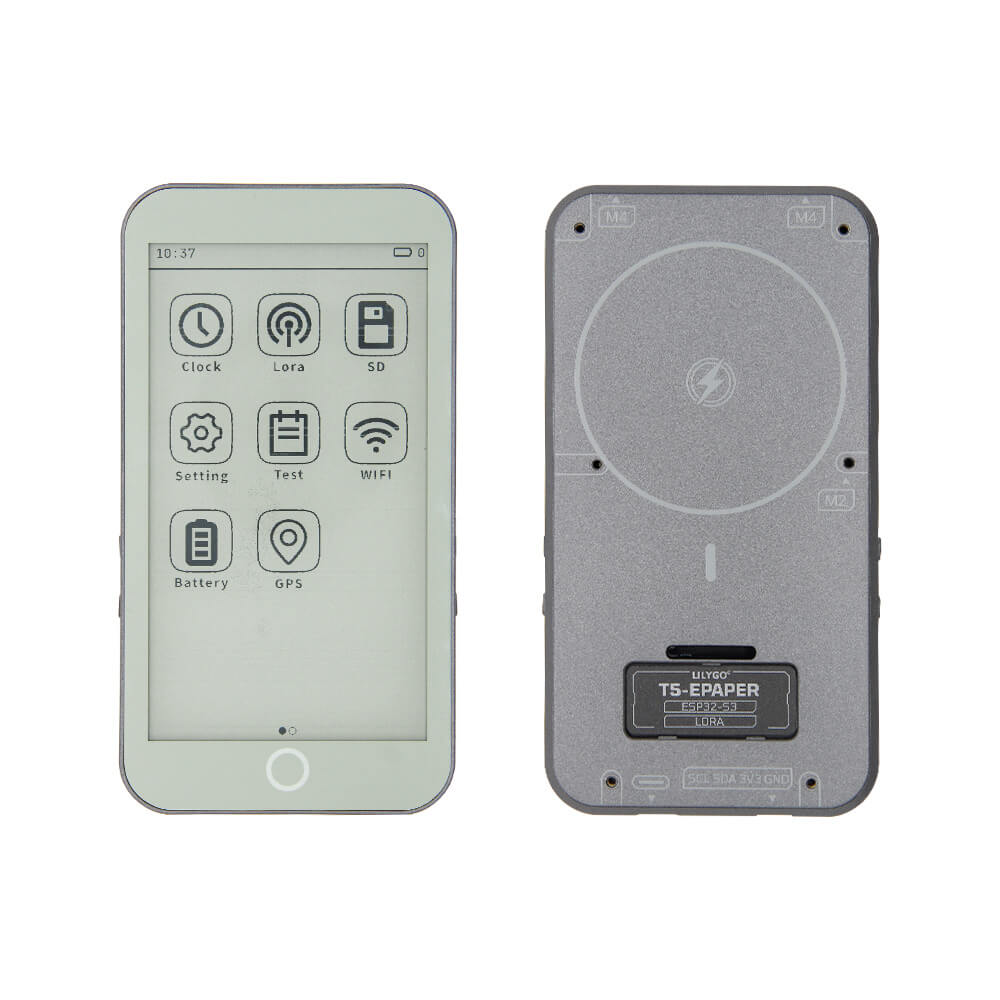
LILYGO T5 E-Paper S3 Pro Lite
A lite version of the T5 E-Paper S3 Pro featuring an ESP32-S3, 4.7-inch 540x960 anti-glare e-paper display with warm backlight, and WiFi/BLE — with GPS and LoRa modules removed for a simpler, lower-cost design.
$71.31
Hardware Specifications
Connectivity
Components
Dual-core LX7 microprocessor with 16MB Flash and 8MB PSRAM
4.7-inch e-paper display, 540x960 pixels, 16 gray levels, anti-glare glass
Battery charging IC
Battery fuel gauge for accurate charge monitoring

Where to Buy
Overview
The LILYGO T5 E-Paper S3 Pro Lite is the streamlined version of the T5 E-Paper S3 Pro, retaining the same impressive 4.7-inch e-paper display while removing the GPS and LoRa modules to reduce cost and complexity. It is built around the ESP32-S3-WROOM-1 with 16MB Flash and 8MB PSRAM.
The centerpiece of this board is its large 4.7-inch ED047TC1 e-paper display with a resolution of 540x960 pixels and 16 gray levels. The display features anti-glare (AG) glass treatment for comfortable viewing in bright environments, and an unusual warm-toned backlight for nighttime use — rare features in the e-paper development board category. An RTC is included for timekeeping in always-on display applications.
Power management is handled by the BQ25896 battery charging IC and BQ27220 fuel gauge for accurate battery level monitoring. The combination of WiFi and BLE with a large, ultra-low-power e-paper display makes this board ideal for smart picture frames, e-ink dashboards, weather stations, and digital signage that require network connectivity but benefit from e-paper's minimal power consumption when displaying static content.
Firmware Compatibility
- Arduino — Use the ESP32 Arduino core; GxEPD2 library supports many e-paper displays including the ED047TC1.
- ESP-IDF — Full Espressif SDK support.
- VS Code + PlatformIO — Recommended for managing display library dependencies.
Flashing Guide
- Install the ESP32 Arduino core in Arduino IDE or PlatformIO.
- Connect via USB-C.
- Select ESP32S3 Dev Module as the board target.
- Set Flash Size to 16MB and PSRAM to OPI PSRAM (8MB).
- Install the GxEPD2 e-paper display library and configure it for the ED047TC1 panel with the LILYGO-specific pin mapping from the GitHub repository.
- Clone the T5S3-4.7-e-paper-PRO GitHub repository for ready-to-use examples.
- Flash and test via Serial Monitor at 115200 baud.
Related Products
ESP32-S3This product page may contain errors. If you find any, please report them.