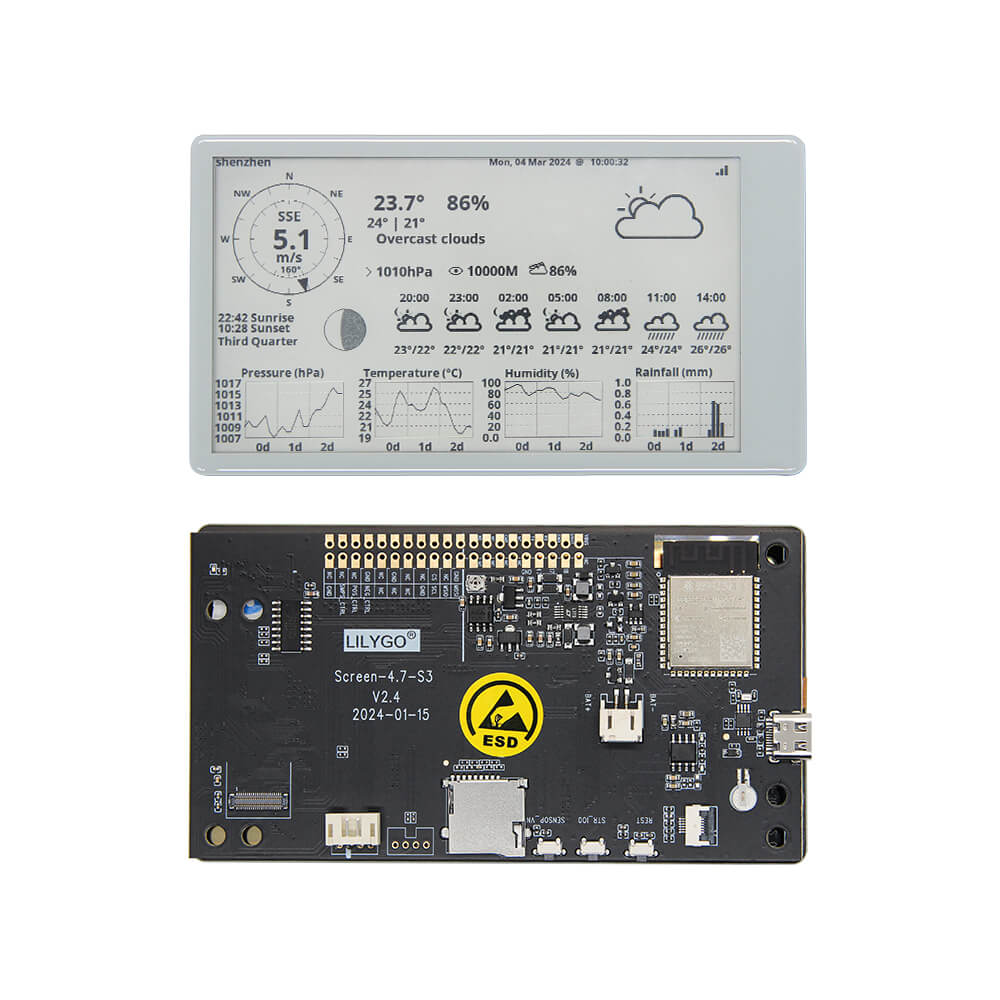
LILYGO T5 4.7-Inch E-Paper V2.3
ESP32-S3 development board with a 4.7-inch 16-gray-level e-paper display at 540x960 resolution, 16 MB flash, 8 MB PSRAM, Bluetooth 5.0, Wi-Fi, RTC, and optional capacitive touch for low-power information display projects.
$39.99
Hardware Specifications
Connectivity
Components
Dual-core Xtensa LX7 at 240 MHz with 16 MB flash, 8 MB PSRAM, Wi-Fi, Bluetooth 5.0
4.7-inch e-paper driver, 540x960 resolution, 16 gray levels
Real-time clock for time-keeping in deep sleep and scheduled wake-up
Resources


Where to Buy
Overview
The LILYGO T5 4.7-Inch E-Paper V2.3 is the flagship model in LILYGO's e-paper development board lineup. Powered by the ESP32-S3-WROOM-1-N16R8 with 16 MB flash and 8 MB PSRAM, it drives a 4.7-inch e-paper panel at 540x960 pixels with 16 gray levels — enabling detailed text, graphics, and photographs to be displayed with bistable retention.
The PCF8563 real-time clock maintains accurate timekeeping during deep sleep, enabling scheduled wake cycles for calendar displays, dashboards, and notification boards. Battery capacity detection is included for portable deployments. An optional capacitive touch layer is available for interactive applications. Non-soldered and soldered female pin header variants are offered.
The generous 8 MB PSRAM enables image buffering and complex rendering pipelines. Bluetooth 5.0 and Wi-Fi allow OTA image updates and network time synchronization.
Important: The e-paper panel cannot sustain long periods of continuous partial refresh — periodic full refresh is required to prevent permanent ghosting artifacts.
Firmware Compatibility
The T5 4.7-inch supports Arduino IDE with the ESP32-S3 board package. The GxEPD2 library and LILYGO's own LilyGo-T5-ink-series repository provide drivers for the EDO47TC1 panel. The esp32s3 branch of the repository specifically targets the V2.3 hardware revision. ESP-IDF is also compatible.
Flashing Guide
- Connect via USB Type-C.
- In Arduino IDE, select "ESP32S3 Dev Module," set Flash to 16 MB, PSRAM to OPI PSRAM.
- Clone the LilyGo-T5-ink-series repository and open an example.
- Enable USB CDC On Boot for serial monitor.
- Click Upload; hold BOOT + RESET if auto-download fails.
- After flashing, perform a full e-paper refresh before enabling partial updates.
Related Products
ESP32-S3This product page may contain errors. If you find any, please report them.