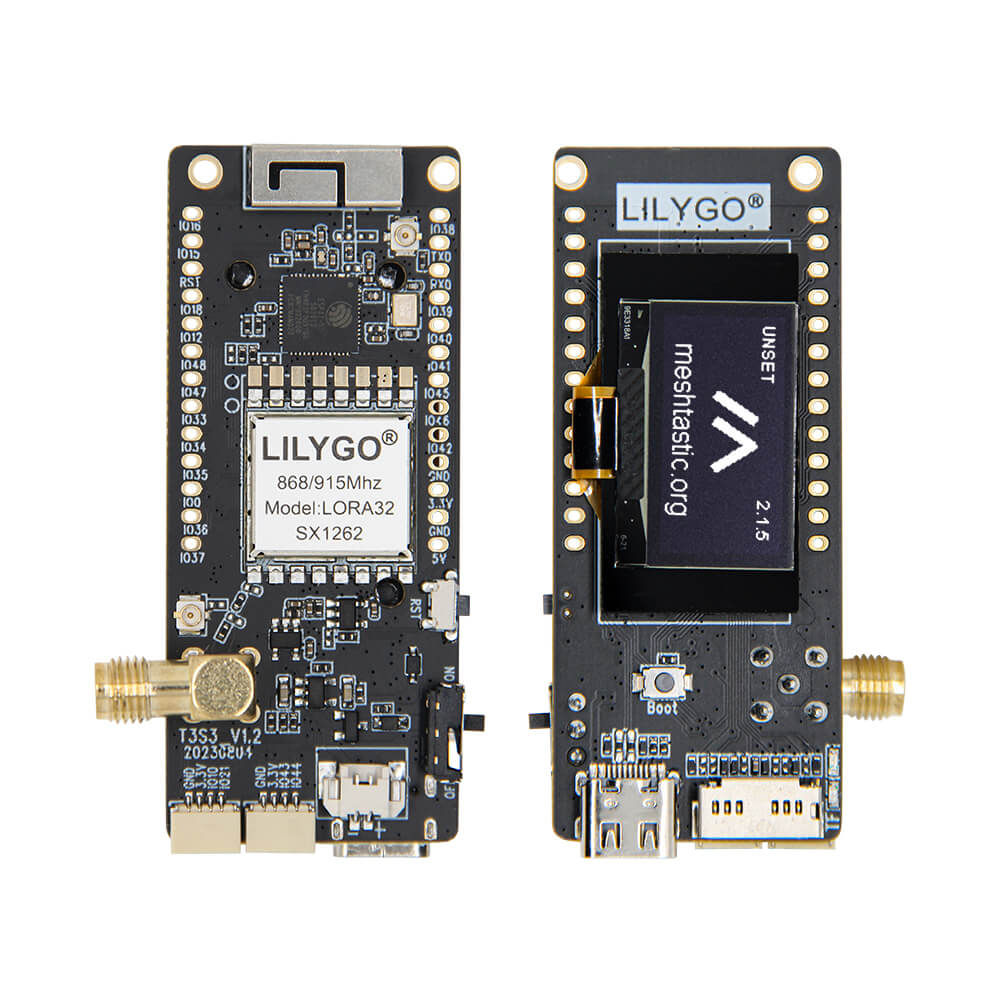
LILYGO T3-S3 V1.0
ESP32-S3 LoRa development board with a 0.96-inch display, supporting multiple LoRa chips (SX1276/SX1262 at 868/915MHz or SX1280 at 2.4GHz), WiFi, and Bluetooth 5.
$23.65
Hardware Specifications
Connectivity
Components
Dual-core Xtensa LX7 @ 240MHz with WiFi 802.11 b/g/n and BLE 5
Semtech SX1276 LoRa transceiver (868MHz or 915MHz variants)
Semtech SX1262 LoRa transceiver (868MHz or 915MHz variants)
Semtech SX1280 LoRa transceiver, 2.4GHz with optional PA (~20 dBm)
Resources


Where to Buy
Overview
The LILYGO T3-S3 V1.0 combines an ESP32-S3 microcontroller with a choice of Semtech LoRa radio chips, making it a versatile platform for LoRaWAN sensor nodes and mesh network applications. Multiple radio options are available: SX1276 (868/915MHz), SX1262 (868/915MHz), and SX1280 (2.4GHz, with optional PA for approximately 20 dBm output). A 0.96-inch display provides local status output.
The ESP32-S3 provides dual-core LX7 processing at 240MHz, Bluetooth 5, and WiFi 802.11 b/g/n, enabling hybrid WiFi+LoRa gateway designs. Important caution for the SX1280 PA variant: the FEM chip maximum input is 5 dBm; software should control output to 2-5 dBm to avoid chip damage. Regional variants are available for China, United States, and Germany with appropriate frequency compliance.
Firmware Compatibility
The T3-S3 is compatible with Arduino IDE and ESP-IDF. The RadioLib library is recommended for LoRa communication and is demonstrated in the GitHub repository at LilyGo-LoRa-Series under /examples/RadioLibExamples/SX1280 and similar paths for other radio chips.
Flashing Guide
- Install ESP32-S3 Arduino core via Boards Manager.
- Connect via USB (ESP32-S3 native USB).
- Select "ESP32S3 Dev Module" in Arduino IDE.
- Install RadioLib from Arduino Library Manager.
- Clone https://github.com/Xinyuan-LilyGO/LilyGo-LoRa-Series and open the appropriate example.
- Upload your sketch; use Boot + Reset for DFU mode if needed.
Related Products
ESP32-S3This product page may contain errors. If you find any, please report them.