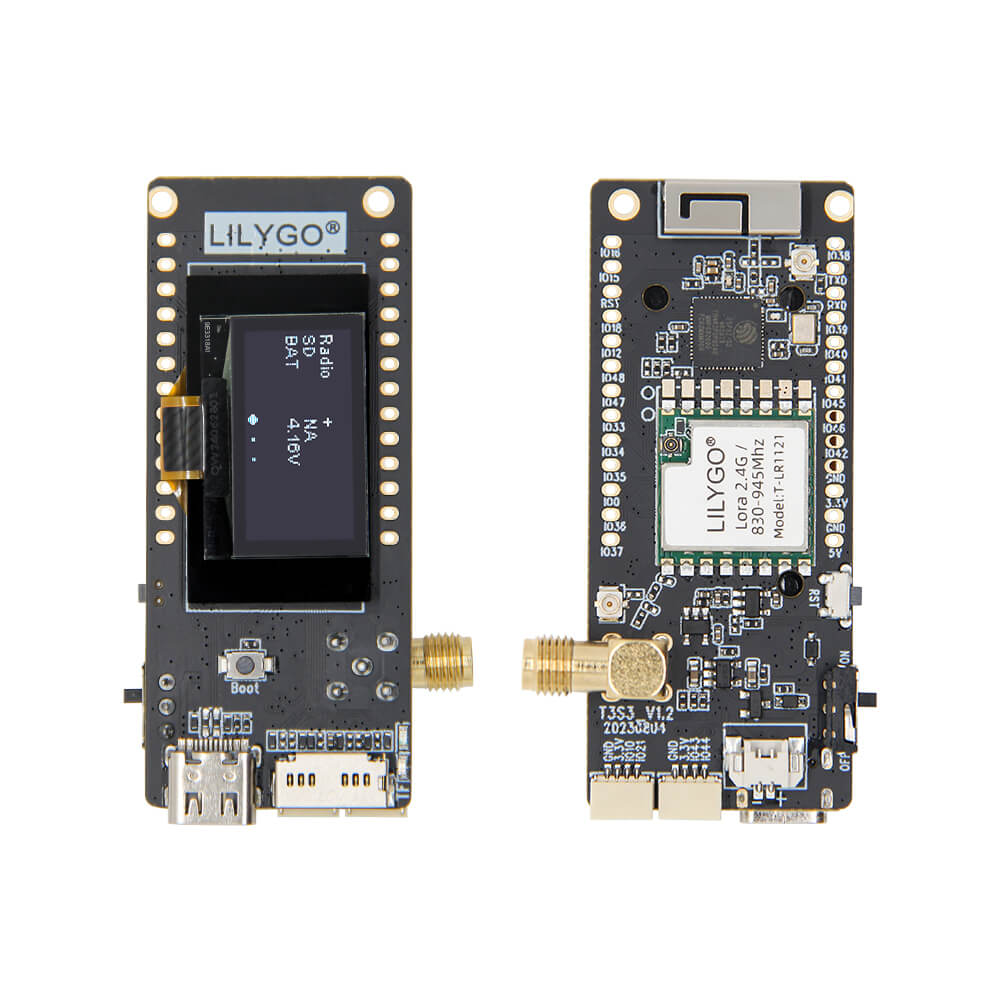
LILYGO T3 S3 LR1121
ESP32-S3 development board with the Semtech LR1121 multi-band transceiver supporting 830-940MHz LoRa and 2.4GHz, featuring a 0.96-inch OLED display and optional MVSRE expansion board.
$23.98
Hardware Specifications
Connectivity
Components
Dual-core Xtensa LX7 up to 240MHz with 4MB flash and 2MB PSRAM
Semtech multi-band transceiver supporting sub-GHz (830-940MHz) and 2.4GHz LoRa
0.96-inch 128×64 monochrome OLED display via I2C (SDA IO18, SCL IO17)
Resources


Where to Buy
Overview
The LILYGO T3 S3 LR1121 is a LoRa development board built around the ESP32S3FH4R2 and the Semtech LR1121 multi-band transceiver. The LR1121 is notable for supporting both sub-GHz frequencies (830–940MHz) and 2.4GHz in a single chip, making this board one of the most flexible LoRa platforms for multi-region deployments without hardware changes.
The board includes a 0.96-inch SSD1306 OLED display (128×64 pixels) via I2C for local status display, a microSD card slot for data logging, and a LiPo battery connector with charging support for portable operation. Physical dimensions are 66×36mm with BOOT and Reset buttons for easy firmware management.
An optional MVSRE expansion board variant ($32.76) extends the hardware capabilities. The board is rated 4.5/5 stars by customers for its multi-band flexibility and compact design.
Firmware Compatibility
Compatible with Arduino IDE and ESP-IDF. The GitHub repository at https://github.com/Xinyuan-LilyGO/LilyGo-LoRa-Series provides examples for LR1121 operation across different frequency bands, point-to-point LoRa, and LoRaWAN connectivity.
Flashing Guide
- Install the ESP32 board package in Arduino IDE 2.x.
- Connect via USB-C cable.
- Hold BOOT and press RESET to enter download mode if needed.
- Select ESP32-S3 Dev Module with 4MB flash and 2MB PSRAM.
- Use the LilyGo-LoRa-Series examples for LR1121 initialization and frequency configuration.
Related Products
ESP32-S3This product page may contain errors. If you find any, please report them.