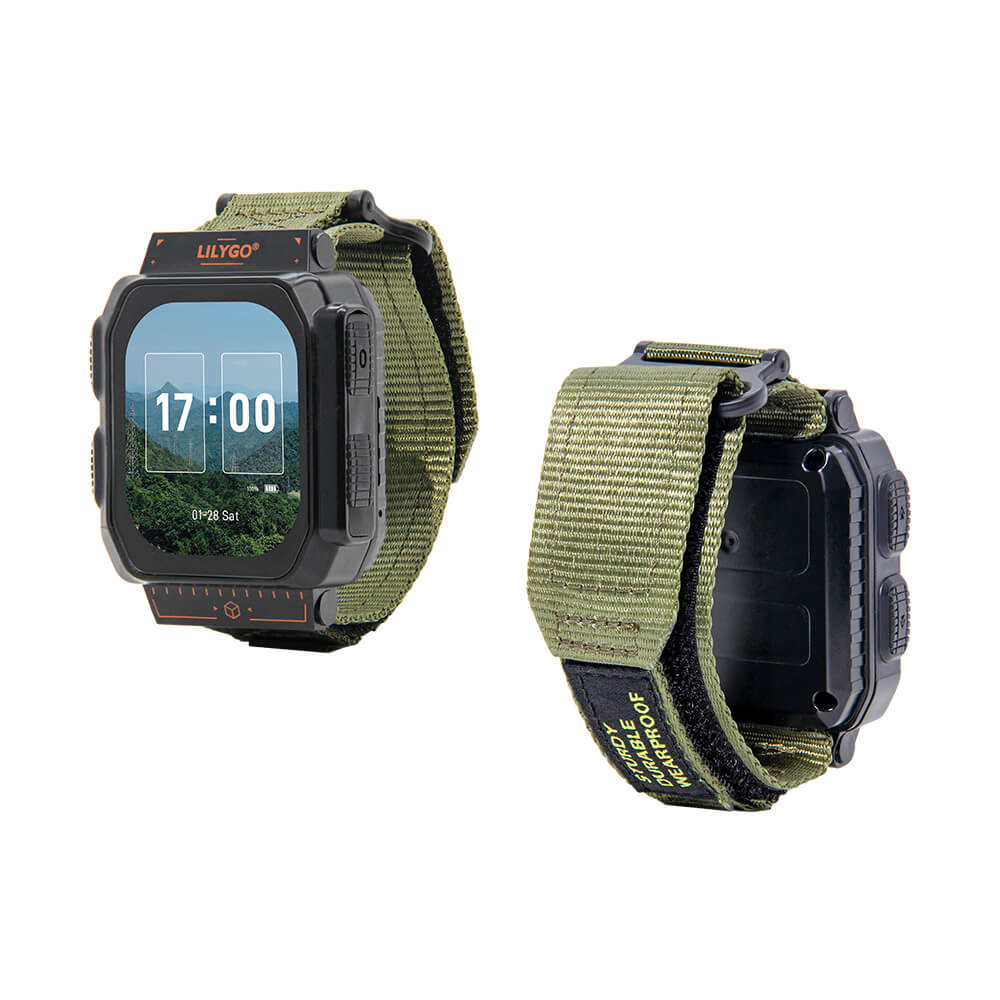
LILYGO T-Watch Ultra
A feature-rich smartwatch development platform powered by ESP32-S3 with a 2.06-inch AMOLED display, LoRa SX1262, GNSS, NFC, haptic feedback, and AI self-learning functionality.
$78.32
Hardware Specifications
Connectivity
Components
Dual-core LX7 microprocessor with 16MB Flash and 8MB PSRAM
LoRa transceiver for long-range wireless communication
2.06-inch OSPI AMOLED display, 410x502 pixels, 16.7M colors
Capacitive touch controller
Integrated power management unit
Haptic driver supporting ERM and LRA vibration motors
I2S audio amplifier

Where to Buy
Overview
The LILYGO T-Watch Ultra is an advanced smartwatch development platform built around the ESP32-S3 dual-core microprocessor. It features a 2.06-inch AMOLED display with a resolution of 410x502 pixels and capacitive touch support, making it ideal for creating custom smartwatch interfaces and wearable IoT applications.
The board integrates an impressive array of hardware: a LoRa SX1262 transceiver for long-range communication, GNSS receiver for positioning, NFC capability, a MAX98357A audio amplifier for sound output, a DRV2605 haptic driver for vibration feedback, and an RTC for timekeeping. The AXP2101 power management IC efficiently manages the 1100mAh battery. A self-learning AI functionality is also built in for advanced applications.
With 16MB of Flash and 8MB of PSRAM, the T-Watch Ultra provides ample memory for complex applications. The device supports Arduino IDE, ESP-IDF, VS Code, and MicroPython development environments, making it accessible to a wide range of developers.
Firmware Compatibility
The T-Watch Ultra supports multiple development frameworks:
- Arduino IDE — Use the ESP32 Arduino core. LILYGO provides example sketches via GitHub.
- ESP-IDF — Full Espressif SDK support for production-grade firmware development.
- MicroPython — Rapid prototyping with Python scripting.
- VS Code + PlatformIO — Recommended for larger projects with dependency management.
Community firmware including Meshtastic integration is possible given the onboard SX1262 LoRa transceiver.
Flashing Guide
- Install the ESP32 board package in Arduino IDE (Espressif Systems board URL).
- Connect the T-Watch Ultra via USB-C.
- Select ESP32S3 Dev Module as the board target.
- Set Flash Size to 16MB, PSRAM to OPI PSRAM.
- Clone the LILYGO GitHub repository for board support libraries and examples.
- Upload your sketch and monitor via the Serial Monitor at 115200 baud.
Related Products
ESP32-S3This product page may contain errors. If you find any, please report them.