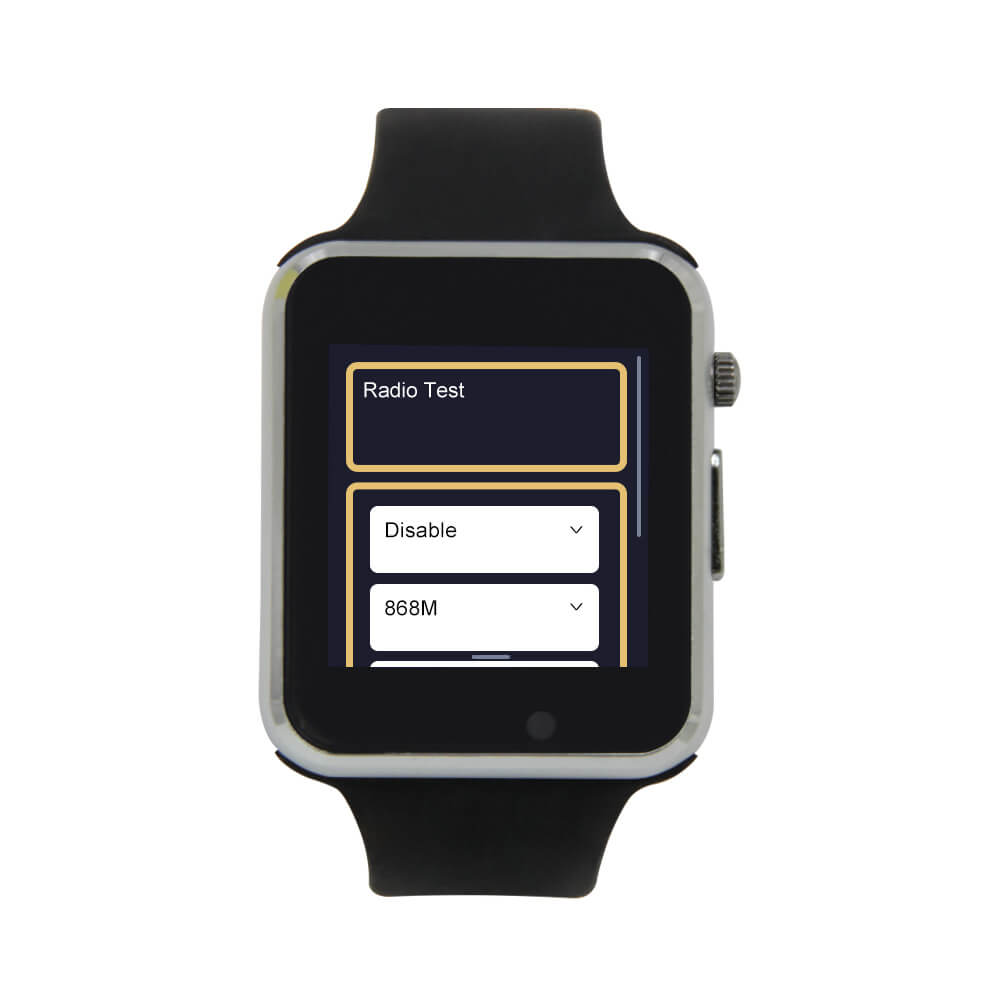
LILYGO T-Watch S3
Build a wearable LoRa mesh node, Home Assistant controller, or custom smartwatch OS on a programmable ESP32-S3 watch with touchscreen, haptics, and audio.
$42.98
Hardware Specifications
Connectivity
Components
Dual-core Xtensa LX7 @ 240MHz, 512KB SRAM, 8MB integrated OPI PSRAM
16MB external QSPI flash (Winbond)
LoRa transceiver — 433/868/915MHz, SPI interface, U.FL antenna connector
1.54-inch IPS LCD driver, 240×240 px, SPI interface
Capacitive touch controller, I2C address 0x38
3-axis accelerometer with step counter, tap detection, wrist-tilt wake, I2C address 0x19
X-Powers PMIC — LiPo charging (max 130mA), fuel gauge, multi-rail power distribution, I2C address 0x34
NXP real-time clock with battery backup, I2C address 0x51
Maxim 3.2W Class D I2S DAC/amplifier, mono
Knowles PDM MEMS digital microphone
TI haptic motor driver, supports ERM and LRA motors, I2C address 0x5A
Bus Interfaces(6)
GPIO Map(30 pins)
Resources


Overview
The LILYGO T-Watch S3 is an open-source programmable smartwatch built around the ESP32-S3R8 — a dual-core Xtensa LX7 SoC running at up to 240MHz with 8MB of integrated OPI PSRAM and 16MB of external QSPI flash. Unlike finished consumer smartwatches, the T-Watch S3 is explicitly a developer platform: a fully equipped wearable hardware kit with openly licensed firmware and publicly available schematics. It ships pre-assembled in a watch enclosure with a metal case, physical crown button, and interchangeable silicone strap, but invites deep customization through its documented GPIO pinout and Arduino/ESP-IDF ecosystem support.
The hardware stack is unusually rich for a device at this price point. A Semtech SX1262 LoRa transceiver (available in 433/868/915MHz regional variants) is paired with a U.FL antenna connector for long-range sub-GHz radio experimentation. Audio in and out are handled by a Knowles SPM1423HM4H-B PDM MEMS microphone and a Maxim MAX98357A I2S amplifier driving an onboard speaker — enabling voice assistant and audio playback applications. An NXP PCF8563 RTC with battery backup keeps time through power cycles, a TI DRV2605 haptic motor driver supports both ERM and LRA vibration motors, and a Bosch BMA423 3-axis accelerometer provides step counting, tap detection, and wrist-tilt wake. Power management is centralized through an X-Powers AXP2101 PMIC that handles LiPo charging, fuel gauging, and multi-rail power distribution with programmable sleep currents down to ~50µA in shutdown.
The watch body measures 47.45 × 40 × 13mm with a 272mm silicone strap. The 1.54-inch IPS LCD runs at 240×240 pixels via an ST7789V SPI driver, with a Focaltech FT6336 capacitive touch controller on a dedicated I2C bus. Connectivity is handled via the ESP32-S3's native USB-CDC through a Micro USB port — no separate UART chip — enabling direct serial flashing and debugging without adapters. The BOOT button for bootloader entry is located inside the watch case, requiring the back cover to be removed for manual flash mode entry.
Key features:
- ESP32-S3R8 dual-core LX7 @ 240MHz with 8MB OPI PSRAM + 16MB flash
- Semtech SX1262 LoRa (433/868/915MHz, U.FL connector, ALDO4 power rail)
- 1.54-inch 240×240 IPS LCD (ST7789V) with FT6336 capacitive touch
- Maxim MAX98357A I2S audio amplifier + Knowles PDM MEMS microphone
- TI DRV2605 haptic motor driver (ERM/LRA compatible)
- Bosch BMA423 accelerometer — step counter, tap detection, wrist-tilt wake
- X-Powers AXP2101 PMIC — charging, fuel gauge, deep sleep down to ~50µA
- NXP PCF8563 RTC with battery backup
- IR emitter (GPIO2) for appliance control
- Wi-Fi 802.11 b/g/n + Bluetooth 5.0 LE
- MIT-licensed firmware + publicly available schematics
Use Cases
- Wearable Meshtastic node — Flash Meshtastic firmware to carry a fully functional LoRa mesh radio on your wrist. Send and receive off-grid messages during hikes, festivals, or emergencies without cellular coverage. The watch form factor makes this one of the few truly wearable Meshtastic devices.
- Home Assistant wearable controller — Using the community ESPHome config, control smart home devices, trigger automations, and run a voice assistant directly from the watch. Swipe gestures and tap-to-wake make it a practical wrist-mounted HA remote.
- Custom smartwatch OS development — Build your own watch firmware on top of the Arduino/ESP-IDF ecosystem. Community OS projects (CyberWatch, Bluewatch, Beryllium OS) demonstrate full watch UIs with clock, notifications, settings, and apps.
- LoRa sensor node — Deploy as a battery-powered long-range sensor transmitter for outdoor monitoring: temperature, GPS position, or custom sensor data sent over LoRa to a base station kilometers away.
- Voice assistant wearable — The PDM microphone and I2S speaker enable voice capture and audio playback. Pair with an LLM API over Wi-Fi for a standalone wearable voice assistant prototype.
- IR universal remote — The onboard IR emitter (GPIO2) can control TVs, air conditioners, and other appliances. Community projects have implemented full IR remote UIs with on-screen device lists.
- Fitness tracker prototype — BMA423's step counter, activity recognition, and tap detection provide the hardware foundation for building a custom fitness app with persistent step data logged to the RTC.
- GPS sports watch (T-Watch S3 Plus) — The Plus variant adds a GPS module and 940mAh battery to the same form factor, enabling route tracking, waypoints, and outdoor navigation applications.
- CTF and hardware hacking — The T-Watch S3's LoRa radio, IR emitter, microphone, and programmable display make it a capable wrist-worn security research tool for authorized wireless analysis at capture-the-flag events.
- Mesh radio experimentation — Build multi-node LoRa test networks using RadioLib and the SX1262 transceiver. The watch display and touch interface allow real-time packet inspection and frequency tuning in the field.
Firmware Compatibility
- Meshtastic: Community-supported device tier. Flash via web flasher at flasher.meshtastic.org — select "T Watch S3". The T-Watch S3 is explicitly called out as the most technically demanding Meshtastic device to flash due to its internal BOOT button. After initial flash, OTA updates are available via the Meshtastic mobile app over BLE or Wi-Fi. A LoRa antenna must be connected to the U.FL connector before powering on.
- ESPHome: Community-supported via two active projects. The velijv implementation provides a complete YAML config with Home Assistant API, OTA, voice assistant (mic + speaker), step counter, IR transmitter, deep sleep with wake triggers, swipe gesture navigation, and live battery monitoring. Subsequent OTA updates work over Wi-Fi without USB. Note: AXP2101 power management and DRV2605 haptics have limited ESPHome driver support as of early 2025.
- Arduino / Arduino IDE: Primary development environment. Requires the newer LilyGoLib (requires ESP32 Arduino core ≥ 3.3.0-alpha1) or the older TTGO_TWatch_Library on the
t-watch-s3branch (requires ESP32 core ≤ 2.0.14 — the two are incompatible). Upload at 921600 baud. - ESP-IDF: Fully supported. Works natively and via PlatformIO.
- MicroPython: Experimental. Use the
ESP32_GENERIC_S3build from micropython.org. Hardware SPI must be explicitly configured (software SPI is too slow for the display). After flashing MicroPython, the native USB-CDC auto-reset no longer works — manual BOOT button entry is required for every subsequent reflash. - CircuitPython: Official board support at circuitpython.org/board/lilygo_twatch_s3. Enables rapid Python-based hardware prototyping.
- Zephyr RTOS: Officially supported board target (PR #87149 in Zephyr upstream). Most peripherals supported via standard Zephyr samples; LoRa radio, audio amplifier, and microphone support are in progress.
- Tasmota: Not supported. No template exists in the Tasmota device database and the smartwatch peripherals (PMU, haptics, RTC, LoRa) have no Tasmota driver support.
Flashing Guide
Prerequisites:
- Chrome or Edge browser (for web flasher — Firefox lacks WebSerial API)
- Data-capable Micro USB cable (not charge-only)
- LoRa antenna connected to U.FL connector before powering on (required to avoid RF frontend damage)
Automatic entry (preferred): Most web flashers and esptool send a 1200 bps serial signal that triggers the ESP32-S3 to reboot into bootloader mode automatically. Try this first.
Manual bootloader entry (when automatic fails):
- Press and hold the crown button to power off the watch.
- Use a fingernail or plastic pry tool to remove the back cover at the corner groove.
- Locate the BOOT button inside the case (near the battery connector).
- Press and hold BOOT, then press the crown button to power on.
- Hold BOOT for 2–3 more seconds, then release.
- The device is now in firmware download mode.
Flashing Meshtastic (recommended starting point):
- Connect antenna to U.FL connector.
- Connect watch to PC via Micro USB.
- Open flasher.meshtastic.org in Chrome or Edge.
- Select "T Watch S3" from the device dropdown and choose firmware version.
- Click "1200bps Reset" to attempt automatic bootloader entry; use manual method if it fails.
- Click "Flash" and wait 1–3 minutes for completion.
- Press the crown to reboot into Meshtastic.
- Install the Meshtastic app on iOS or Android and connect via BLE for configuration.
Flashing via esptool.py (MicroPython, custom binaries):
# Install esptool
pip install esptool

# Erase flash (enter boot mode first)
esptool.py --chip esp32s3 --port /dev/tty.usbmodem* erase_flash

# Flash firmware
esptool.py --chip esp32s3 --port /dev/tty.usbmodem* \
  --baud 921600 \
  --flash_mode dio \
  --flash_size 16MB \
  write_flash -z 0 firmware.bin
Flashing ESPHome:
- Clone velijv/LILYGO-T-Watch-S3-ESPHome.
- Copy
t-watch-s3.yamlandsecrets.yamlto your ESPHome config directory. - Edit
secrets.yamlwith your Wi-Fi credentials and API key. - In ESPHome Dashboard, open the device and click Install → Plug into this computer.
- Subsequent updates can be sent OTA over Wi-Fi.
Important notes:
- Do not exceed 130mA charging current (AXP2101 configuration) to avoid battery damage.
- The touch controller RST pin is not wired to any GPIO — deep sleep with touch wake requires a full power cycle to re-initialize touch; plan your sleep/wake strategy accordingly.
- After flashing MicroPython, the USB auto-reset no longer works — manual BOOT button entry (inside the case) is required for every reflash.
Related Products
ESP32-S3This product page may contain errors. If you find any, please report them.