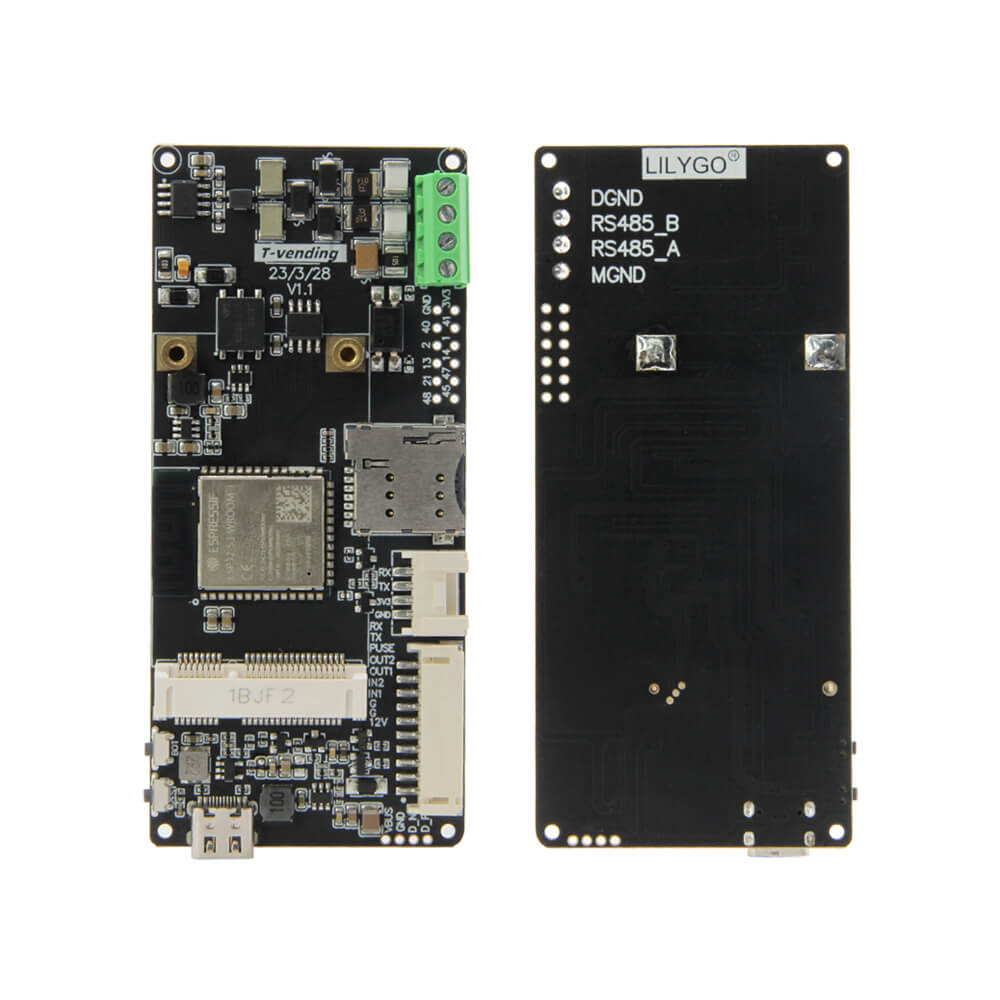
LILYGO T-Vending
The T-Vending is an ESP32-S3-based development board with integrated RS485 communication, T-PCIE expansion support, and Grove connector, designed for vending machine control and industrial automation.
$18.96
Hardware Specifications
Connectivity
Components
Dual-core Xtensa LX7 MCU with WiFi 802.11 b/g/n and Bluetooth 5
Half-duplex high-speed RS485 module, ±15kV ESD protected, 500kbps, TTL/RS485 conversion
Resources


Where to Buy
Overview
The LILYGO T-Vending is an ESP32-S3-based development board specifically designed for vending machine control systems and industrial automation applications. It combines the ESP32-S3-WROOM-1 microcontroller with a MAX13487E RS485 interface module for robust industrial serial communication.
The MAX13487E RS485 half-duplex module provides TTL/RS485 conversion with ±15kV ESD protection and supports communication speeds up to 500kbps, making it well-suited for noisy industrial environments and long-cable RS485 bus installations common in vending machine systems.
The board includes a T-PCIE expansion slot for adding SIM card-based cellular modules, expanding connectivity options for remote monitoring and payment integration. A Grove connector seat provides standardized sensor connectivity. WiFi 802.11 b/g/n and Bluetooth 5 are integrated for wireless communication.
Firmware Compatibility
- Arduino IDE: Supported via Espressif Arduino core for ESP32-S3.
- VS Code with PlatformIO: Recommended for industrial projects.
- ESP-IDF: Native Espressif framework with full UART/RS485 hardware support.
Sample code is available at T-Vending GitHub.
Flashing Guide
- Connect the T-Vending board via USB-C cable.
- Hold BOOT, press RESET, release RESET, then release BOOT to enter download mode.
- In Arduino IDE, select ESP32S3 Dev Module and choose the correct COM port.
- Upload the firmware.
- For RS485 communication, connect your RS485 bus to the MAX13487E terminals. The board handles direction control automatically.
- Install any T-PCIE cellular module before powering up for cellular connectivity.
Related Products
ESP32-S3This product page may contain errors. If you find any, please report them.