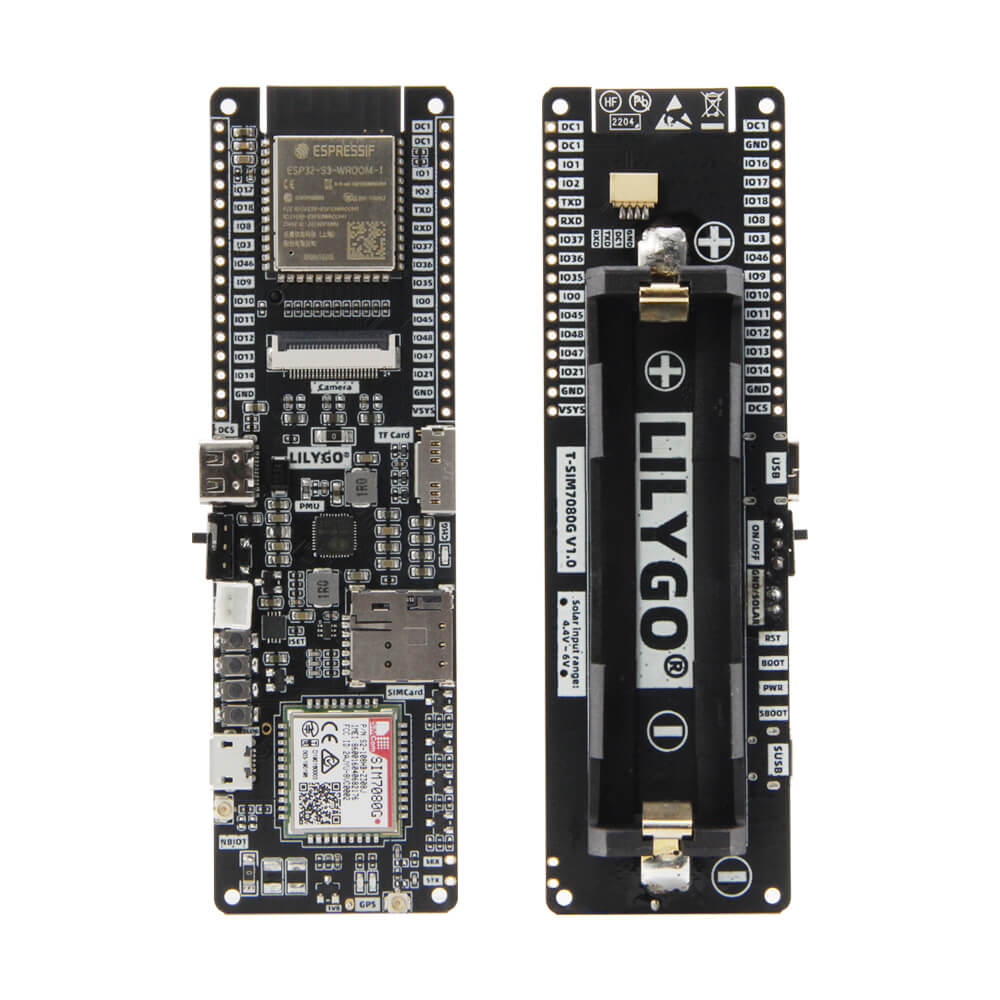
LILYGO T-SIM7080G S3
The T-SIM7080G S3 is an ESP32-S3-based development board with an integrated SIMCom SIM7080G NB-IoT/Cat-M cellular module, designed for M2M applications such as metering, asset tracking, and remote monitoring.
$29.60
Hardware Specifications
Connectivity
Components
Dual-core Xtensa LX7 MCU with WiFi and Bluetooth 5
SIMCom multi-band NB-IoT and Cat-M1 cellular module supporting global frequency bands
Resources


Where to Buy
Overview
The LILYGO T-SIM7080G S3 is a cellular IoT development board combining the ESP32-S3 microcontroller with the SIMCom SIM7080G multi-band NB-IoT and LTE Cat-M1 module. It is specifically designed for M2M (machine-to-machine) applications including utility metering, asset tracking, remote monitoring, and e-health devices.
The SIM7080G modem provides low-power wide-area network (LPWAN) connectivity through both NB-IoT and LTE Cat-M1 protocols, supporting global frequency bands for worldwide deployment. In Power Saving Mode (PSM), the board consumes only 2.5mA, making it highly suitable for battery-operated remote IoT devices that need to operate for extended periods.
The board also features a QWIIC connector (configured for UART, not I2C) and a camera connector for expanded functionality. The ESP32-S3 handles local processing, WiFi, and Bluetooth connectivity, while the SIM7080G manages cellular communication through AT commands.
Firmware Compatibility
- Arduino: Supported via the Espressif Arduino core. Use the TinyGSM or LILYGO sample libraries for cellular AT command communication.
- ESP-IDF: Native Espressif framework with full feature access.
- MicroPython: Supported via ESP32-S3 MicroPython port.
Sample code and AT command examples are available in the GitHub repository.
Flashing Guide
- Connect the board via USB-C cable to your computer.
- If the port is not recognized, hold BOOT and press RESET to enter download mode.
- Select ESP32S3 Dev Module in Arduino IDE or PlatformIO.
- Flash the firmware using your preferred tool.
- Insert a nano SIM card into the SIM card slot before powering up for cellular operations.
- Use AT commands via serial to communicate with the SIM7080G module.
Related Products
ESP32-S3This product page may contain errors. If you find any, please report them.