LILYGO T-RS S3
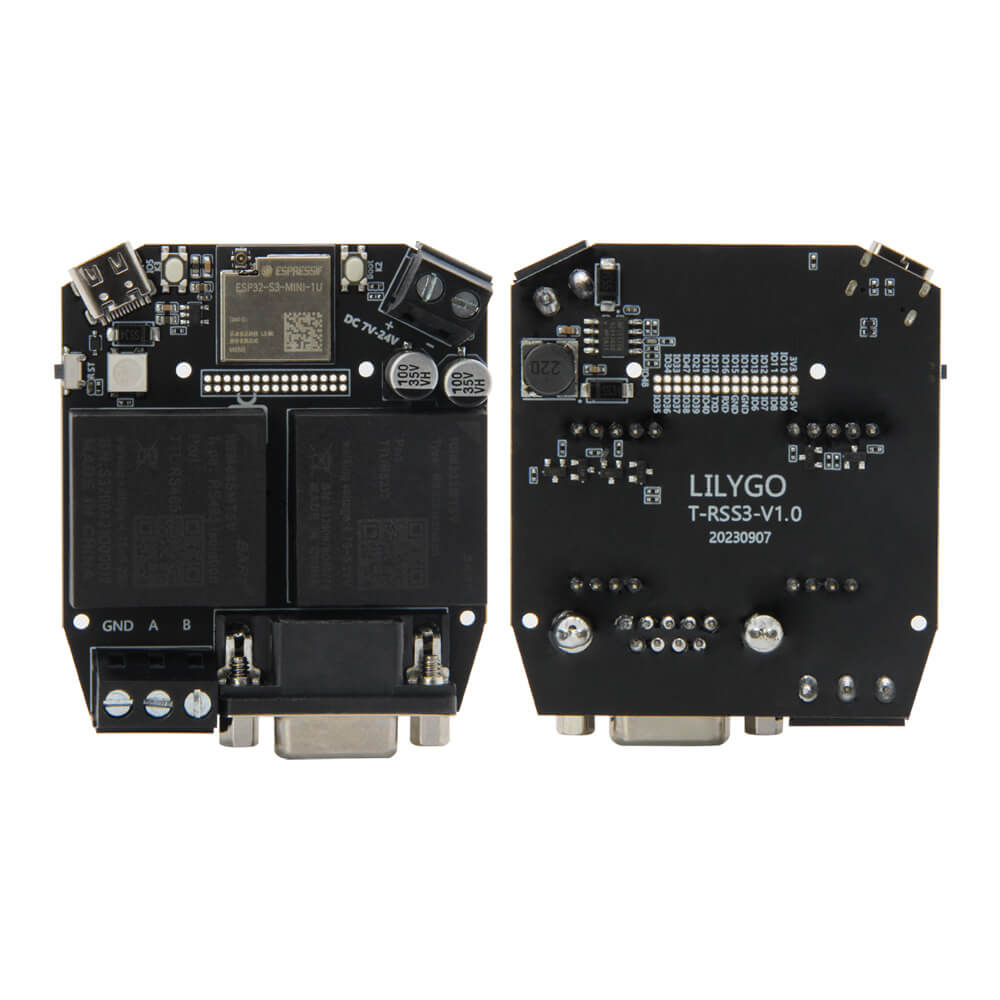
An ESP32-S3 development board with isolated RS232 and RS485 communication modules, featuring 3000V galvanic isolation, 8MB flash, and DC 7-24V power input via DB9 connector for industrial applications.
$22.48
Hardware Specifications
Connectivity
Components
Dual-core Xtensa LX7 with WiFi and Bluetooth 5 LE
Isolated RS232 module, 3000V isolation, TTL/RS232, 5V/50mA output, 1200-256000 bps
Isolated RS485 module, 3000V isolation, TTL/RS485, 5V/50mA output, 1200-256000 bps
Addressable RGB LED on GPIO1
Resources


Where to Buy
Overview
The T-RS S3 is an industrial-focused ESP32-S3 development board designed for reliable serial communication in demanding environments. It features two isolated serial communication modules: an RSM232MT5V for RS232 and an RSM485MT5V for RS485, both providing 3000V galvanic isolation to protect against ground loops and voltage transients common in industrial settings.
Both isolated serial modules support baud rates from 1200 to 256000 bps and provide 5V/50mA isolated power output, making them suitable for powering attached sensors or converters. The board can be powered directly from DC 7-24V via the RS232 DB9 connector, eliminating the need for a separate power supply in industrial installations.
Additional onboard features include a WS2812 addressable RGB LED on GPIO1, Reset and Boot (GPIO0) buttons, and an IO2 button. The ESP32-S3 provides WiFi and Bluetooth 5 LE wireless connectivity alongside the wired serial interfaces.
Firmware Compatibility
The T-RS S3 is compatible with Arduino IDE and ESP-IDF. Example code for RS232/RS485 communication is available in the T-RSC3 GitHub repository.
Flashing Guide
- Connect via USB Type-C
- Install ESP32-S3 board support in Arduino IDE or set up ESP-IDF
- Clone the T-RSC3 repository for example code
- Select "ESP32S3 Dev Module" as the board
- Upload firmware — use Boot/Reset buttons to enter download mode if required
Related Products
ESP32-S3This product page may contain errors. If you find any, please report them.