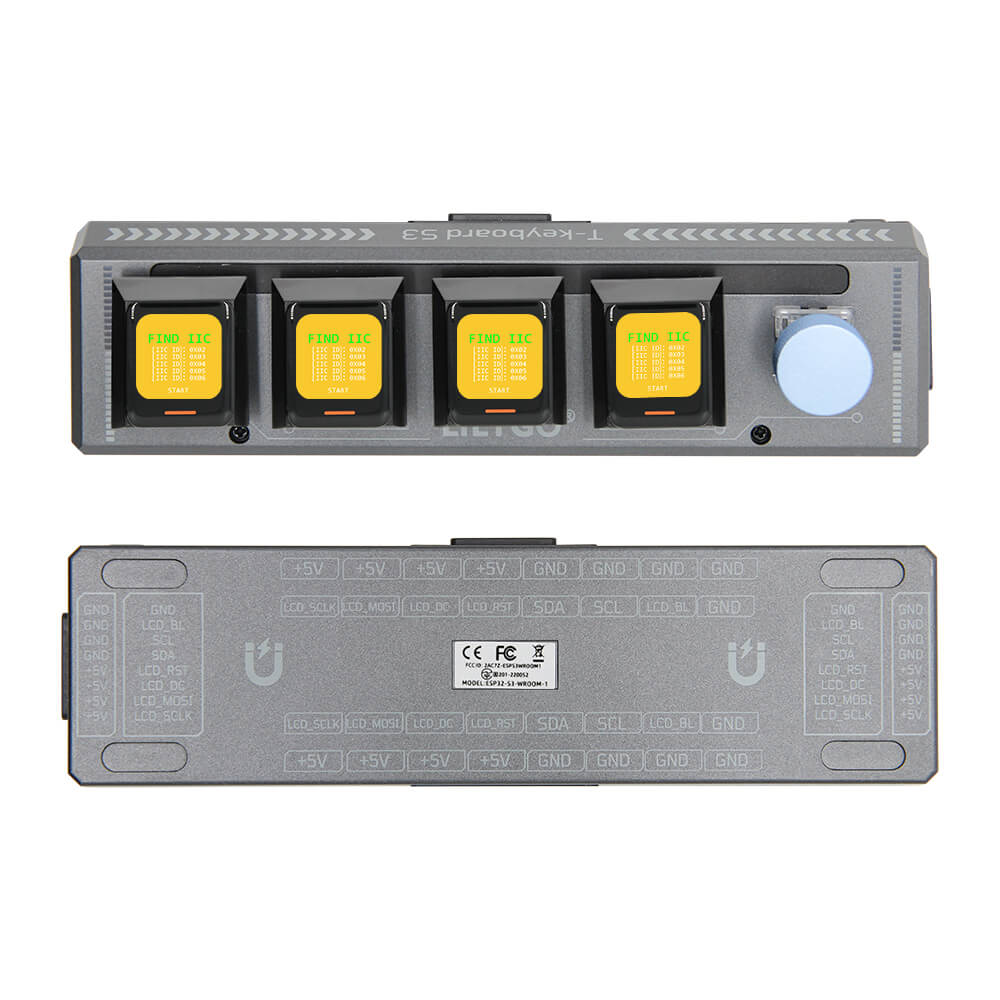
LILYGO T-Keyboard S3 Pro
Dual-MCU (ESP32-S3 + STM32G030) programmable keyboard with four 0.85-inch TFT displays, 14 WS2812 RGB LEDs, and magnetic quick-connect interfaces for expandable macro pad and HID applications.
$60.01
Hardware Specifications
Connectivity
Components
Primary MCU: dual-core Xtensa LX7 up to 240MHz with 16MB flash and 8MB PSRAM
Secondary MCU for keyboard scanning: 64KB flash, 8KB SRAM
Four 0.85-inch TFT LCD screens, 128×128 pixels each, 15.2×15.2mm active area
14 addressable RGB LEDs for key backlighting
Resources


Where to Buy
Overview
The LILYGO T-Keyboard S3 Pro is an innovative programmable macro pad featuring dual microcontrollers — an ESP32-S3R8 as the primary processor and an STM32G030F6P6 for keyboard matrix scanning. Each of the four key positions has its own 0.85-inch TFT LCD (128×128 pixels via GC9107) for displaying custom icons, labels, or real-time information, and 14 WS2812 RGB LEDs provide per-key backlighting.
Four magnetic quick-connect interfaces enable modular expansion: up to 6 devices can be connected via I2C in a master-slave configuration, building larger macro pad arrays or distributed HID systems. The default firmware operates in "I2C communication expansion mode." When connecting multiple units, brightness should be kept to a maximum of 10 to prevent excessive heat generation.
A rotary encoder option and Reset button provide additional input methods. The board is well-suited for macro keyboards, stream decks, industrial control panels, and interactive display installations. WiFi and Bluetooth 5 LE enable wireless key mapping, OTA updates, and BLE HID profiles.
Firmware Compatibility
Compatible with Arduino IDE and ESP-IDF. The GitHub repository at github.com/Xinyuan-LilyGO/T-Keyboard-S3-Pro provides display rendering examples, I2C expansion examples, WS2812 LED control, and BLE HID keyboard examples.
Flashing Guide
- Install the ESP32 board package in Arduino IDE 2.x.
- Connect via USB-C cable (connected to the ESP32-S3 primary MCU).
- Hold BOOT and press RESET to enter download mode if needed.
- Select ESP32-S3 Dev Module with 16MB flash and 8MB OPI PSRAM.
- Upload the T-Keyboard-S3-Pro examples or your custom macro pad firmware.
Related Products
ESP32-S3This product page may contain errors. If you find any, please report them.