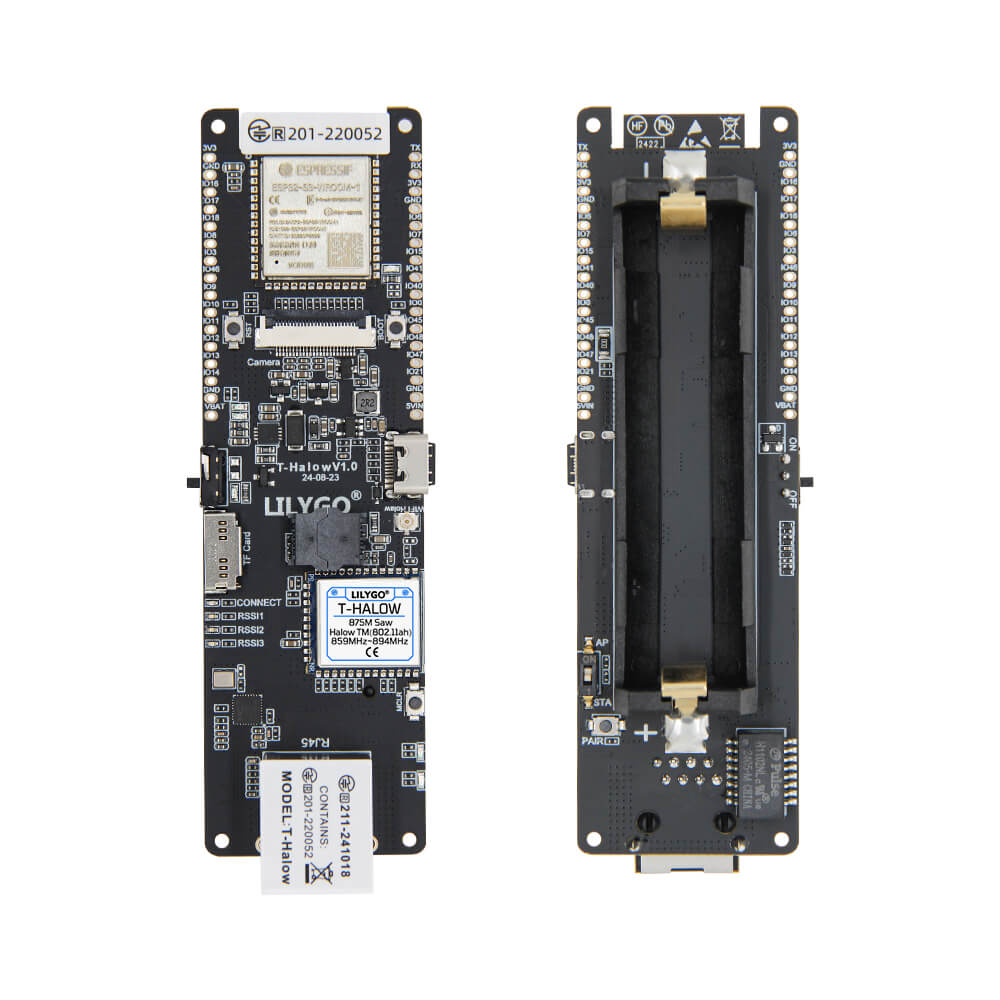
LILYGO T-Halow
ESP32-S3 development board featuring WiFi HaLow (802.11ah) via the TX-AH sub-GHz module for long-range IoT connectivity, along with 2.4GHz WiFi, Bluetooth 5 LE, and 18650 battery support.
$26.00
Hardware Specifications
Connectivity
Components
Dual-core Xtensa LX7 up to 240MHz with WiFi and Bluetooth 5 LE
WiFi HaLow 802.11ah module for sub-GHz long-range IoT, supports 730-950MHz, 1/2/4/8MHz channel widths, 150Kbps to 32.5Mbps
Resources


Where to Buy
Overview
The LILYGO T-Halow is a development board built around the ESP32-S3 that combines standard 2.4GHz WiFi and Bluetooth 5 LE with WiFi HaLow (IEEE 802.11ah) — a sub-GHz wireless standard specifically optimized for IoT devices. WiFi HaLow operates in the 730–950MHz frequency range and offers significantly longer range than traditional 2.4GHz WiFi while consuming less power, making it ideal for smart agriculture, smart city, and industrial IoT deployments.
The onboard TX-AH module handles the WiFi HaLow protocol, supporting channel widths of 1, 2, 4, and 8MHz with data rates from 150 Kbps up to 32.5 Mbps. The T-Halow is available in three frequency variants: 920–928MHz (MIC certified for Japan), 902–928MHz (SAW filter, US/Americas), and 859–894MHz (SAW filter, Europe), ensuring regulatory compliance across regions.
The board includes TF card support, an 18650 battery connector for portable operation, and BOOT and Reset buttons. It ships with 16MB flash and 8MB PSRAM on the ESP32-S3, providing ample resources for complex IoT gateway firmware.
Firmware Compatibility
The T-Halow is compatible with Arduino IDE and ESP-IDF for the ESP32-S3 host processor. The TX-AH WiFi HaLow module has its own configuration interface. The GitHub repository at https://github.com/Xinyuan-LilyGO/T-Halow provides setup guides and example code for getting started with WiFi HaLow connectivity.
Flashing Guide
- Install the ESP32 board package in Arduino IDE or set up ESP-IDF.
- Connect via USB-C cable.
- Hold BOOT and press RESET to enter download mode if the board is not auto-detected.
- Select ESP32-S3 Dev Module with 16MB flash and 8MB OPI PSRAM settings.
- Upload your firmware; consult the TX-AH module documentation for WiFi HaLow configuration commands.
Related Products
ESP32-S3This product page may contain errors. If you find any, please report them.