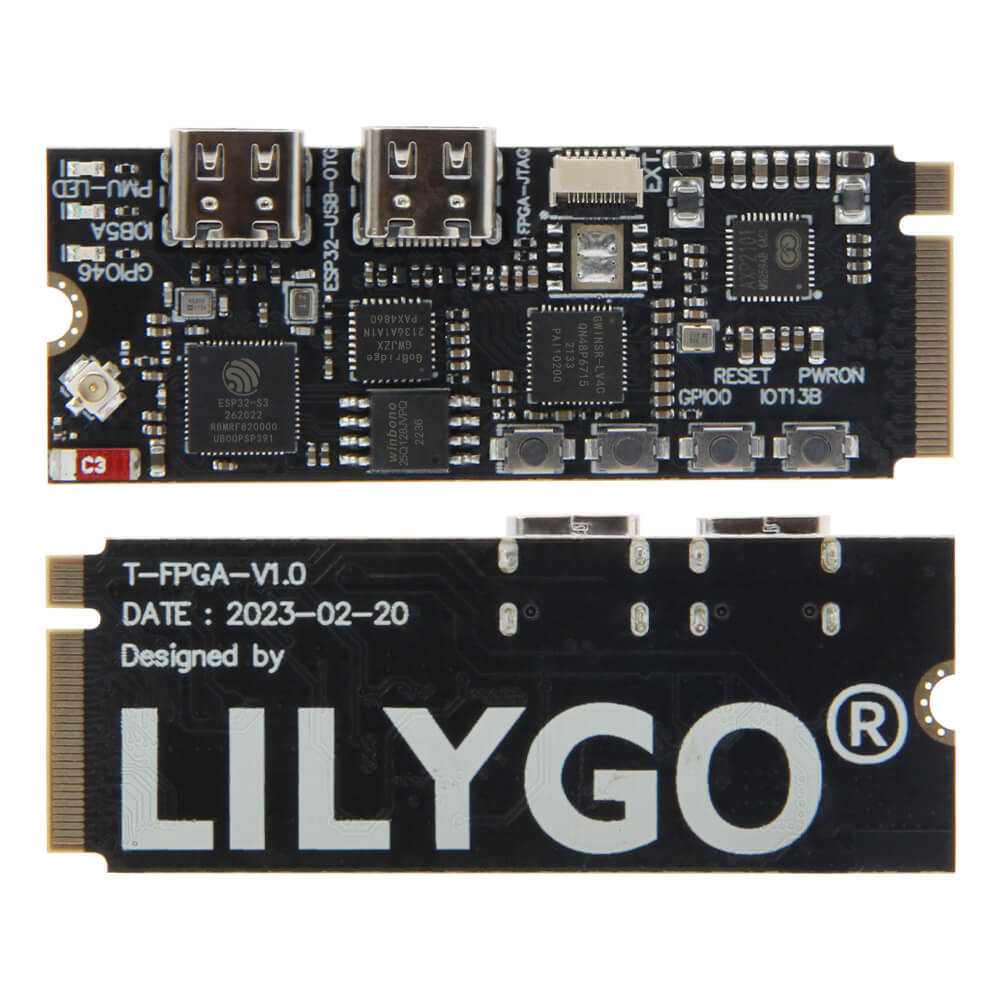
LILYGO T-FPGA
The T-FPGA integrates an ESP32-S3R8 microcontroller with a Gowin GW1NSR-4C FPGA chip, enabling hardware acceleration and digital logic development alongside WiFi and Bluetooth connectivity.
$18.98
Hardware Specifications
Connectivity
Components
Dual-core Xtensa LX7 MCU with 16MB Flash, 8MB PSRAM, WiFi and Bluetooth 5
Gowin GW1NSR-4C FPGA with 4608 LUT4, 256K Flash, 64Mb HyperRAM, and Cortex-M3 hardcore
Power management IC enabling voltage switching for different BANK areas
Resources


Where to Buy
Overview
The LILYGO T-FPGA is a unique development board that combines the versatility of the ESP32-S3R8 microcontroller with a Gowin GW1NSR-4C FPGA chip in a single integrated package. This combination allows developers to harness the ease of Arduino/ESP-IDF programming for connectivity and application logic while leveraging the FPGA's hardware parallelism for signal processing, custom peripherals, and high-speed digital logic.
The ESP32-S3R8 side provides 16MB of flash, 8MB of PSRAM, dual-core Xtensa LX7 processing at 240 MHz, 2.4 GHz WiFi, and Bluetooth 5. The Gowin GW1NSR-4C FPGA features 4,608 LUT4 cells, a built-in Cortex-M3 hardcore processor, 256K of flash memory, and 64Mb of HyperRAM. The two chips communicate via 6 dedicated data lines. An AXP2101 power management IC handles voltage switching for different BANK areas, ensuring reliable mixed-voltage operation.
The board also has an optional T-FPGA Shield accessory ($4.08) for expanded connectivity. A combined bundle is available for $23.06.
Firmware Compatibility
For the ESP32-S3 side:
- Arduino IDE: Supported via the Espressif Arduino core for ESP32-S3.
- PlatformIO: Recommended for streamlined build and upload workflows.
- MicroPython: Available via the ESP32-S3 MicroPython firmware.
- ESP-IDF: Full native support.
For the FPGA side:
- Gowin EDA: Use Gowin's IDE for synthesizing and programming FPGA bitstreams. Programming via JTAG debug port.
Sample code and hardware files are available at T-FPGA GitHub.
Flashing Guide
ESP32-S3 Firmware:
- Connect via USB-C cable.
- Hold BOOT, press RESET, release BOOT to enter download mode.
- Select ESP32S3 Dev Module in Arduino IDE with 16MB flash.
- Upload firmware normally.
FPGA Bitstream:
- Connect a JTAG programmer to the FPGA JTAG debug port.
- Open Gowin EDA and synthesize your RTL design.
- Use the programmer tool in Gowin EDA to download the bitstream to the FPGA.
Related Products
ESP32-S3This product page may contain errors. If you find any, please report them.