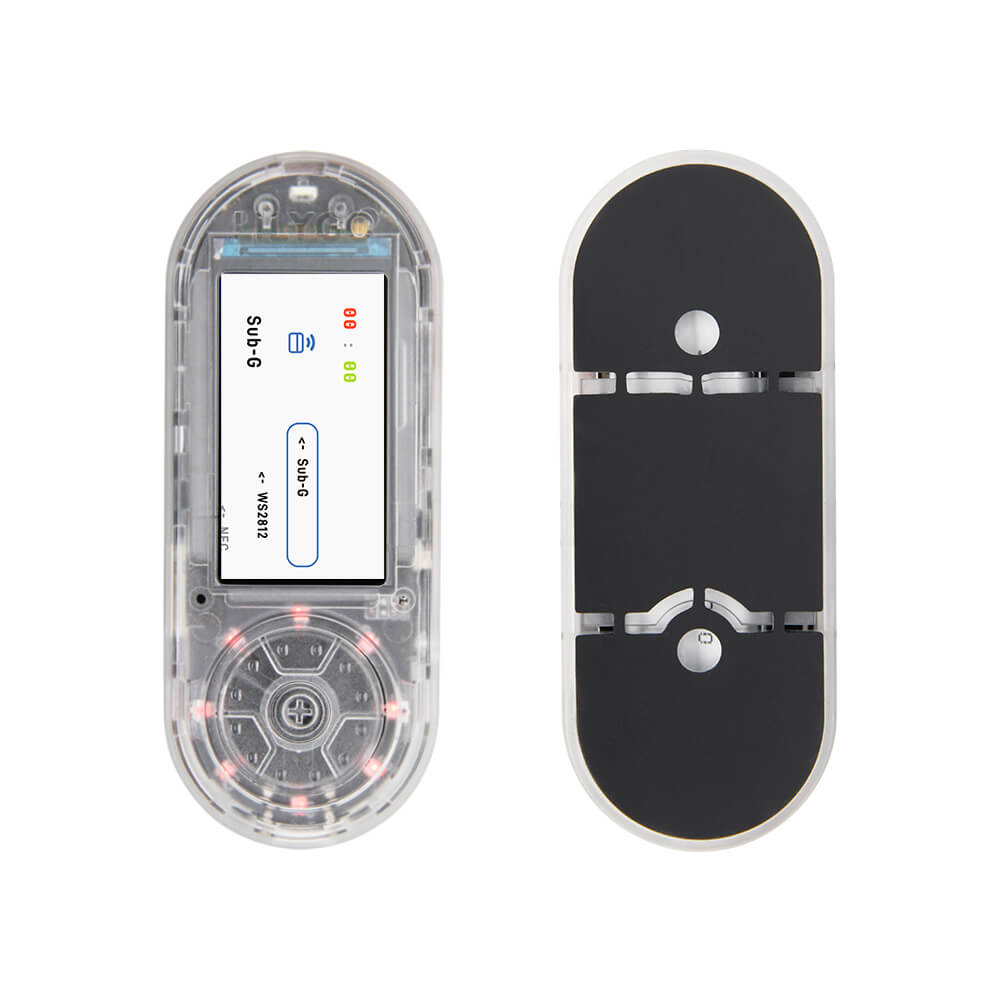
LILYGO T-Embed CC1101
ESP32-S3 handheld device with a CC1101 sub-GHz transceiver (300-928MHz), 1.9-inch TFT display, IR transmitter/receiver, and 13.56MHz RFID support for RF research and signal analysis.
$54.67
Hardware Specifications
Connectivity
Components
Dual-core Xtensa LX7 up to 240MHz with 16MB flash and 8MB SRAM
Sub-GHz transceiver for 300-348MHz, 387-464MHz, and 779-928MHz bands, up to 50m range
1.9-inch IPS color TFT LCD, 170×320 resolution, SPI interface
Resources


Where to Buy
Overview
The LILYGO T-Embed CC1101 is a compact handheld development device combining the ESP32-S3 with a CC1101 sub-GHz transceiver, making it a versatile tool for RF signal research, garage door analysis, weather station reception, and ISM band experimentation. The CC1101 covers three frequency bands: 300–348MHz, 387–464MHz, and 779–928MHz, with a practical range of up to 50 meters.
The 1.9-inch ST7789V IPS TFT display (170×320 pixels via SPI) provides a clear UI for frequency displays, signal strength, and decoded data. An IR transmitter and receiver enable infrared signal capture and replay for remote control analysis. HF RFID at 13.56MHz adds contactless card reading capability. Battery voltage monitoring via GPIO04 ensures the user is aware of the remaining charge.
Available in transparent, black, or shield-only (NRF24L01) variants, the board ships from warehouses in China, Germany, and the United States. It is compatible with Arduino IDE and ESP-IDF.
Firmware Compatibility
Compatible with Arduino IDE and ESP-IDF. The GitHub repository at https://github.com/Xinyuan-LilyGO/T-Embed-CC1101 provides example code for CC1101 sub-GHz communication, IR signal capture/replay, RFID reading, and display rendering.
Flashing Guide
- Install the ESP32 board package in Arduino IDE 2.x or configure ESP-IDF.
- Connect via USB-C cable.
- Hold BOOT and press RESET to enter download mode if needed.
- Select ESP32-S3 Dev Module with 16MB flash and 8MB PSRAM.
- Upload example firmware from the T-Embed-CC1101 repository.
Related Products
ESP32-S3This product page may contain errors. If you find any, please report them.