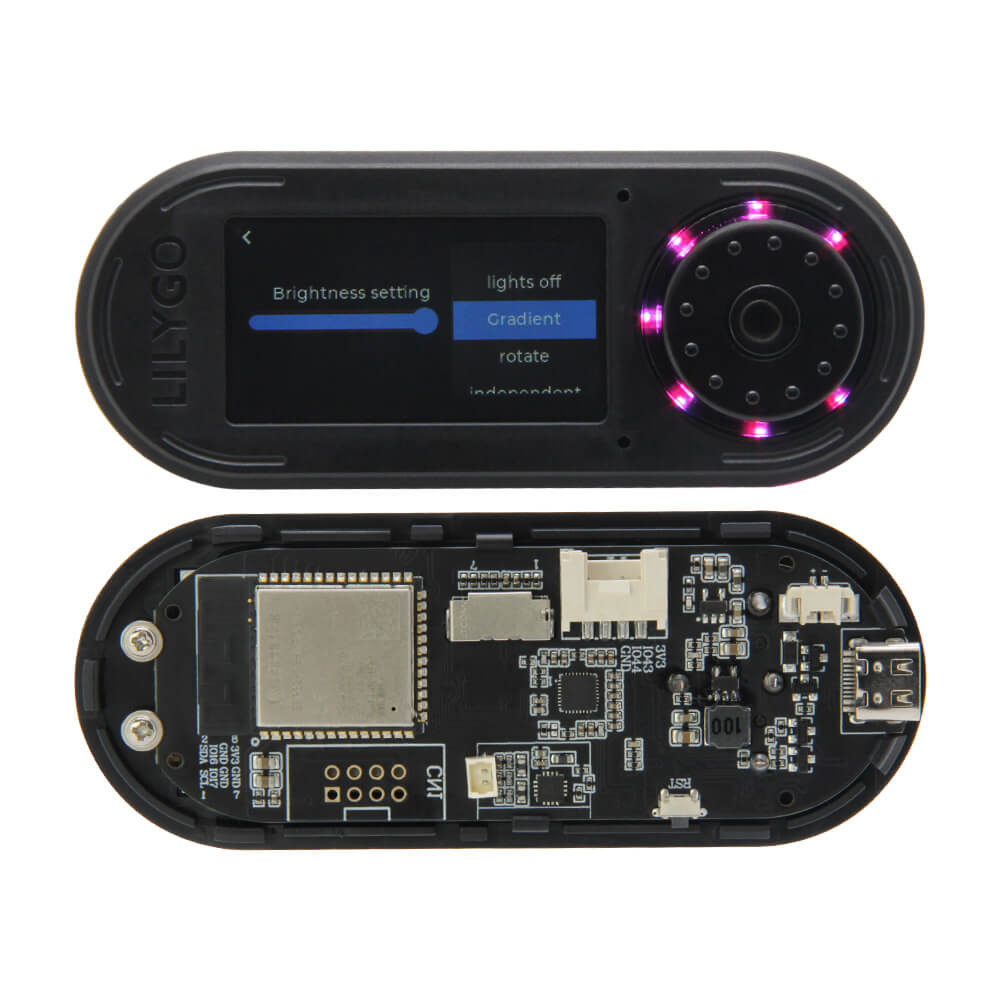
LILYGO T-Embed
ESP32-S3 IoT embedded panel with a 1.9-inch IPS LCD, rotary encoder, dual microphones, speaker, 7 RGB LEDs, Bluetooth 5.0, and Wi-Fi for programmable smart device and HMI development.
$28.56
Hardware Specifications
Connectivity
Components
Dual-core Xtensa LX7 at 240 MHz with Wi-Fi 4 and Bluetooth 5.0
1.9-inch IPS TFT LCD driver, 170x320 resolution, 350 cd/m² brightness
Addressable RGB LED (x7 ring) for status indication and visual feedback
Resources


Where to Buy
Overview
The LILYGO T-Embed is a self-contained IoT embedded panel designed for programmable HMI (human-machine interface) and smart device development. Its ABS+PC casing gives it a finished, product-like appearance while remaining fully programmable via Arduino or ESP-IDF.
The 1.9-inch ST7789 IPS LCD at 170x320 resolution and 350 cd/m² brightness provides a clear, sharp display for menus, sensor readings, and media. A rotary encoder with a push-button enables intuitive navigation without a touchscreen. Dual onboard microphones support voice input and audio detection, while the 8-ohm / 1-watt speaker enables audio playback and alerts.
Seven WS2812 RGB LEDs arranged in a ring provide programmable ambient lighting and status indication. A Grove/Grover connector and two 2.54mm 8-pin GPIO headers allow easy sensor and peripheral expansion. A TF card slot provides storage for audio files, logs, and configuration data. Battery charging with protection circuitry is included.
Firmware Compatibility
The T-Embed is supported by the Arduino IDE with ESP32-S3 board support. TFT_eSPI and LovyanGFX work with the ST7789 display. The Adafruit NeoPixel or FastLED library handles the WS2812 LEDs. LILYGO's T-Embed GitHub repository provides complete examples for display, encoder, audio, and LEDs. ESP-IDF is also supported for full control.
Flashing Guide
- Connect via USB Type-C to your computer.
- In Arduino IDE, select "ESP32S3 Dev Module" and configure flash/PSRAM as appropriate.
- Install TFT_eSPI and configure the driver for ST7789.
- Open an example from the T-Embed repository.
- Click Upload; if auto-reset fails, hold BOOT and press RESET.
Related Products
ESP32-S3This product page may contain errors. If you find any, please report them.