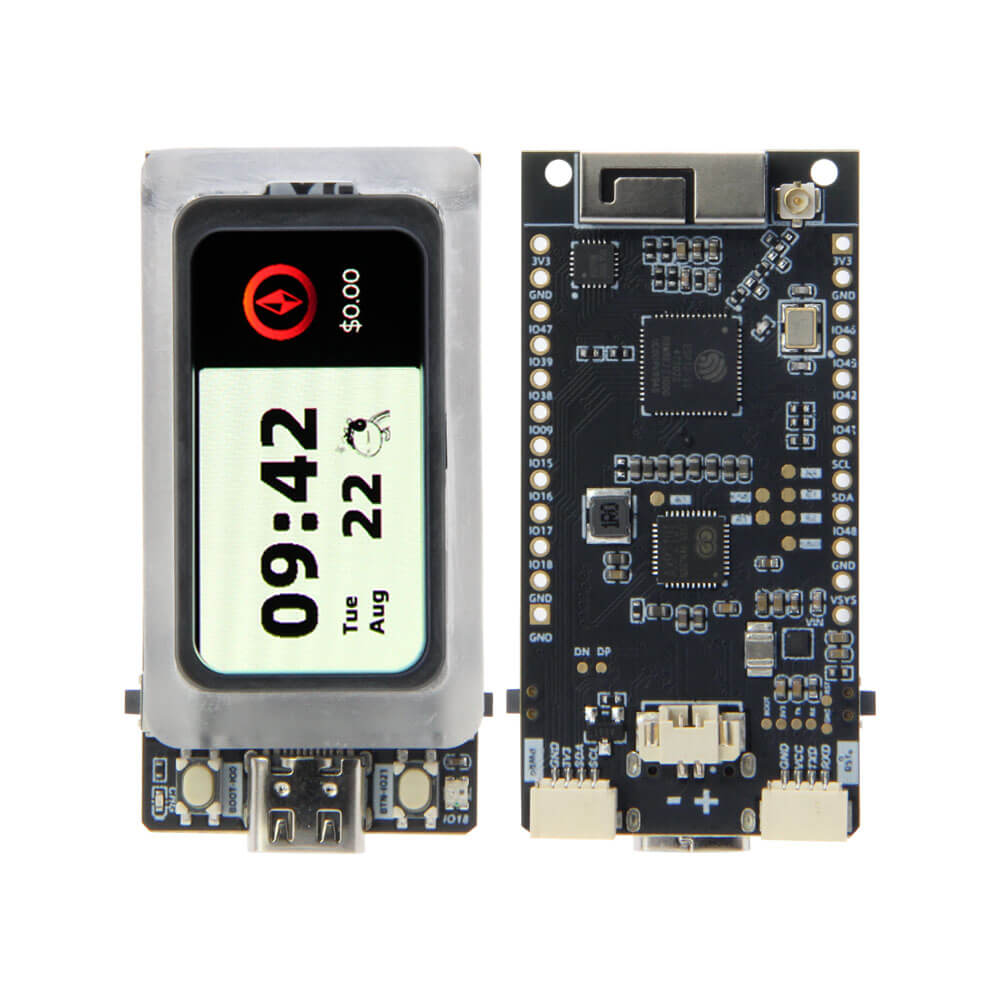
LILYGO T-Display AMOLED Lite
ESP32-S3 development board with a 1.47-inch RM67162 AMOLED display (194x368), 8MB PSRAM, 16MB Flash, WiFi, Bluetooth 5, and battery charging support.
$35.66
Hardware Specifications
Connectivity
Components
Dual-core Xtensa LX7 @ 240MHz, 8MB PSRAM, WiFi 802.11 b/g/n, BLE 5
1.47-inch IPS AMOLED display controller, 194x368 resolution, QSPI interface
Resources


Where to Buy
Overview
The LILYGO T-Display AMOLED Lite is an ESP32-S3-based development board built around a 1.47-inch RM67162 AMOLED display. The AMOLED panel offers superior contrast ratios, true blacks, and vibrant colors compared to traditional LCD displays, with an IPS full-view-angle design at 194x368 pixel resolution connected via a high-speed QSPI interface.
The ESP32-S3R8 provides dual-core LX7 processing at 240MHz backed by 8MB of PSRAM and 16MB of Flash, enabling complex UI animations and large asset storage. Bluetooth 5 LE and WiFi 802.11 b/g/n provide full wireless connectivity. The board supports battery charging and is designed with low power consumption in mind, making it suitable for portable display projects and wearable applications.
Firmware Compatibility
The T-Display AMOLED Lite is compatible with Arduino IDE, PlatformIO, and MicroPython. The GitHub repository at T-Display-AMOLED-Lite provides LVGL-based UI examples and display initialization code for the RM67162 panel via QSPI.
Flashing Guide
- Install ESP32-S3 Arduino core via Boards Manager.
- Connect via USB (ESP32-S3 native USB).
- Select "ESP32S3 Dev Module" with 16MB Flash and 8MB PSRAM in Arduino IDE.
- Enable USB CDC On Boot in board settings.
- Hold IO00 (Boot) button and press Reset to enter download mode, then upload your sketch.
Related Products
ESP32-S3This product page may contain errors. If you find any, please report them.