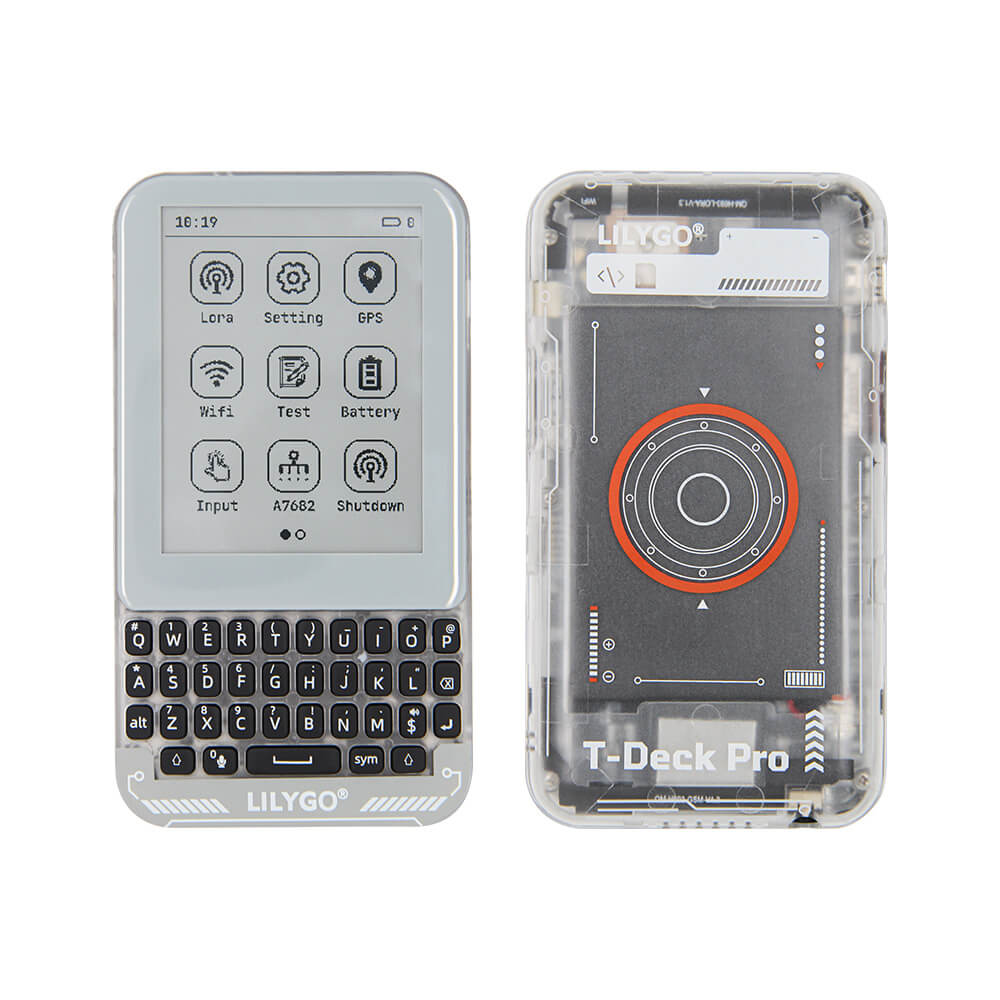
LILYGO T-Deck Pro
A professional Meshtastic-ready handheld device with keyboard, display, LoRa radio, and optional 4G cellular module or voice capability via PCM5102A, available in 433/868/915/920 MHz variants.
$92.35
Hardware Specifications
Connectivity
Components
Dual-core LX7 microprocessor, main controller
LoRa transceiver for Meshtastic mesh networking
4G LTE cellular module (optional variant)
High-quality audio DAC for voice capability (optional variant)

Where to Buy
Overview
The LILYGO T-Deck Pro Meshtastic is a professional-grade handheld communication device purpose-built for Meshtastic off-grid mesh networking. It features a built-in QWERTY keyboard for comfortable text input and a display for real-time message viewing, making it one of the most user-friendly Meshtastic nodes available.
The device ships with Meshtastic firmware pre-loaded and is available in multiple LoRa frequency variants (433 MHz, 868 MHz, 915 MHz, 920 MHz) to suit regional regulations. Two main hardware configurations are offered: one with an A7682E 4G LTE cellular module for hybrid mesh+cellular communication, and another with a PCM5102A audio DAC for voice-capable deployments. Both internal and external antenna options are available.
Multiple regional SKUs are offered for Germany (European compliance) and worldwide use, making the T-Deck Pro Meshtastic suitable for international deployments. Its combination of keyboard input, display, LoRa mesh, and optional cellular connectivity makes it ideal for emergency communication, hiking, and off-grid scenarios.
Firmware Compatibility
- Meshtastic — Pre-loaded; the primary intended firmware for off-grid mesh communication.
- Arduino — Custom firmware development using the ESP32 Arduino core.
- ESP-IDF — Full Espressif SDK for advanced development.
Flashing Guide
- Download the latest Meshtastic firmware from meshtastic.org for ESP32-S3.
- Connect the T-Deck Pro via USB-C.
- Use the Meshtastic web flasher at flasher.meshtastic.org or the CLI tool.
- Select the T-Deck variant matching your device's frequency band.
- Flash and configure via the Meshtastic app (Android/iOS/Desktop).
- For custom firmware, use Arduino IDE or ESP-IDF with the T-Deck board support package from LILYGO's GitHub.
Related Products
ESP32-S3This product page may contain errors. If you find any, please report them.