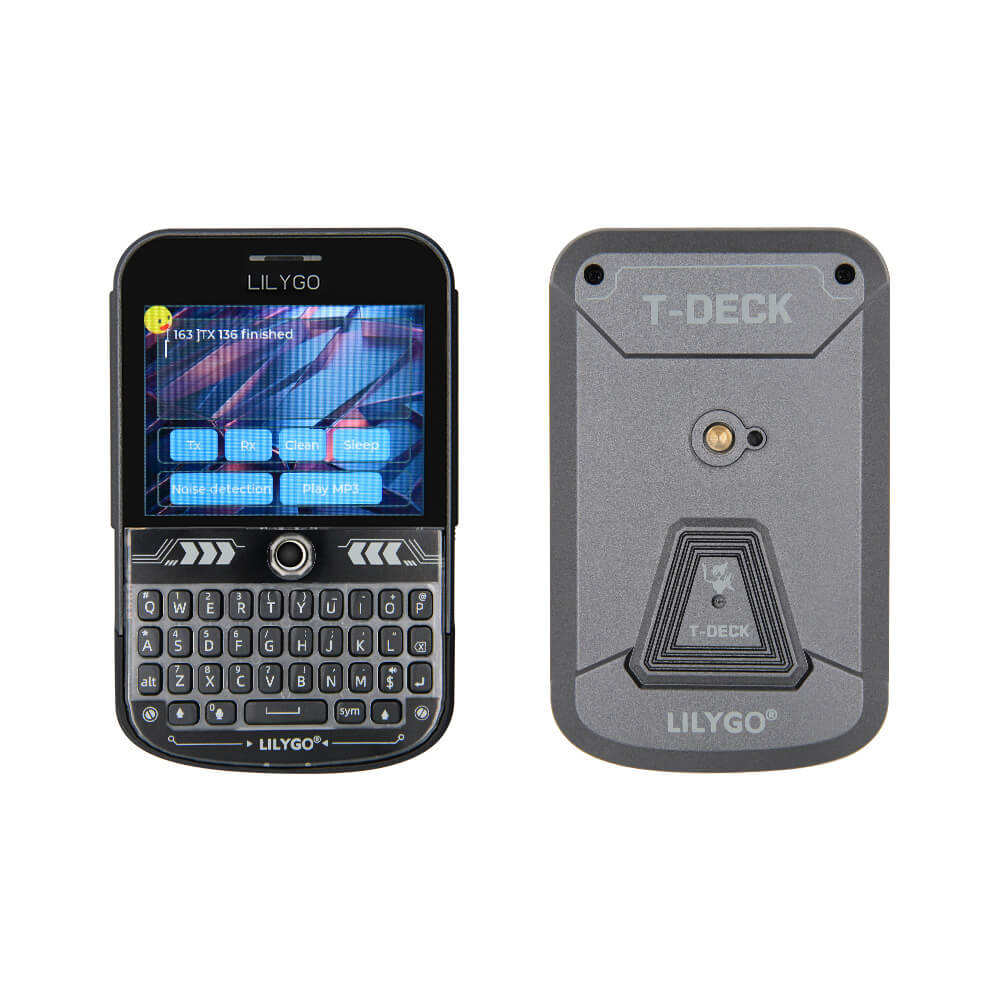
LILYGO T-Deck Plus
Portable handheld for off-grid mesh messaging, GPS tracking, and field IoT monitoring. Type on its keyboard, chat via Meshtastic, and build custom apps on the go.
$70.99
Hardware Specifications
Connectivity
Certifications
Components
Main SoC — dual-core Xtensa LX7 240MHz, 16MB flash, 8MB OPI PSRAM
Secondary MCU — I2C slave for QWERTY keyboard scanning
LoRa transceiver — 433/868/915MHz, +22dBm TX power
u-blox multi-constellation GNSS receiver
2.8-inch IPS LCD controller — 320x240 resolution, SPI interface
Audio ADC codec — manages dual MEMS microphone array
I2S Class-D mono amplifier — drives onboard speaker
Dual MEMS microphone array
Hall Effect sensors (x4) — trackball navigation module
Li-Po battery charging IC — USB-C 5V input
Bus Interfaces(4)
GPIO Map(24 pins)
Resources


Overview
The LILYGO T-Deck Plus is a self-contained handheld development platform built around the ESP32-S3FN16R8 SoC. It integrates a 2.8-inch IPS LCD (320x240, ST7789 driver), a physical QWERTY keyboard managed by a secondary ESP32-C3 MCU over I2C, a trackball navigation module with four AN48841B Hall Effect sensors, an SX1262 LoRa transceiver, a u-blox MIA-M10Q GNSS module, a dual MEMS microphone array (MSM381A3729H9CP), and a MAX98357A-driven speaker — all powered by a built-in 2000mAh lithium polymer battery with TP4065B charging IC.
The T-Deck Plus is an upgraded variant of the original T-Deck, adding the GPS module (connected via UART on GPIO43/TX and GPIO44/RX) and the integrated battery. This trade-off means the Grove expansion port available on the standard T-Deck is repurposed for GPS on the Plus variant and cannot be used for external peripherals.
The ESP32-S3 provides 16MB of SPI flash and 8MB of OPI PSRAM, giving ample room for complex firmware like Meshtastic with its full graphical UI, or custom applications using LVGL. The SX1262 LoRa radio supports 433/868/915MHz bands with up to +22dBm transmission power, enabling long-range mesh communication over several kilometers in open terrain.
Key features:
- Dual-core Xtensa LX7 at 240MHz with 16MB flash and 8MB PSRAM
- 2.8-inch IPS touchscreen (320x240) with ST7789 SPI controller
- SX1262 LoRa transceiver (433/868/915MHz, +22dBm TX power)
- u-blox MIA-M10Q multi-constellation GNSS receiver
- Physical QWERTY keyboard with ESP32-C3 controller
- Trackball navigation with Hall Effect sensors and center-press button
- Dual MEMS microphone array + MAX98357A amplifier with speaker
- ES7210 audio codec for microphone/speaker management
- 2000mAh Li-Po battery with USB-C charging (TP4065B)
- MicroSD card slot for expandable storage
- 1/4-inch tripod mounting hole on rear
Use Cases
- Off-Grid Mesh Communication — Run Meshtastic firmware for peer-to-peer encrypted text messaging over LoRa without any cellular or internet infrastructure. The integrated keyboard, display, and GPS make it fully standalone — no phone pairing required.
- Emergency / Disaster Communication — Deploy as backup communication when cell networks are down. The 2000mAh battery provides hours of operation, and LoRa can reach several kilometers in open terrain with the SX1262 at +22dBm.
- Field Mapping & GPS Tracking — Use the u-blox MIA-M10Q GNSS for position logging during hikes, field surveys, or asset tracking. GPS coordinates can be shared over the Meshtastic mesh to other nodes.
- Event Coordination — Proven at DEF CON 33 for off-grid team coordination in high-density RF environments. The QWERTY keyboard enables rapid text entry compared to phone-paired LoRa nodes.
- Portable Weather Station — Connect I2C sensors (BME280, SHT31) to the exposed bus for environmental monitoring with local display and LoRa transmission of readings to a base station.
- Ham Radio Digital Modes — Use the LoRa transceiver for experimental digital communication modes on ISM bands. The onboard microphone and speaker support voice-adjacent features.
- IoT Gateway Prototyping — Leverage Wi-Fi + BLE + LoRa to bridge LoRa sensor networks to cloud platforms via Wi-Fi, with the display providing local status monitoring.
- Education & Maker Projects — The all-in-one form factor (display, keyboard, radio, GPS, audio) makes it ideal for teaching embedded systems, mesh networking, and radio communication without requiring external components.
- Search & Rescue Coordination — Combine GPS position sharing with mesh text messaging for SAR team communication in areas without cellular coverage.
- Meshtastic Community Node — Deploy as a fixed or mobile Meshtastic node contributing to local mesh infrastructure, with the display showing network status, node count, and message history.
Firmware Compatibility
- Meshtastic: Primary supported firmware. Flash via web flasher at flasher.meshtastic.org (select "T Deck"). Supports full Meshtastic UI with message history, channel management, GPS display, and node map. The Fancy UI firmware adds enhanced graphical interface. GPS pins must be configured post-flash: RX pin 44, TX pin 43.
- Meshcore: Alternative mesh networking firmware available pre-flashed from LILYGO. Offers different mesh networking approach with factory-configured settings.
- Arduino: Supported via Arduino-ESP32 core. Add Espressif board manager URL in Arduino IDE preferences. Tested with Arduino IDE 2.0.14 (higher versions may have TFT_eSPI compatibility issues). PlatformIO is recommended for development.
- CircuitPython: Official board support with UF2 bootloader. CircuitPython 10.1.3+ stable. Supports Wi-Fi, Bluetooth, display, USB-C, and speaker. Requires TinyUF2 0.33.0+ bootloader.
- MicroPython: Supported via LILYGO's custom MicroPython builds for ESP32-S3. Repository at github.com/Xinyuan-LilyGO/lilygo-micropython.
- ESP-IDF: Full support as the base SDK. All hardware peripherals accessible. Recommended for production firmware development and maximum hardware control.
Flashing Guide
- Power off the T-Deck Plus completely using the hardware power switch.
- Enter DFU/download mode: hold the trackball center button (which functions as the BOOT button), then press and release the RST button while continuing to hold the trackball for 2-3 seconds. The screen will remain black, and the device will appear as "USB JTAG/serial debug unit" in your OS.
- For Meshtastic via Web Flasher (easiest method):
- Open flasher.meshtastic.org in a Chromium-based browser (Chrome, Edge, Chromium).
- Select "LILYGO T-Deck" as the target device.
- Choose your firmware version and click Flash. Enable "Full erase" for clean installs.
- After flashing, configure GPS at client.meshtastic.org: set GPS Mode to "ENABLED", RX pin to 44, TX pin to 43.
- For Meshtastic via CLI using esptool:
esptool.py --chip esp32s3 --port /dev/ttyACM0 --baud 921600 write_flash 0x0 firmware-t-deck.bin - For Arduino/PlatformIO development:
- Use PlatformIO with the board definition from the T-Deck repository.
- Upload speed: 921600 baud. Flash mode: DIO. PSRAM type: OPI.
- See
examples/UnitTest/utilities.hin the GitHub repo for complete pin definitions.
- For CircuitPython:
- Download the UF2 file from circuitpython.org/board/lilygo_tdeck.
- Enter UF2 bootloader mode and drag the file to the mounted drive.
- The CH9102 USB-to-UART driver may be required on some systems. Download from the LILYGO Wiki for Mac/Windows if the device is not recognized.
- If the trackball/download mode entry fails, check GitHub Issue #62 — some units require a resistor modification.
Related Products
ESP32-S3This product page may contain errors. If you find any, please report them.