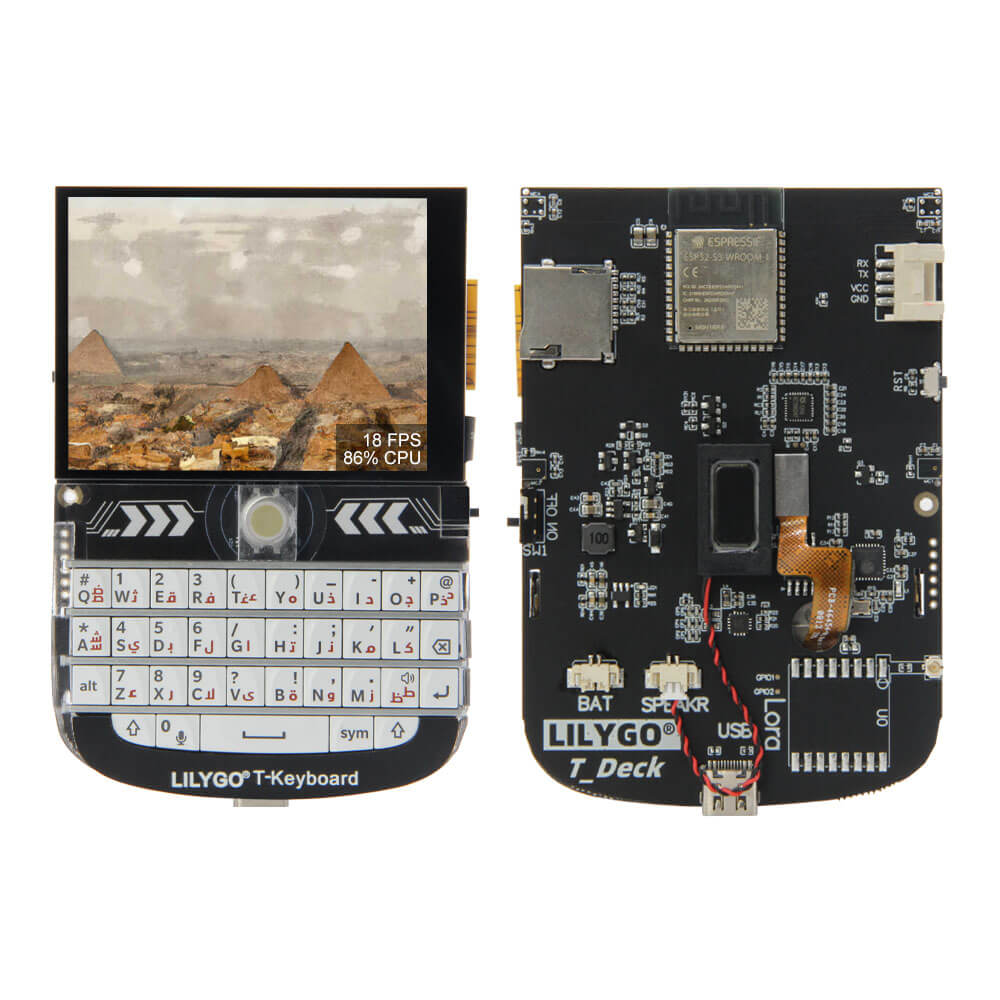
LILYGO T-Deck
The T-Deck is a pocket-sized ESP32-S3 handheld device featuring a 2.8-inch IPS LCD display, a mini QWERTY keyboard, trackball, speaker, microphone, and optional SX1262 LoRa connectivity.
$43.08
Hardware Specifications
Connectivity
Components
Dual-core Xtensa LX7 MCU with 16MB Flash, 8MB PSRAM, WiFi and Bluetooth 5
2.8-inch SPI IPS LCD driver, 320x240 resolution, full viewing angle
Optional LoRa transceiver supporting 433/868/915 MHz, +22dBm transmit power
Resources


Where to Buy
Overview
The LILYGO T-Deck is a fully self-contained pocket-sized ESP32-S3 handheld device that packs a compelling set of features into a compact enclosure. At its core is the ESP32-S3FN16R8 processor with 16MB flash and 8MB PSRAM, paired with a 2.8-inch ST7789 SPI IPS LCD display at 320x240 resolution.
The T-Deck distinguishes itself with its integrated mini QWERTY keyboard and trackball, making it one of the most complete handheld development platforms available. It also includes a built-in microphone and speaker for audio applications, and optionally an SX1262 LoRa transceiver (+22dBm) for long-range wireless communication in 433 MHz, 868 MHz, or 915 MHz bands.
Available in white and black color options, with or without LoRa, the T-Deck targets LoRaWAN devices, mesh networking nodes, portable terminals, walkie-talkie-like communicators, and general-purpose handheld IoT devices. The battery ADC on IO04 supports monitoring an external battery.
Firmware Compatibility
- Arduino IDE: Supported via Espressif Arduino core for ESP32-S3.
- PlatformIO: Recommended build environment with full ESP32-S3 support.
- MicroPython: Available via the official ESP32-S3 MicroPython firmware.
- ESP-IDF: Native Espressif framework.
Reference implementations and factory firmware are available at the T-Deck GitHub repository.
Flashing Guide
- Connect the T-Deck via USB-C cable.
- Enter bootloader mode by holding the trackball button (BOOT) while pressing RESET.
- In Arduino IDE, select ESP32S3 Dev Module with 16MB flash, OPI PSRAM.
- Upload your sketch, then press RESET.
- For LoRa-enabled variants, the SX1262 is accessible via SPI — initialize it with the RadioLib or LoRa library specifying the correct SPI pins for the T-Deck.
Package Contents: 1x T-Deck unit, 1x 6-pin connector, 1x power cable. LoRa variants include the SX1262 module installed.
Related Products
ESP32-S3This product page may contain errors. If you find any, please report them.