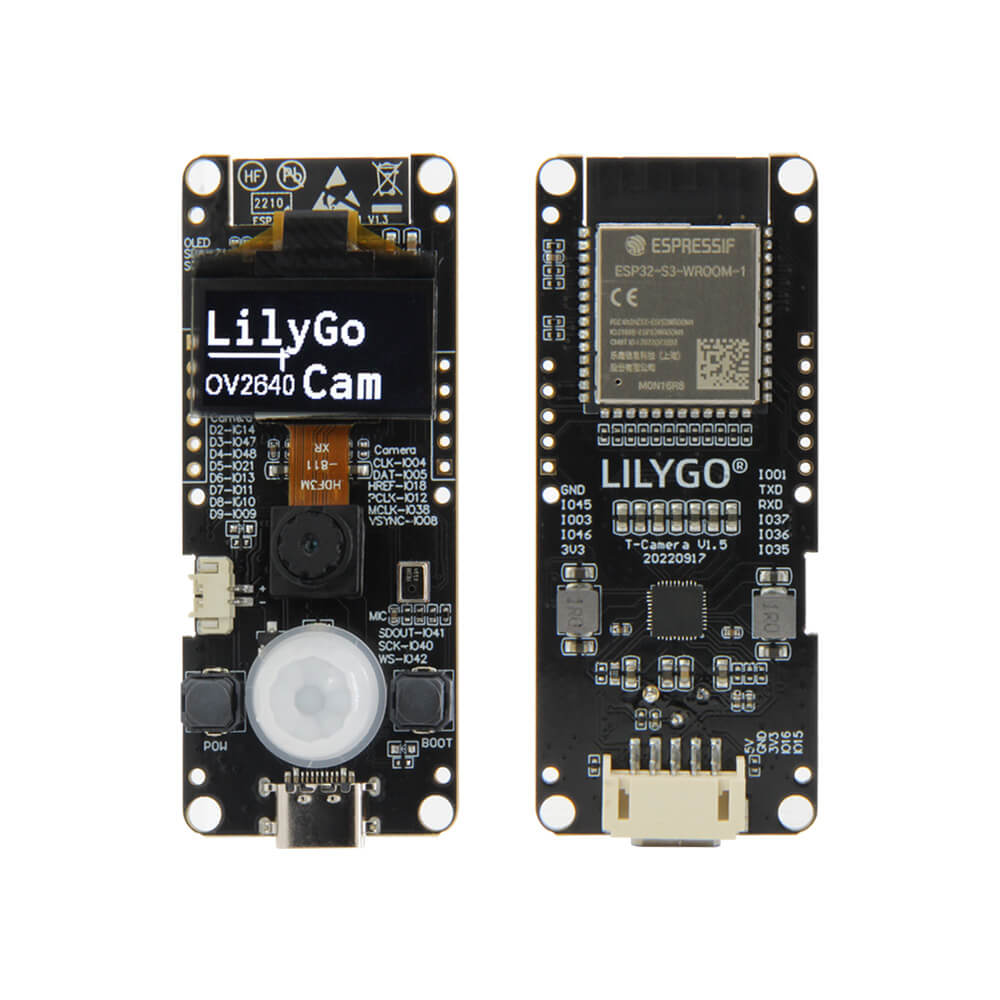
LILYGO T-Camera S3
ESP32-S3 camera development board with OV2640 or OV5640 image sensor, 0.96-inch SSD1306 OLED display, 8MB PSRAM, 16MB Flash, WiFi, and Bluetooth 5 + BT Mesh.
$17.31
Hardware Specifications
Connectivity
Components
Dual-core Xtensa LX7 @ 240MHz, 8MB PSRAM, 16MB Flash, native USB
2 megapixel (UXGA 1622x1200) camera sensor at 3.3V
5 megapixel camera sensor (optional higher-resolution variant)
0.96-inch OLED display, 128x64, I2C (SDA: IO07, SCL: IO06)
Resources


Where to Buy
Overview
The LILYGO T-Camera S3 is an ESP32-S3 camera development board that builds on the proven ESP32-CAM concept with the more powerful S3 chip. It combines an OV2640 (2MP) or OV5640 (5MP) image sensor with a 0.96-inch SSD1306 OLED display on a single board, offering both image capture and local display output.
The ESP32-S3FN16R8 provides dual-core LX7 processing at 240MHz with 8MB of PSRAM and 16MB of Flash, significantly exceeding the memory of classic ESP32-CAM designs. Bluetooth 5 with BT Mesh and WiFi 802.11 b/g/n enable versatile wireless connectivity. A fisheye OV2640 lens variant is also available. An optional ABS protective shell and 5-pin cable are sold separately.
Firmware Compatibility
The T-Camera S3 is compatible with Arduino IDE, ESP-IDF, and VS Code with PlatformIO. The GitHub repository at LilyGo-Cam-ESP32S3 provides camera streaming examples using the ESP32 camera library, compatible with standard ESPAsyncWebServer-based MJPEG streaming.
Flashing Guide
- Install ESP32-S3 Arduino core via Boards Manager.
- Connect via USB (native ESP32-S3 USB) or use the 5-pin programming cable.
- Select "ESP32S3 Dev Module" with 16MB Flash and 8MB PSRAM.
- Enable USB CDC On Boot if using native USB for serial output.
- Upload sketch; press IO0 + Reset to enter download mode if needed.
Related Products
ESP32-S3This product page may contain errors. If you find any, please report them.