Tutorialintermediate
TinkerRTK WiFi NTRIP Client
Arduino sketches for connecting a TinkerNav board to an NTRIP caster over WiFi, enabling single-board RTK rover operation using publicly available or subscription-based correction data streams.
Boards:ESP32-S3RP2040
Firmware:Arduino
Use Cases:GPS Tracking
Overview
This project enables a single TinkerNav board to achieve RTK-level GPS accuracy by connecting to an NTRIP (Networked Transport of RTCM via Internet Protocol) caster over WiFi. Instead of requiring a dedicated base station, the rover receives correction data from a network of reference stations via the internet.
Key Features
- Single Board Operation: Only one TinkerNav needed (no dedicated base station required)
- Internet-Based Corrections: Connects to NTRIP casters for RTCM correction streams
- WiFi Connectivity: Uses the built-in ESP32-S3 WiFi to connect to any available network
- Cost Effective: Leverage free public NTRIP services or paid subscriptions
- Standard Protocol: Uses HTTP/1.1-based NTRIP protocol compatible with most correction services
How NTRIP Works
NTRIP uses a client-server architecture:
- NTRIP Source: A base station generating RTCM correction data
- NTRIP Server: Sends correction data to the caster
- NTRIP Caster: Central server that distributes corrections to clients
- NTRIP Client: Your TinkerNav rover, receiving and applying corrections
Hardware Required
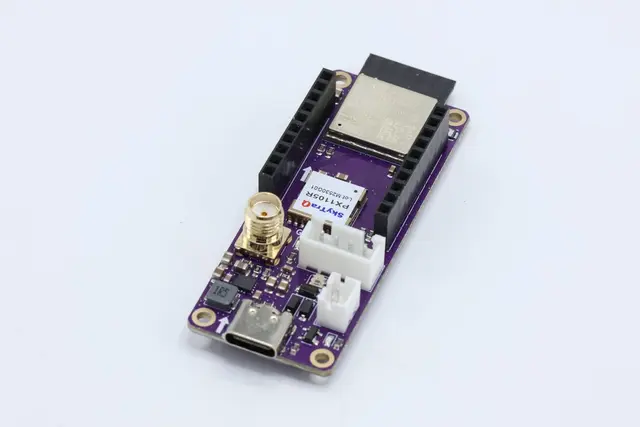
- 1x TinkerNav RTK GNSS base board
- 1x GNSS antenna (multi-band L1/L2/L5)
- WiFi network with internet access
- USB-C cable for programming
- NTRIP caster credentials (free or subscription-based)
Getting Started
- Download the WiFi NTRIP sketches from GitHub
- Configure your NTRIP caster URL, port, mount point, and credentials
- Set your WiFi network SSID and password
- Flash to TinkerNav via Arduino IDE
- Deploy outdoors with the GNSS antenna