T-Dongle Ducky — WiFi-Controlled USB Rubber Ducky
Turns the LILYGO T-Dongle S3 into a WiFi-controlled USB Rubber Ducky for keystroke injection — execute DuckyScript payloads remotely via a web interface while the dongle sits plugged into the target.
Overview
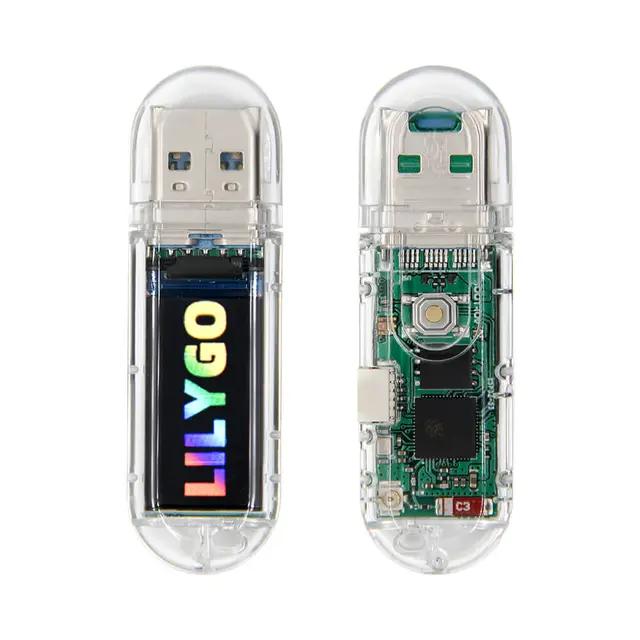
T-Dongle Ducky (118+ GitHub stars) is a focused implementation of a WiFi-controlled USB Rubber Ducky using the LILYGO T-Dongle S3. Plug it into any USB port and it registers as a keyboard, then execute keystroke injection payloads — either pre-loaded or triggered remotely via WiFi. The T-Dongle's USB-A form factor and tiny size make it look like an ordinary USB stick.
Key Features
- DuckyScript Compatible: Write payloads in standard DuckyScript format
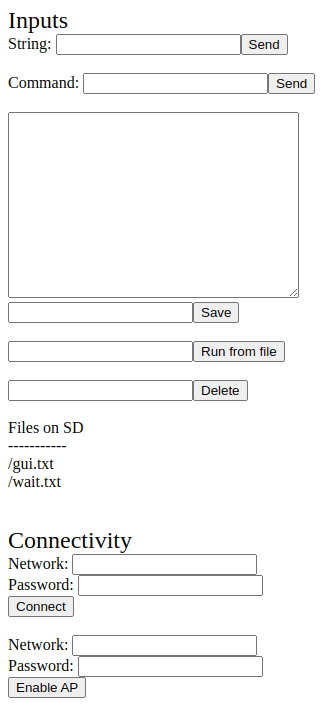
- WiFi Remote Trigger: Trigger payloads remotely via the built-in WiFi web interface — no need to be physically present
- Pre-Loaded Scripts: Store multiple payloads and select which to execute
- USB HID Emulation: Registers as a standard USB keyboard — works on any OS without drivers
- Display Output: Status and payload info shown on the T-Dongle's 0.96" color screen
- Compact Form Factor: The USB-A dongle looks innocuous plugged into any computer
Getting Started
Flash the firmware via Arduino IDE or PlatformIO. Create DuckyScript payloads (plenty of examples online). Plug the T-Dongle into a USB port. Connect to its WiFi AP from your phone or laptop, open the web interface, and trigger your payload.
Why This Project
The original USB Rubber Ducky from Hak5 costs $80+. The T-Dongle S3 costs under $10 and adds WiFi remote control — a capability the original lacks. For security awareness training and authorized penetration testing, it's an incredibly cost-effective tool. The WiFi trigger means payloads can be executed at the right moment during a physical security assessment.