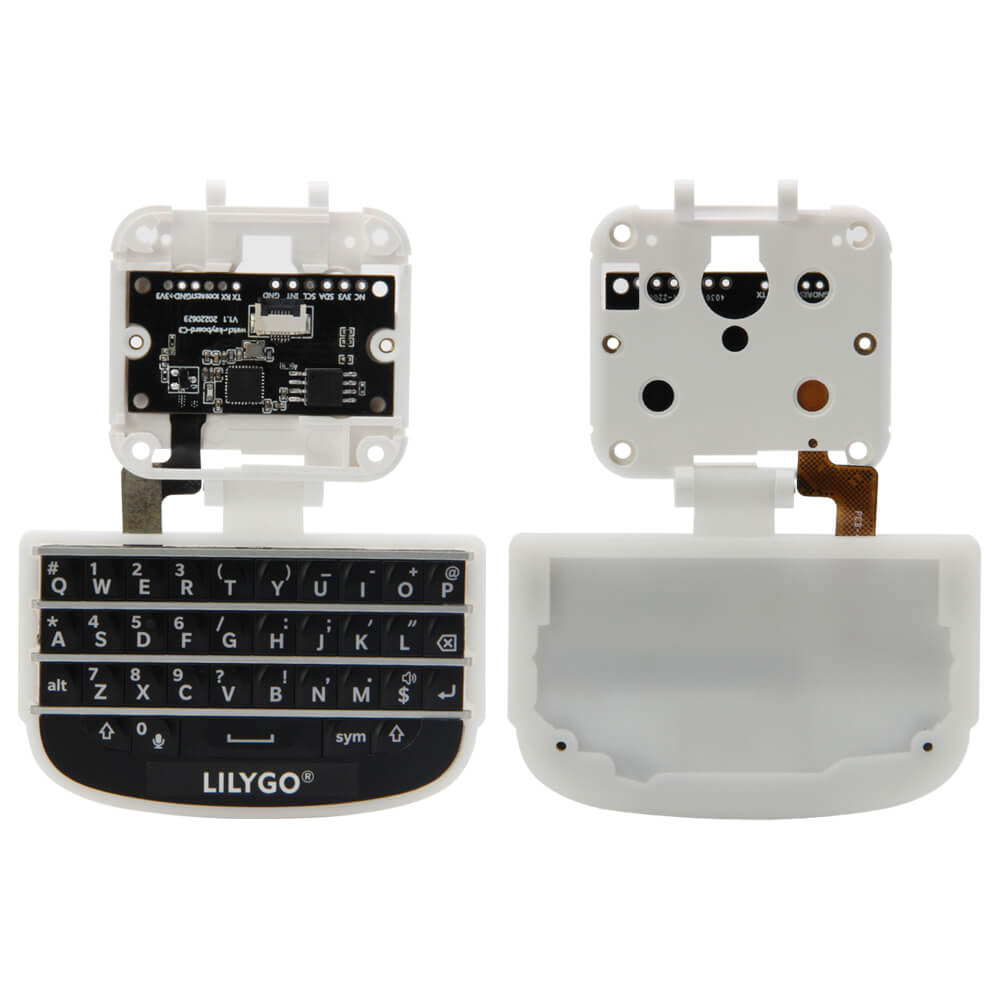
LILYGO Watch-Keyboard-C3 V1.0
ESP32-C3 T-Watch expansion module featuring a QWERTY mini keyboard for wearable text input, with included motor and MIC speaker module for full smartwatch interaction.
$13.55
Hardware Specifications
Connectivity
Components
Single-core RISC-V at 160 MHz with Wi-Fi and Bluetooth 5.0 LE
Resources


Where to Buy
Overview
The LILYGO Watch-Keyboard-C3 V1.0 is an expansion module that adds a compact QWERTY mini-keyboard to the T-Watch ecosystem. Based on the ESP32-C3 microcontroller, it functions as a standalone wireless keyboard controller or as a T-Watch companion module for text input applications such as messaging, terminal access, and note-taking.
The module ships with a Motor MIC Speaker Module and a 0.5mm Flexible Flat Cable (1x6P) for connecting to T-Watch or other LILYGO boards. An alternative high-value bundle includes a complete T-Watch 2020 V3 smartwatch, providing a ready-to-use smartwatch with keyboard combination.
The ESP32-C3's Wi-Fi and Bluetooth 5.0 LE connectivity enables wireless HID keyboard protocols (BLE HID) for pairing with smartphones and computers, or direct Wi-Fi communication with custom applications. The board can also be used independently as a decorative programmable device.
Firmware Compatibility
The Watch-Keyboard-C3 is compatible with the Arduino IDE using the ESP32-C3 board support package. BLE HID keyboard libraries are available for Bluetooth keyboard emulation. ESP-IDF is also supported. LILYGO's GitHub organization provides reference firmware for the keyboard matrix scanning and connectivity examples.
Flashing Guide
- Connect via USB Type-C to your computer.
- In Arduino IDE, select "ESP32C3 Dev Module."
- Enable "USB CDC On Boot" for serial monitor support.
- Install required keyboard or BLE HID libraries.
- Open example code from LILYGO's GitHub.
- Click Upload; hold BOOT and press RESET if auto-download mode fails.
Related Products
ESP32-C3This product page may contain errors. If you find any, please report them.