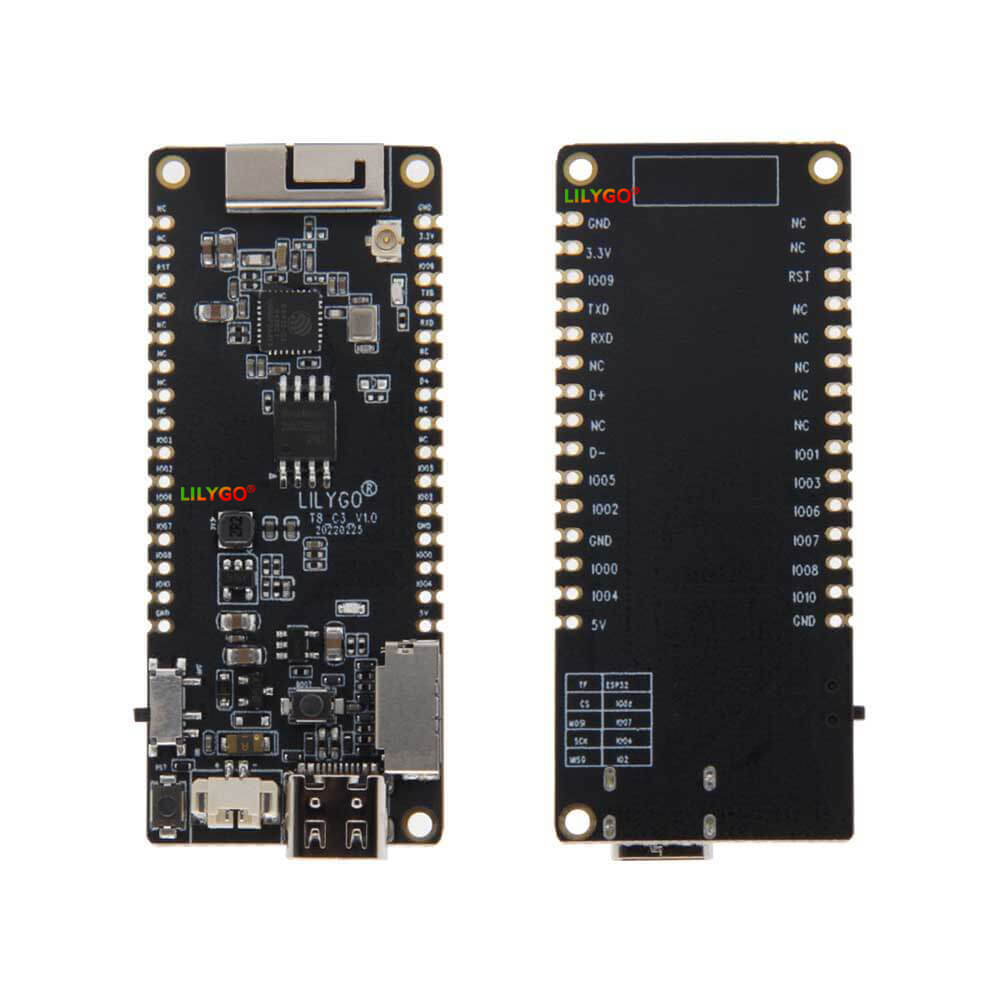
LILYGO T8 C3
A compact ESP32-C3 or ESP32-S3 development board with TF card slot and LiPo battery support, designed for small-footprint IoT applications with Wi-Fi and Bluetooth 5 connectivity.
$9.78
Hardware Specifications
Connectivity
Components
RISC-V 32-bit SoC at 160MHz with 400KB SRAM, integrated Wi-Fi and Bluetooth 5
Dual-core Xtensa LX7 at 240MHz with 512KB SRAM, integrated Wi-Fi and Bluetooth 5 (S3 variant)
Resources


Where to Buy
Overview
The LILYGO T8 is a compact development board available in ESP32-C3 and ESP32-S3 variants, offering a small form factor suitable for space-constrained IoT projects. The board features a TF (microSD) card slot for local data logging, a reset button, LiPo battery support via a JST 2-pin 1.25mm connector with battery power detection, and support for both 3D chip antenna and external IPEX antenna for better range.
The ESP32-C3 variant uses a RISC-V 32-bit core at 160MHz with 400KB SRAM and 4MB Flash, with Bluetooth 5 LE support alongside Wi-Fi. The ESP32-S3 variant offers a more powerful dual-core Xtensa LX7 at 240MHz with 512KB SRAM, suitable for more compute-intensive tasks. Both variants use USB Type-C for power and programming.
Note that the T8-C3 requires the T-U2T USB-to-serial adapter for programming, as it does not include an integrated USB-to-serial chip. The T8-S3 variant includes USB connectivity directly. The board supports development in Arduino, ESP-IDF, and MicroPython, and is programmed using C/C++ or MicroPython.
Firmware Compatibility
- Arduino: Supported via the ESP32 Arduino core with ESP32-C3 or ESP32-S3 board target.
- ESP-IDF: Supported with full access to Espressif SDK.
- MicroPython: Supported for rapid prototyping.
Flashing Guide
- For T8-C3: Connect the T-U2T adapter to the board's UART pins and plug into USB. The auto-download circuit will handle bootloader mode entry.
- For T8-S3: Connect directly via USB Type-C.
- In Arduino IDE, select "ESP32C3 Dev Module" or "ESP32S3 Dev Module" as appropriate.
- Install the ESP32 board support package from Espressif.
- Upload your sketch. For MicroPython, use esptool.py to flash the appropriate firmware binary from micropython.org.
- Refer to https://github.com/Xinyuan-LilyGO/T8-C3 for pinout diagrams and examples.
Related Products
ESP32-C3This product page may contain errors. If you find any, please report them.