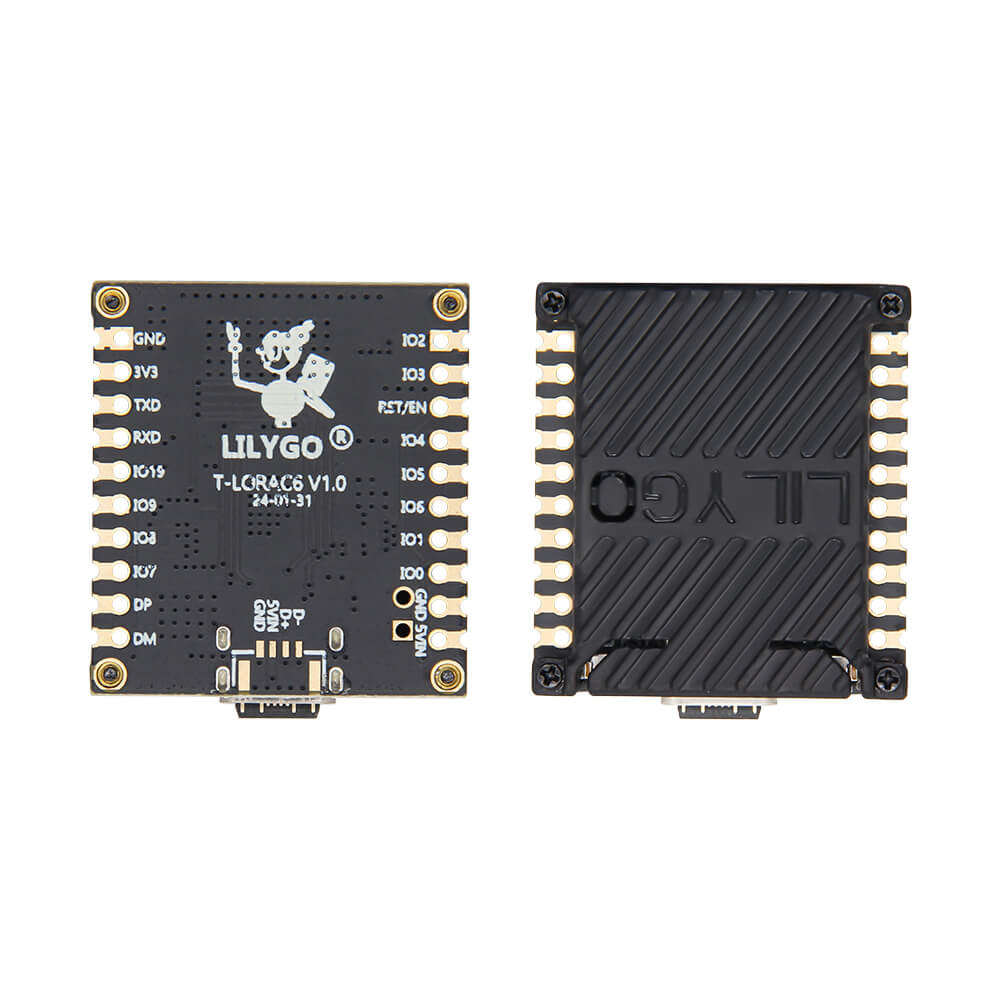
LILYGO T-LoRa C6
Compact ESP32-C6 development board with SX1262 LoRa transceiver, WiFi 6, Bluetooth 5 LE, and 802.15.4 support for multi-protocol IoT and mesh networking applications.
$16.52
Hardware Specifications
Connectivity
Components
Single-core RISC-V up to 160MHz with WiFi 6, BLE 5, and 802.15.4 (Zigbee/Thread)
Long-range LoRa transceiver, available in 433MHz, 868MHz, or 915MHz variants
Resources


Where to Buy
Overview
The LILYGO T-LoRa C6 is a compact development board combining the ESP32-C6-MINI-1 microcontroller with an SX1262 LoRa transceiver, making it one of the few boards to offer WiFi 6, Bluetooth 5 LE, 802.15.4 (Zigbee/Thread), and LoRa in a single package. This multi-protocol capability makes it ideal for bridging different wireless ecosystems in IoT gateways, Meshtastic nodes, and sensor relay applications.
The board is available in three LoRa frequency variants — 433MHz, 868MHz, and 915MHz — to suit different regional regulations and deployment requirements. A distinctive feature is the 3D-printed lid that secures the FPC antenna; this lid is removable but not heat-resistant. A custom function LED and BOOT/Reset buttons complete the hardware layout.
The T-LoRa C6 supports C/C++, MicroPython, and Lua programming, and is compatible with Arduino IDE, VS Code with ESP-IDF, and the full ESP-IDF framework. It is in stock and priced at $16.52 across all frequency variants.
Firmware Compatibility
Compatible with Arduino IDE using the ESP32 board package, ESP-IDF, and MicroPython. The GitHub repository at https://github.com/Xinyuan-LilyGO/LilyGo-LoRa-Series provides example code for LoRa point-to-point communication, LoRaWAN, and multi-protocol bridging.
Flashing Guide
- Install the ESP32 board package in Arduino IDE 2.x with ESP32-C6 support.
- Connect via USB-C cable.
- Hold BOOT and press RESET to enter download mode if not auto-detected.
- Select ESP32C6 Dev Module from the board manager.
- Upload LoRa examples from the LilyGo-LoRa-Series repository or your own firmware.
Related Products
ESP32-C6This product page may contain errors. If you find any, please report them.